Once you have completed the connection (refer to the chapter of connection diagram); also complete HMXCC1
control unit and SW setup, press Scroll Lock + Scroll Lock + Space to enter the control page from the console. Note:
Press Ctrl + Ctrl as shortcut key to pop up OSD menu directly.
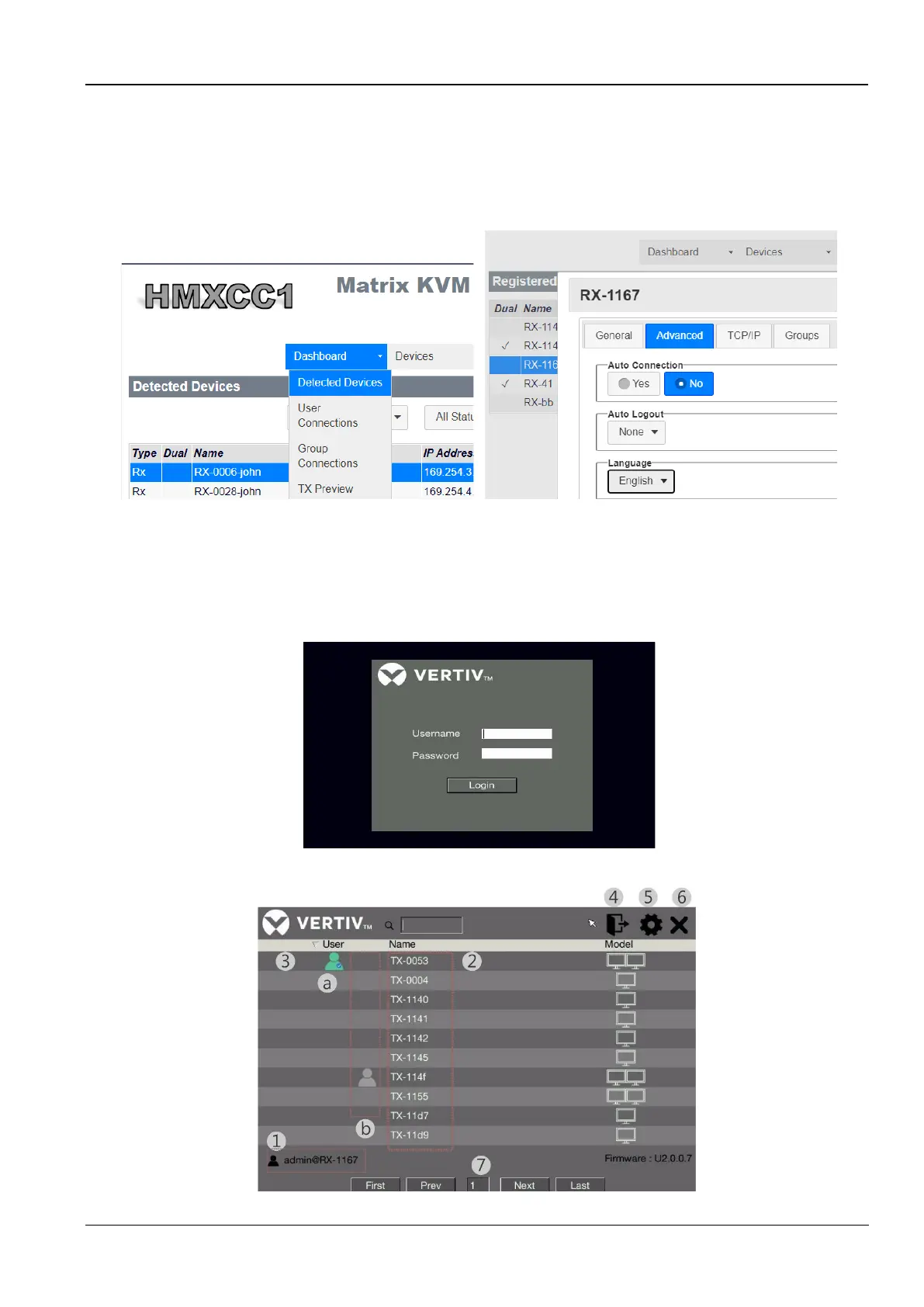
Under HMXCC1 Control Center:
➢ Go to Dashboard >> Detected Devices to register one device. Select the device and click + symbol below.
➢ Go to Devices to change the language interface under <setup receiver>
Figure 7-6 Device Registration/ Device Language
When finishing set up HMXCC1, you could start using HMX1080 or HMX2080 receiver.
User name: admin
Password: adminpass
Figure 7-7 Admin OSD Login
Figure 7-8 Admin OSD control page



 To Next Page