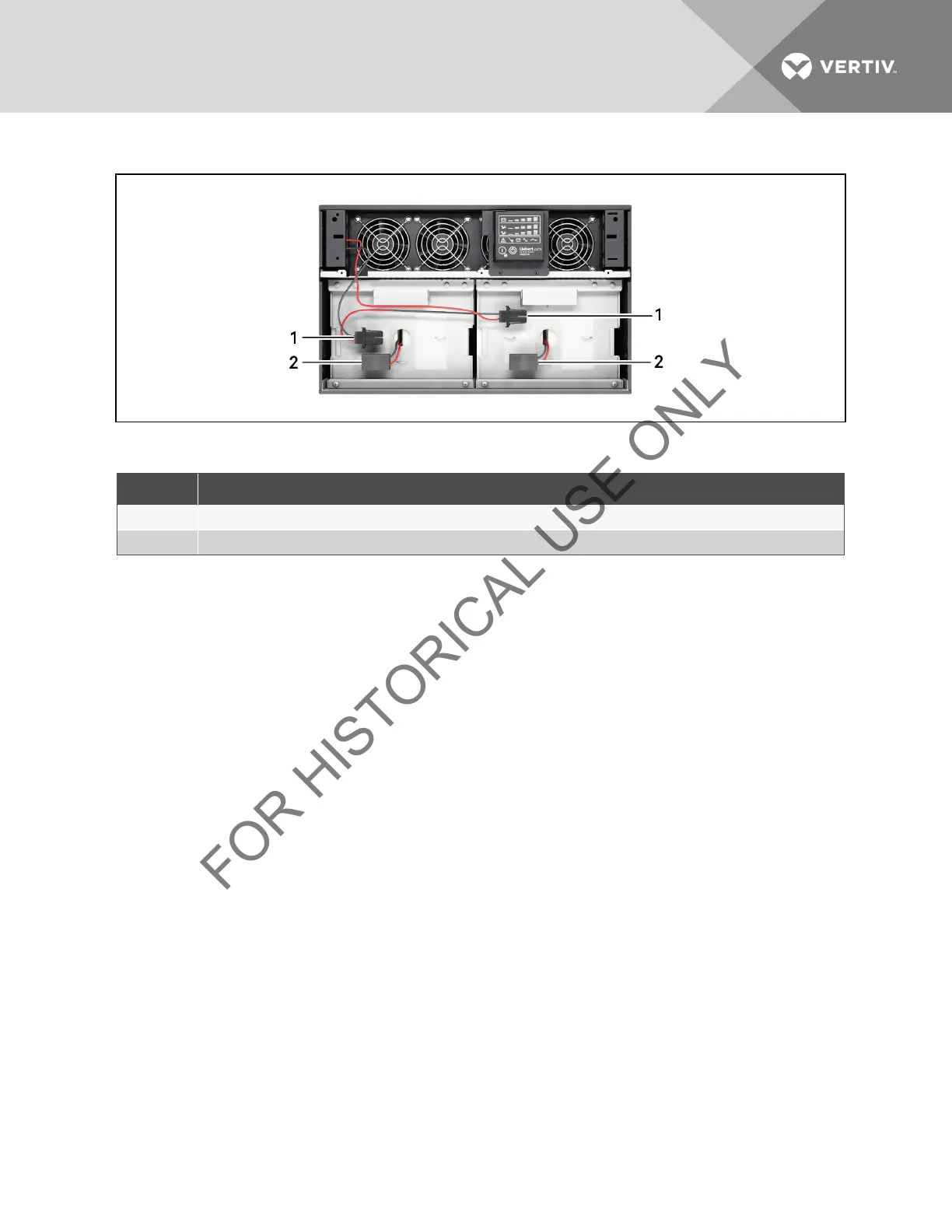
Figure 10.2 Disconnecting the battery plug and battery receptacle (front view)
ITEM DESCRIPTION
1 Battery Receptacle
2 Battery Connector
Table 10.2 8000/10,000VA model Front View Descriptions
NOTE: 8000/10,000VA model shown; 5000/6000VA model arrangement is the same except smaller.
5. Grasp the battery handle and pull one of the internal battery packs out of the UPS, as shown in Figure 10.3 on
the facing page.
Repeat this step if both battery packs will be replaced. Each model has two battery packs
Vertiv | Liebert® GXT3 ™ Installer/User Guide | 48







 To Next Page