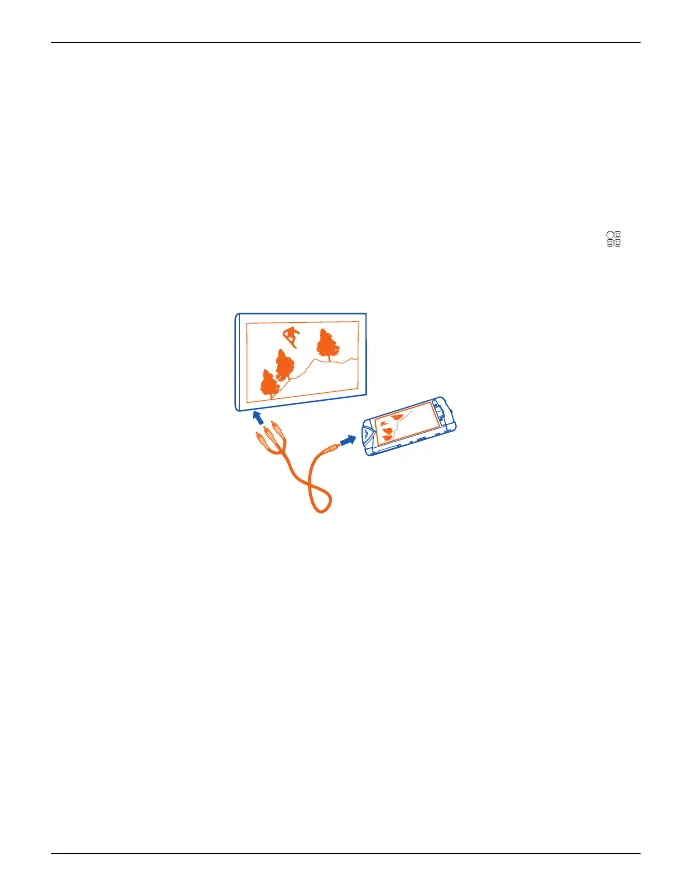
View pictures and videos on a TV
To view your pictures and videos on a TV, you need to use the supplied AV cable
CA-163V to connect your phone to the TV.
1 Connect the AV cable to the video input of a compatible TV. The colours of the
plugs must match the colours of the sockets.
2 Connect the other end of the AV cable to the AV connector of your Vertu
Constellation. You may need to select TV-Out cable as the USB mode.
3 Browse for the file you want to view.
You may need to modify the TV-out settings and aspect ratio. To do this, select
>
Settings and Phone > Accessories > TV-Out.
The display from your Vertu Constellation, as well as any sound, is now played through
the connected device.
Videos and TV 95
© 2012 Vertu. All rights reserved.















 To Next Page