Zoom out
Place two fingers on the item, and slide your fingers together.
Tip: You can also tap the item twice to zoom in and out from the default zoom
setting.
Notification area
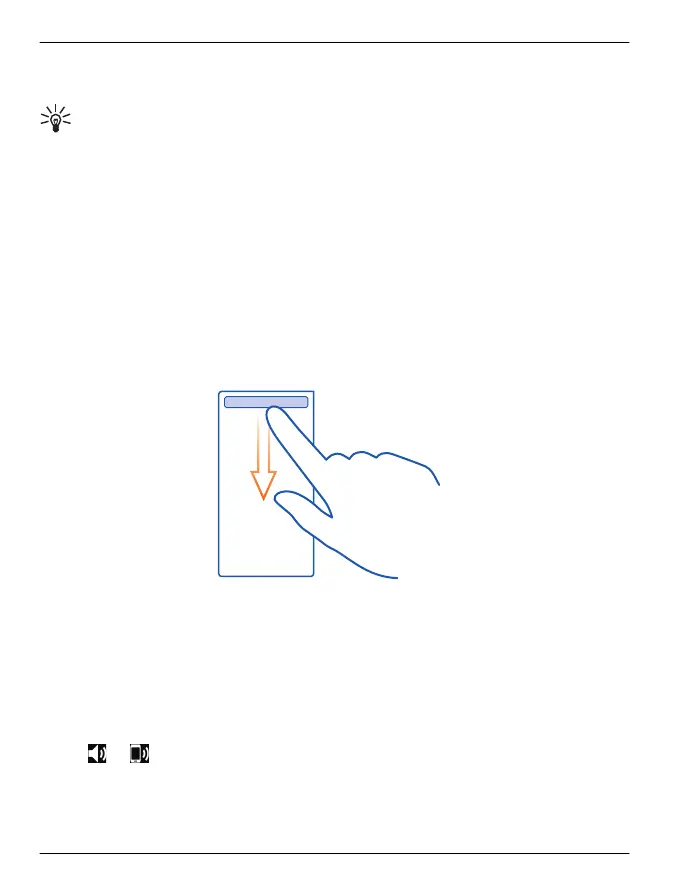
From the notification area, you can quickly access key settings such as closing an
internet connection or silencing your phone directly from the status menu. The
notification area is not available when you are in a full screen application, such as
Maps.
• View notifications of missed calls or unread messages
•Silence your phone
• Modify the connectivity settings
• View available Wi-Fi connections, and connect to a Wi-Fi network
• Manage Bluetooth connections
Simply swipe down from the notification area.
Change the volume of a call, song, or video
Use the volume keys.
You can adjust the volume during a call or when an application is active.
The built-in loudspeaker allows you to speak and listen from a short distance without
having to hold the phone to your ear.
Activate or deactivate the loudspeaker during a call
Select
or .
20 Get started
© 2012 Vertu. All rights reserved.















 To Next Page