2022/04/05 13:27 13/26 SLICE-QTC Four-Channel Temperature Controller
Product Manuals - https://www.vescent.com/manuals/
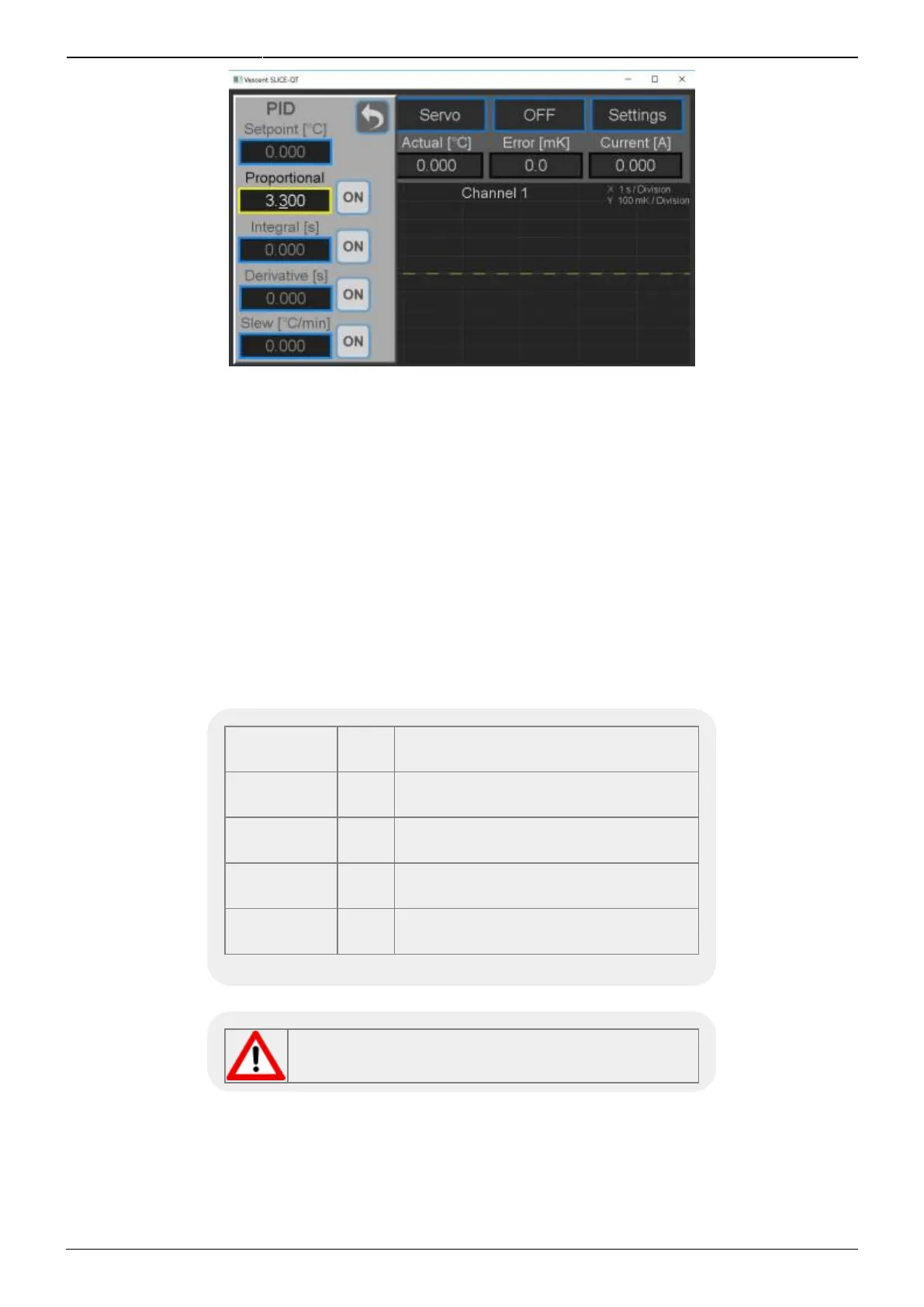
Fig. 22: Screen for adjusting PID parameters for individual channel
To set the PID loop filter parameters from the Home screen, select CH X > Settings > PID Params and
the screen in figure 22 will appear. The parameters for the PID loop filter are set in this popup screen.
These parameters control the closed-loop behavior of the feedback. Each of these parameters will
need to be tuned specifically for your plant. There is an option to enable or disable each parameter in
the loop filter. There are a number of methods to tune a loop. We recommend the Ziegler-Nichols
method.
12)
Instructions on using this method can be found here.
Slew Rate Limit
For applications where the rate of change of the temperature of the plant needs to be controlled, it is
possible to set an upper limit on the slew rate. This can also be done through the PID Params screen.
Setpoint °C
Sets the setpoint temperature of the
plant.
Proportional V/V
Sets the proportional gain of the loop
filter.
Integral sec
Sets the integral time constant of the
loop filter.
Derivative sec
Sets the derivative time constant of
the loop filter.
Slew (Rate) ºC/min
Sets the maximum slew rate for the
plant temperature.
Tab. 5: Setting loop parameters
If appropriate, make sure to turn the Slew Rate
Limit off when changing use case!
Power Limits
The User can limit the control power available to individual channels. To adjust control capacity from



 To Next Page