2022/04/05 13:27 15/26 SLICE-QTC Four-Channel Temperature Controller
Product Manuals - https://www.vescent.com/manuals/
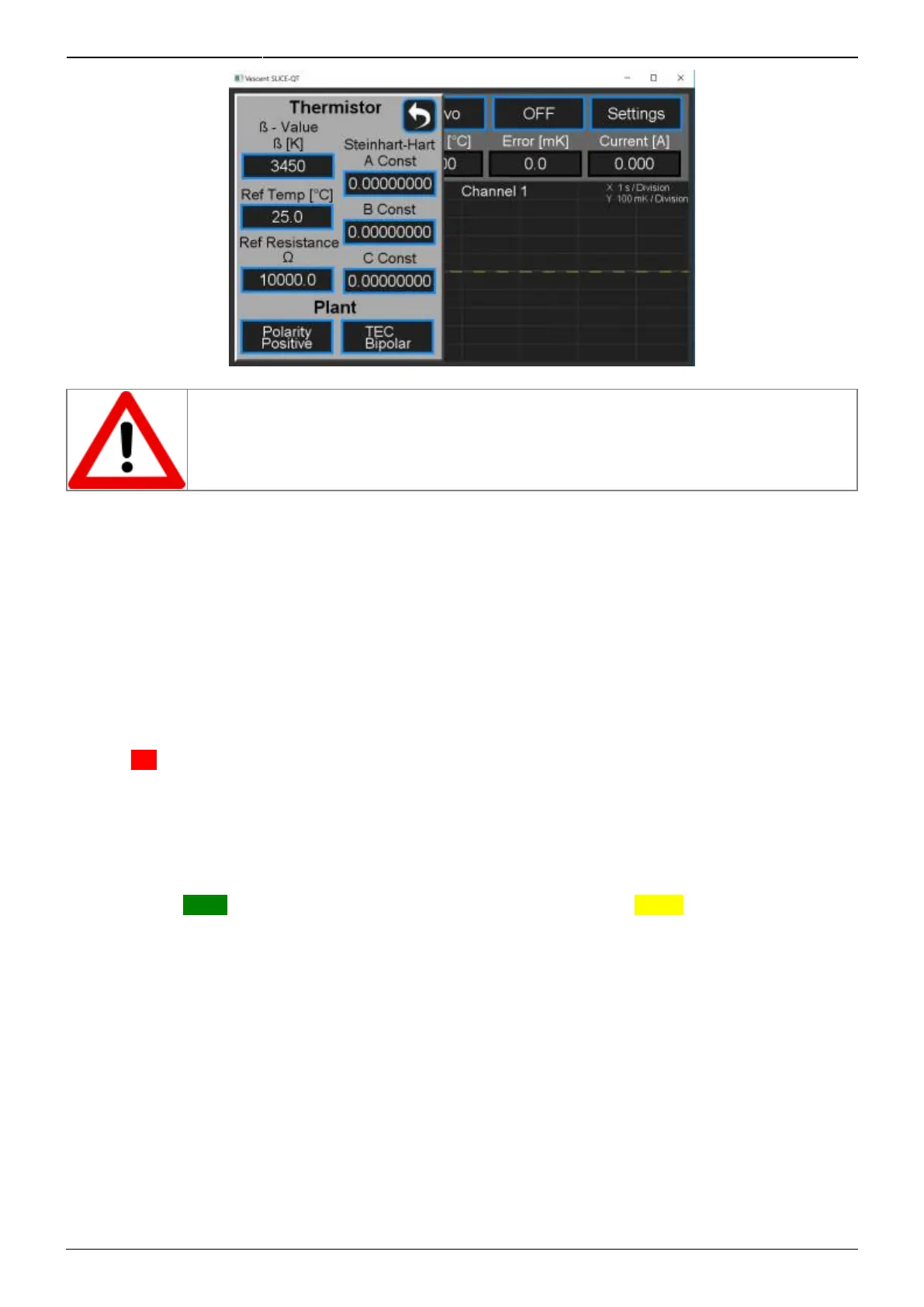
Fig. 24: Set Thermistor and Plant Information
WHEN USING A RESISTIVE HEATER, be sure to set the transducer type (CH X >
Settings > Plant) to Heater/Monopolar. If set to TEC/Bipolar, attempts by the SLICE-
QTC to actively cool your plant will result in a thermal runaway condition.
Maximum & Minimum Temperature, Lock Range
Set Maximum & Minimum Temperature
The maximum and minimum allowable temperatures (T
max
and T
min
) can be set as well as the range of
∆T where the system is considered to be locked. From a Channel Detail screen (figure 19), tap
Settings > Temp Limits and the screen in figure 25 will appear. It is advised to set T
min
above the dew
point temperature for your ambient conditions to avoid condensation on your plant surface. If the
temperature of the plant exceeds the range set by T
max
and T
min
, the temperature will be displayed in a
flashing red field.
Set Lock Range
In the view shown, the lock range has been defined to be ±3 mK. If -3 mK ≤ ∆T ≤ +3 mK, ∆T will be
displayed on a green field. If outside this range, ∆T will be displayed on a yellow field. The graph in
the bottom right of the Channel Detail screen plots ∆T vs. time. The dashed yellow lines on this plot
represent the lock range limits as set in this screen.



 To Next Page