2022/04/05 13:27 17/26 SLICE-QTC Four-Channel Temperature Controller
Product Manuals - https://www.vescent.com/manuals/
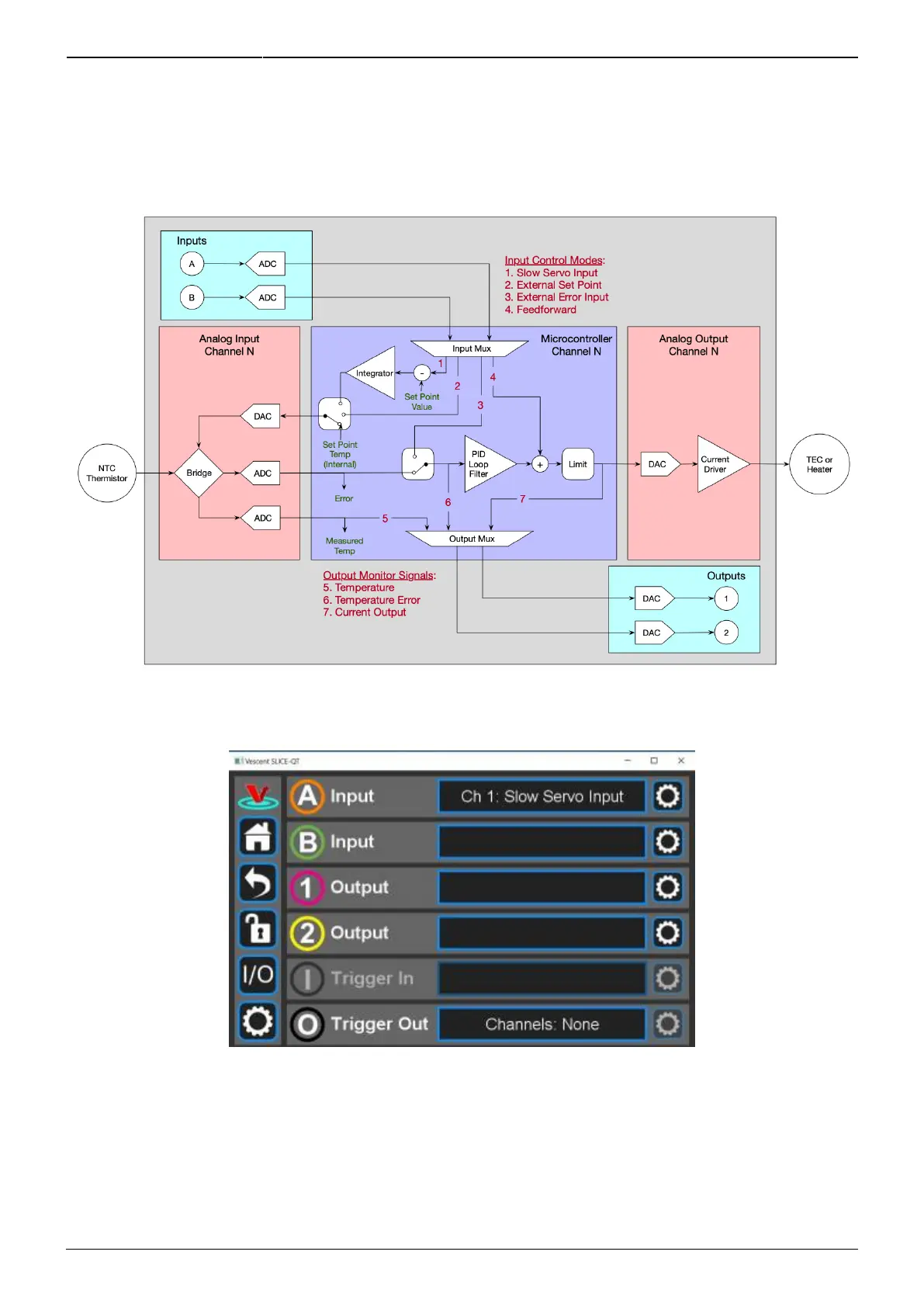
Each selected function for inputs and outputs will have settings that you can adjust, specific to the
chosen functionality. To access these settings, select the Settings (“gear”) icon that is just to the right
of the selection window. A pop-up window will be presented that displays the various settings that can
be adjusted for that feature.
Fig. 26
Fig. 27: Programming the front-panel I/O



 To Next Page