Last update: 2022/04/01 18:06 slice:qt https://www.vescent.com/manuals/doku.php?id=slice:qt
https://www.vescent.com/manuals/ Printed on 2022/04/05 13:27
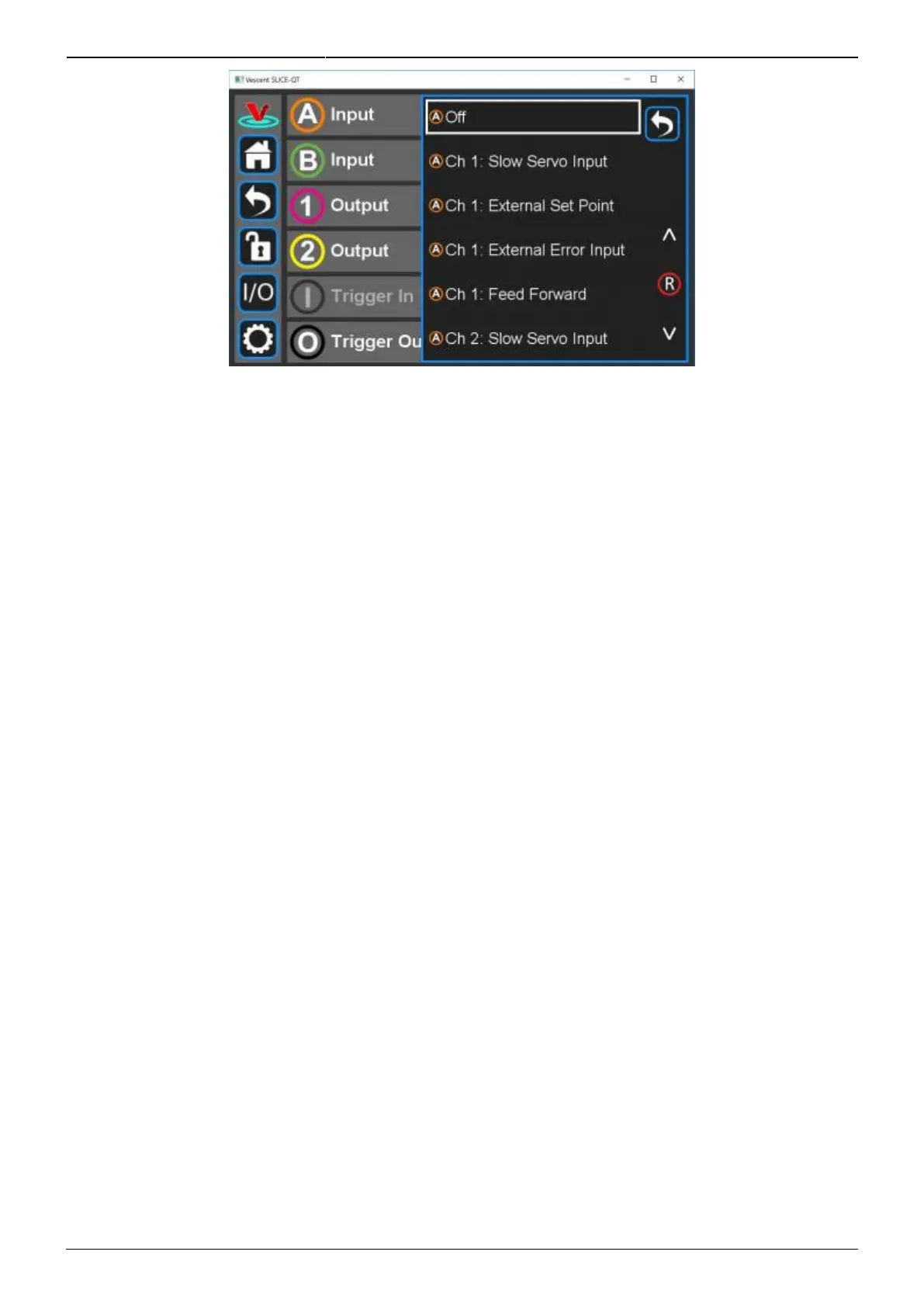
Fig. 28: Programming the input on Channel A Input
Input Channels A & B
Slow Servo Input
In some use cases, it is convenient to have the temperature set point automatically adjusted to keep
another external parameter (which depends on temperature) at a certain value. For instance, the
frequency of a laser might be controlled by adjusting the cavity length via a piezoelectric transducer
(PZT). Over time, the cavity length may drift outside the range of the PZT, causing the laser to unlock.
In this case, the laser cavity might have its temperature automatically adjusted so as to center the
PZT voltage in the middle of its operating range.
When this mode is active, the input signal is compared with a set point voltage (settable by the user)
to derive an error signal that is input to a single integrator loop filter. The output of the integrator
automatically adjusts the the temperature set point to maintain the input voltage signal at set point
voltage. Manual touchscreen adjustment of the temperature set point is disabled when this mode is
active. Touch the Settings icon for the I/O channel to set the Set Point Voltage, the Integrator Gain,
and the Polarity for the slow servo feedback.
External Set Point
In this mode, an external signal can be used to supply the set point temperature of the plant. The set
point temperature is related to the input voltage Vin by: Set Point Temp [˚C] = Gain [˚C/V] x Vin +
Offset[˚C]. Touch the Settings icon to the right of the channel selection to adjust the Gain and Offset.
External Error Input
This mode allows the temperature error to be derived from an external temperature transducer. In
this mode, the thermistor and associated signal processing electronics are not used. The temperature
error is related to the input voltage Vin by: Temperature Error [˚C] = Gain [˚C/V] x Vin + Offset [˚C].
Touch the Settings icon to the right of the channel selection to adjust the Gain and Offset.



 To Next Page