2.3.2 Introduction to shortcut keys
Four shortcut keys have been added to the workbench
interface to operate the operation as follows.
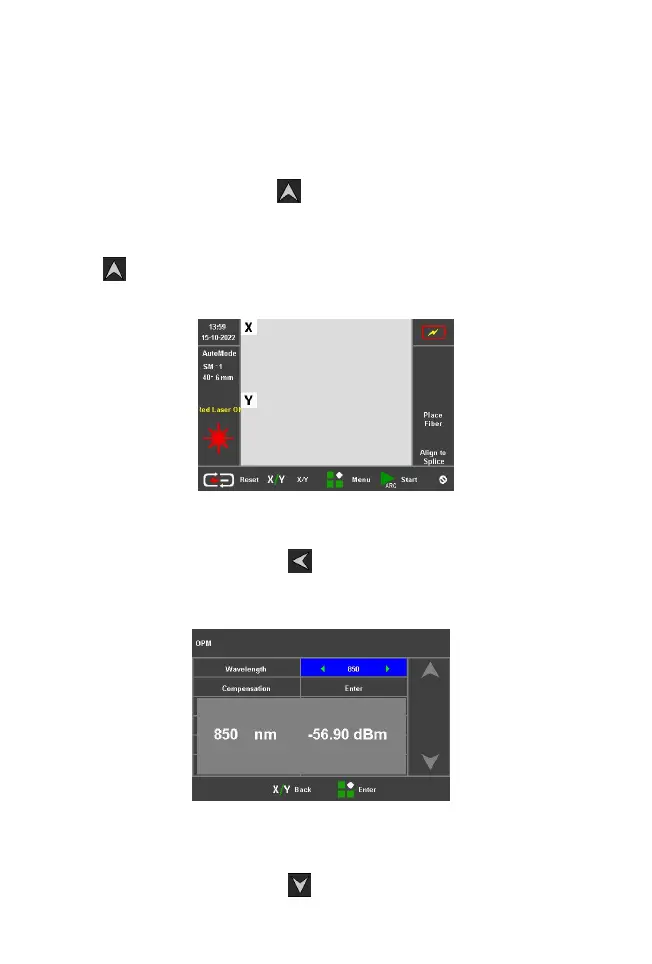
1) Press and hold the " " up key for 2s, the red light on
logo will appear on the right side of the workbench, at
this time, it means the red light is on. Press and hold
the " " up key again for 2s, then the red light will turn
off.
Shortcut to open the VFL function
2
)
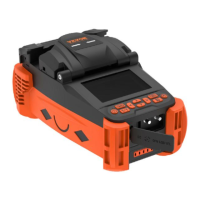
Press and hold the " "left button for 2s, the
workbench will jump to the power meter setting screen.
3)Press and hold the " " down key for 2s and the



 To Next Page