heating bath, then cover the heater with the heating
indicator light on.
(4) After the heating action is completed, the heating
indicator light goes out; at this time, you need to open
the heater cover immediately and remove the optical
fiber. (Note: Do not touch the heated heat shrink
protection sleeve with your hands to prevent burning)
(5) Check the heat shrinkage effect. If it is qualified, put
it into the cooling tray for natural cooling. If it is not
qualified, such as dust or air bubbles inside, it is
recommended to carry out the heat shrinkage operation
again.
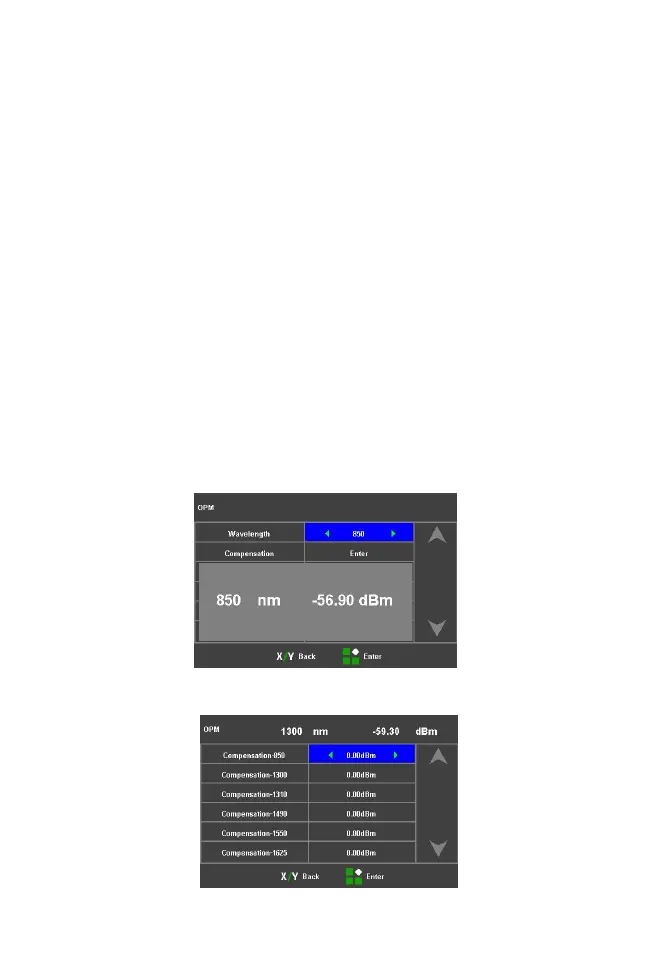
2.9 OPM and VFL Operation
(1) Select [OPM] in the main menu to enter power
meter setting menu


 To Next Page