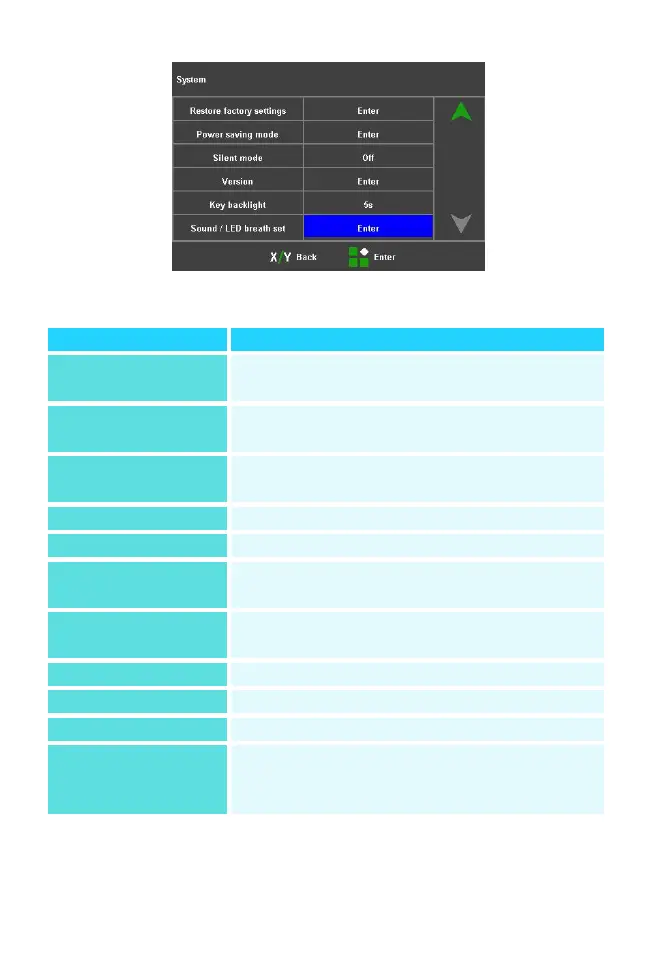
System Settings Interface
Provides instructions for operating the
keyboard, information
Adjusting the brightness of the display
Default is the language selected at the
time of order placement
Setting the system time clock
Restored to factory settings
Auto-sleep and auto-off times can be
set
Turning the buzzer sound on or off
Current System Version No.
Set key backlight time or off
Set the work indicator breathing rate
and the machine
switch-on and fusion beeps



 To Next Page