1.The computer does not have the CD drive cannot load the CD
installation software how to do.
Solution: The software installation package is included in the usb flash
drive. You can also download the software from the following
link:https://fcws6.com/downloads/signmaster/SignMaster_UniverDSR_35_
GW.exe
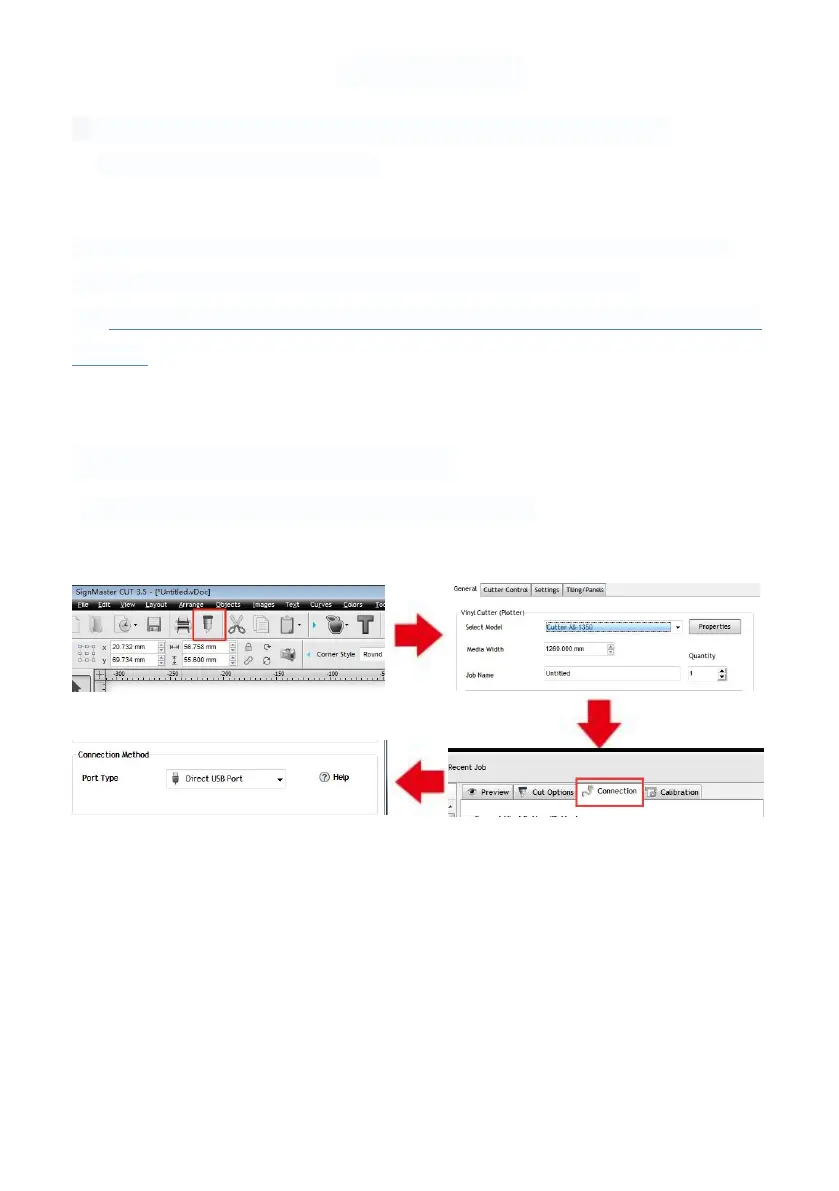
2.Product cannot connect to software.
Solution:Software port Settings, as shown below:



 To Next Page