EasyManua.ls Logo

VEVOR LB550TA - User Manual

VEVOR LB550TA
20 pages
Print Icon
To Next Page IconTo Next Page
Loading...
Technical Support and E-Warranty Certificate www.vevor.com/support
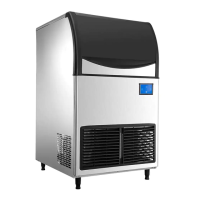
ICE-MAKING MACHINE
INSTALLATION MAINTENANCE
INSTRUCTIONS
MODEL:LB360TA/LB400TA/LB440TA/LB550TA
We continue to be committed to provide you tools with competitive price.
"Save Half", "Half Price" or any other similar expressions used by us only represents an
estimate of savings you might benefit from buying certain tools with us compared to the major
top brands and doses not necessarily mean to cover all categories of tools offered by us. You
are kindly reminded to verify carefully when you are placing an order with us if you are
actually saving half in comparison with the top major brands.

Questions and Answers

  • H
    Hayden DawsonAug 10, 2025
    Why is my VEVOR LB550TA not making ice?
    • B
      Bridget ZimmermanAug 10, 2025
      If your VEVOR Ice Maker isn't making ice, several issues could be the cause. First, check the electric wire to ensure it's properly connected. An ice block might be pinning the retained board; remove it to allow the board to return to its original position. Also, inspect the connecting wire of the compressor’s starter and fasten it if loose. If these steps don't resolve the issue, the starting capacitor of the compressor, the PC board, the water level sensor, or the water pump might be broken and require replacement.
  • G
    Gregory GrahamAug 15, 2025
    Why are the ice cubes from my VEVOR Ice Maker so thin?
    • K
      Krystal ColemanAug 15, 2025
      If the ice blocks produced by your VEVOR Ice Maker are too thin, there might be several reasons. The condenser surface might be covered with dust and needs cleaning. The ambient temperature could be too high, so ensure you're using the machine within the allowable temperature range. A refrigerant leak could also be the cause; in this case, check and recharge the refrigerant. Other potential issues include a broken fan motor (replace it) or a blocked spray tube (clean it). Finally, the ice thickness sensor might be too close to the ice model; adjust the sensor's screw by turning it right.
  • N
    nicole02Aug 21, 2025
    How to fix ice that won't drop from my VEVOR LB550TA Ice Maker?
    • J
      Joshua BrownAug 21, 2025
      If the ice isn't dropping off in your VEVOR Ice Maker, it could be due to a few reasons. The ice thickness sensor might be broken and needs replacement. Also, check the solenoid valve: ensure the electric wire is well connected, and if not, replace the valve. The ambient temperature might be too low; ensure you operate the machine within the allowable temperature range.
  • P
    Paula FischerAug 28, 2025
    Why is there no water flowing onto the ice model in my VEVOR LB550TA Ice Maker?
    • G
      George CastilloAug 28, 2025
      If there is no water flowing onto the ice model in your VEVOR Ice Maker, the water pump or the PC board might be broken and need replacement.
  • J
    jwhiteSep 3, 2025
    What to do if the sink in my VEVOR Ice Maker is overflowing?
    • S
      Steven RobertsSep 3, 2025
      If the sink of your VEVOR Ice Maker is overflowing, it could be due to a broken water supply solenoid valve or a broken water level sensor. In both cases, you will need to replace the faulty component.

Summary

Safety Precautions

Basic Parameter

Basic Structure

Installation

Operating Environment

Specifies the required temperature and humidity levels for optimal machine operation.

Power Supply

Service Instruction

LCD Full Page Display

Visual guide to the machine's LCD screen icons, indicators, and symbols.

Fault Codes

Reference list of error codes for diagnosing and resolving machine issues.

Daily Cleaning and Maintenance

Power Source Cleaning Procedure

Steps for cleaning the machine while it is connected to the power source.

Trouble Shooting

Technical Parameter and Wiring Diagram

VEVOR LB550TA Specifications

General IconGeneral
BrandVEVOR
ModelLB550TA
CategoryIce Maker
LanguageEnglish

Related product manuals