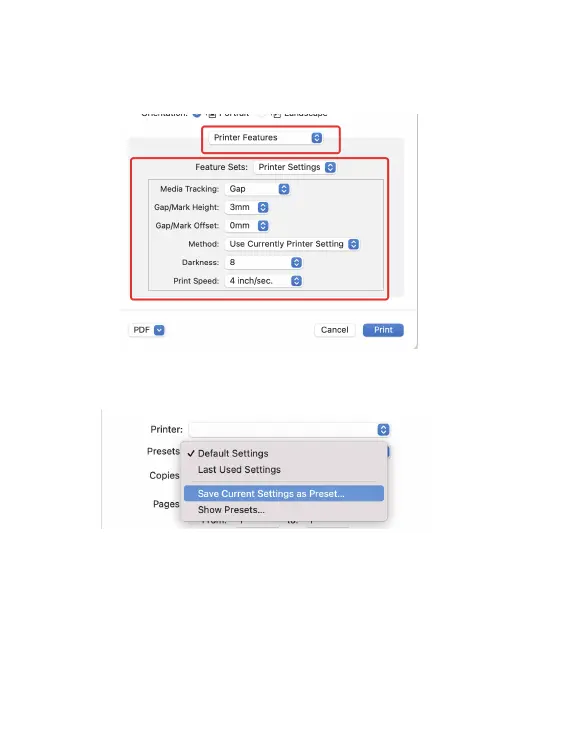
3. Click "Preview"->"Printer Features", then you can change the settings
of printer, e.g Speed, Darkness, Rotate.
4. After changing settings, you need to click "Sava Current Settings as
Preset..." to save.
5. Click "Print” to start printing.
14
Y486 Label



 To Next Page