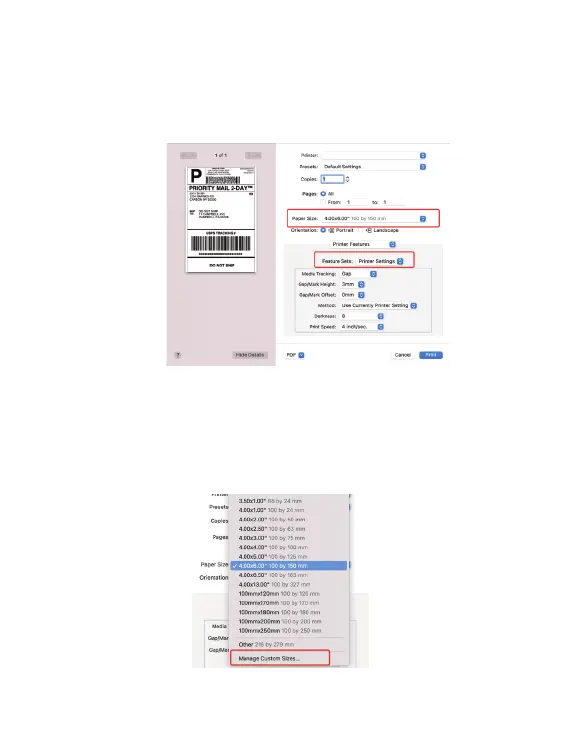
1. Open a PDF file with Preview-> Click "File"-> "Print"->Select the
printer "Y486 Label".
6.2 Printer preference setting
2. Click "Paper Size"-> Choose the corresponding paper size according
to the loaded label size.If the size you need is not listed, click
"Manage Custom Sizes", input the width and height, then click ‘OK’.
(Please press button to calibrate before printing if you change loaded
labels to another size. )
13
Y486 Label



 To Next Page