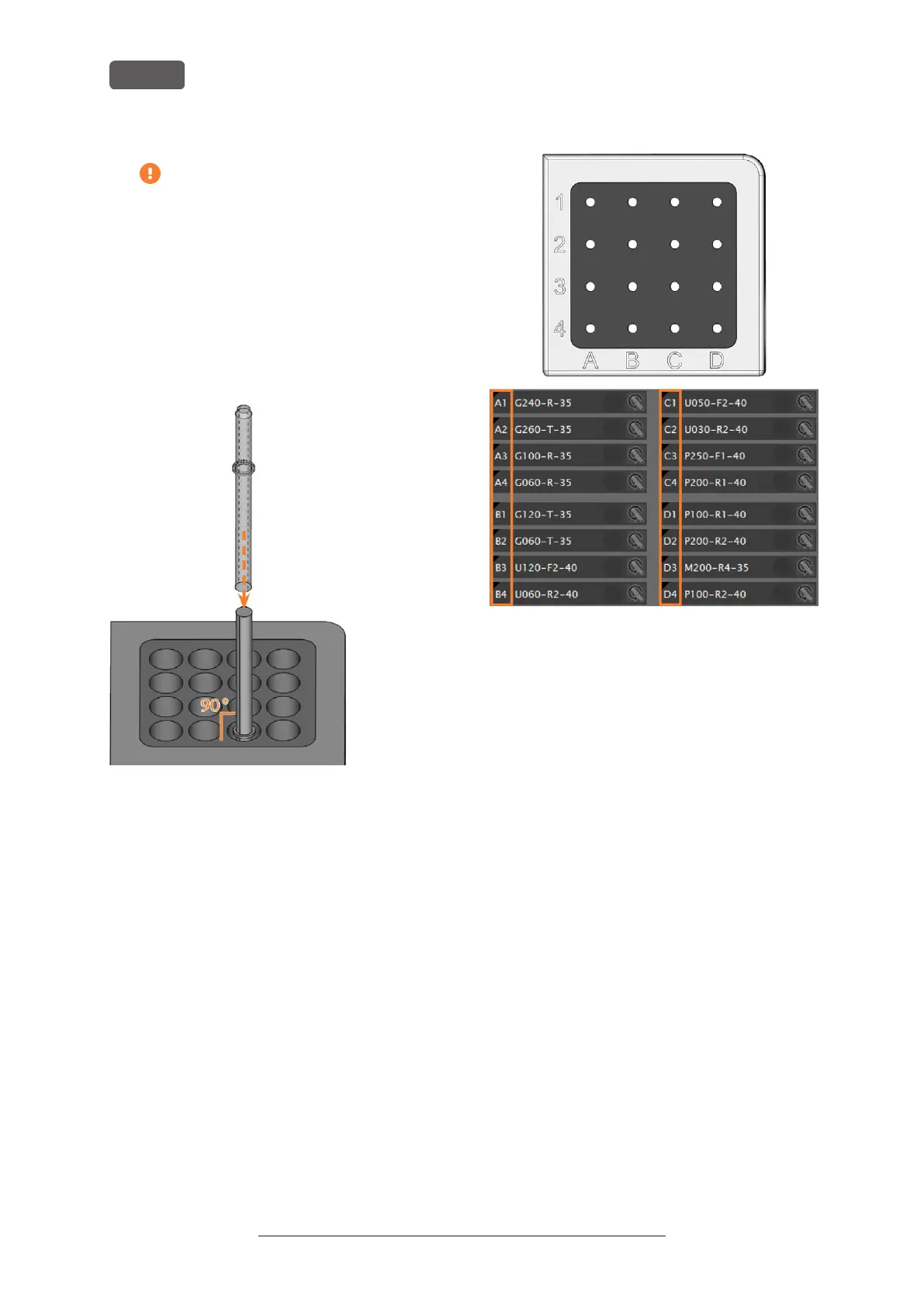
If the positions of the tools in the tool
magazine do not match the tool positions
in DENTALCNC, the machine will use the
wrong tool(s) during job execution and the
job result will become unusable.
4. After replacing a tool, reset the tool life value. For
this, use the Tool management view in
DENTALCNC.
5. Plug the tool magazine back onto the tool
magazine holder if required.
FIG. 58 INSERTING TOOLS INTO THE TOOL POSITIONS
FIG. 59 TOP: TOOL POSITIONS 1 – 16 IN THE TOOL MAGAZINE
BOTTOM: TOOL POSITIONS 1 – 16 IN DENTALCNC
Original Operating Instructions:R5
Version: 12/16/2021
R5 – Operation: Preparing jobs
EN 44



 To Next Page