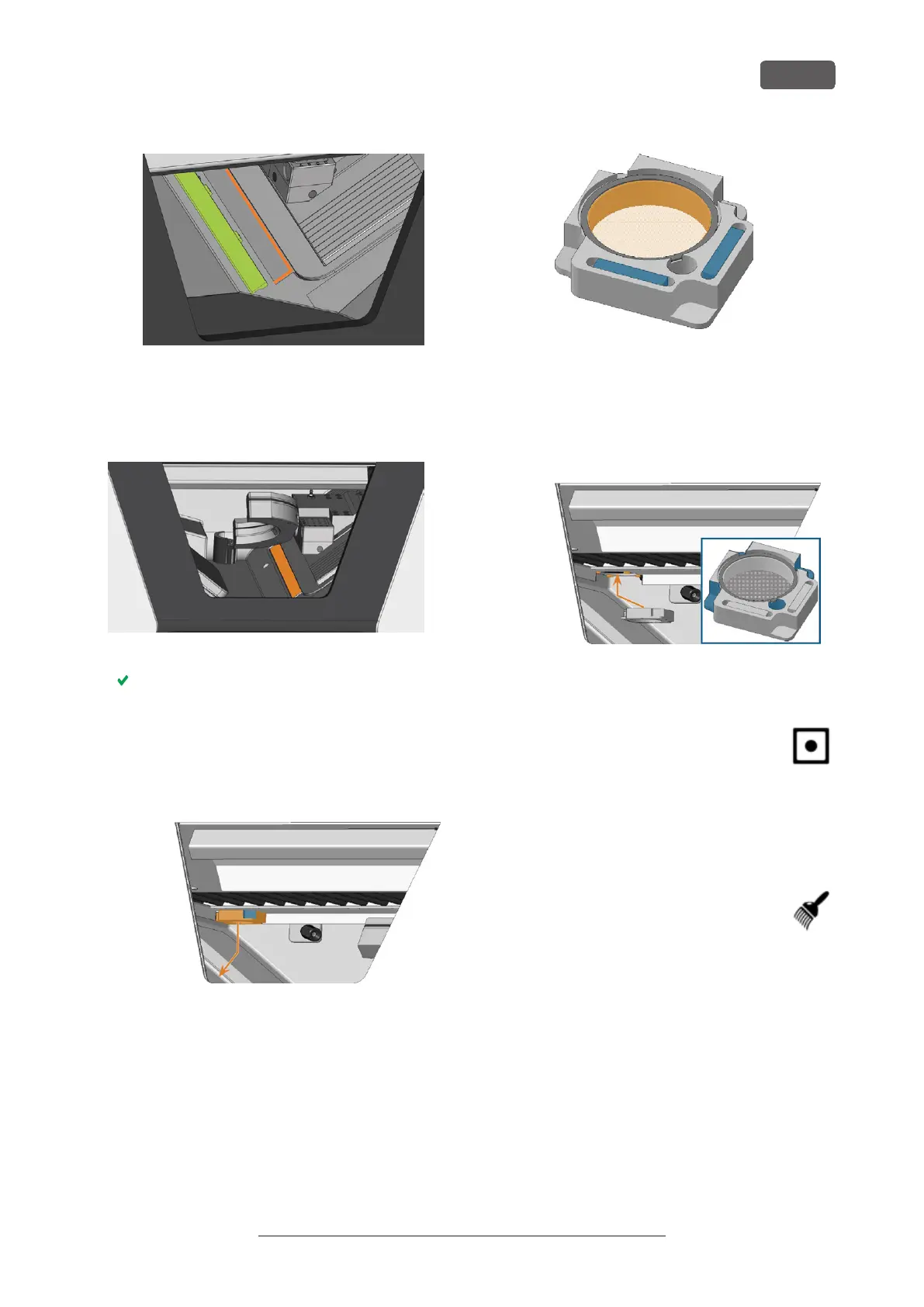
FIG. 70 ALIGNING THE PROTECTIVE STRIP (COLORED GREEN)
BEFORE INSTALLATION
c. Push the protective strip to the right until it
snaps in place.
FIG. 71 CORRECTLY INSTALLED PROTECTIVE STRIP (MARKED ORANGE)
The protective strip is immobilized by the magnets.
11. To clean the filter of the working chamber vent-
ilation, do the following:
a. Pull down the filter (marked orange) and
remove it from the working chamber. Use the
recess (marked blue) of the filter.
FIG. 72 REMOVING THE FILTER (MARKED ORANGE) OF THE
WORKING CHAMBER VENTILATION
b. Clean the filter screen (marked orange) with a
vacuum cleaner or compressed air.
c. Clean the magnets (marked blue) and the
contact surfaces of the filter and the working
chamber with a cloth.
FIG. 73 FILTER SCREEN (MARKED ORANGE) AND MAGNETS
(MARKED BLUE) OF THE FILTER
d. Align the recesses (marked blue) of the filter
with the screws (marked orange) of the
working chamber ventilation and place the
filter. The filter is held in place by magnets.
FIG. 74 PLACING THE FILTER OF THE WORKING CHAMBER
VENTILATION
12. Close the working chamber door.
13. Move the axes into the default position by
selecting the depicted icon in the Machin-
ing view in DENTALCNC.
Performing the weekly cleaning
1. Have ready: The cleaning brush for the blank
holder.
2. Close the working chamber door.
3. Move the axes into the cleaning position
by selecting the depicted icon in the
Machining view in DENTALCNC.
4. Open the working chamber door.
5. Remove the tool magazine from the working cham-
ber. Clean it with the cloth and the brush.
6. Clean the tool magazine holder with its respective
brush.
7. Apply a bit of collet chuck grease to the bolts of the
tool magazine holder.
R5 – Maintenance and do-it-yourself
EN 55
Original Operating Instructions:R5
Version: 12/16/2021



 To Next Page