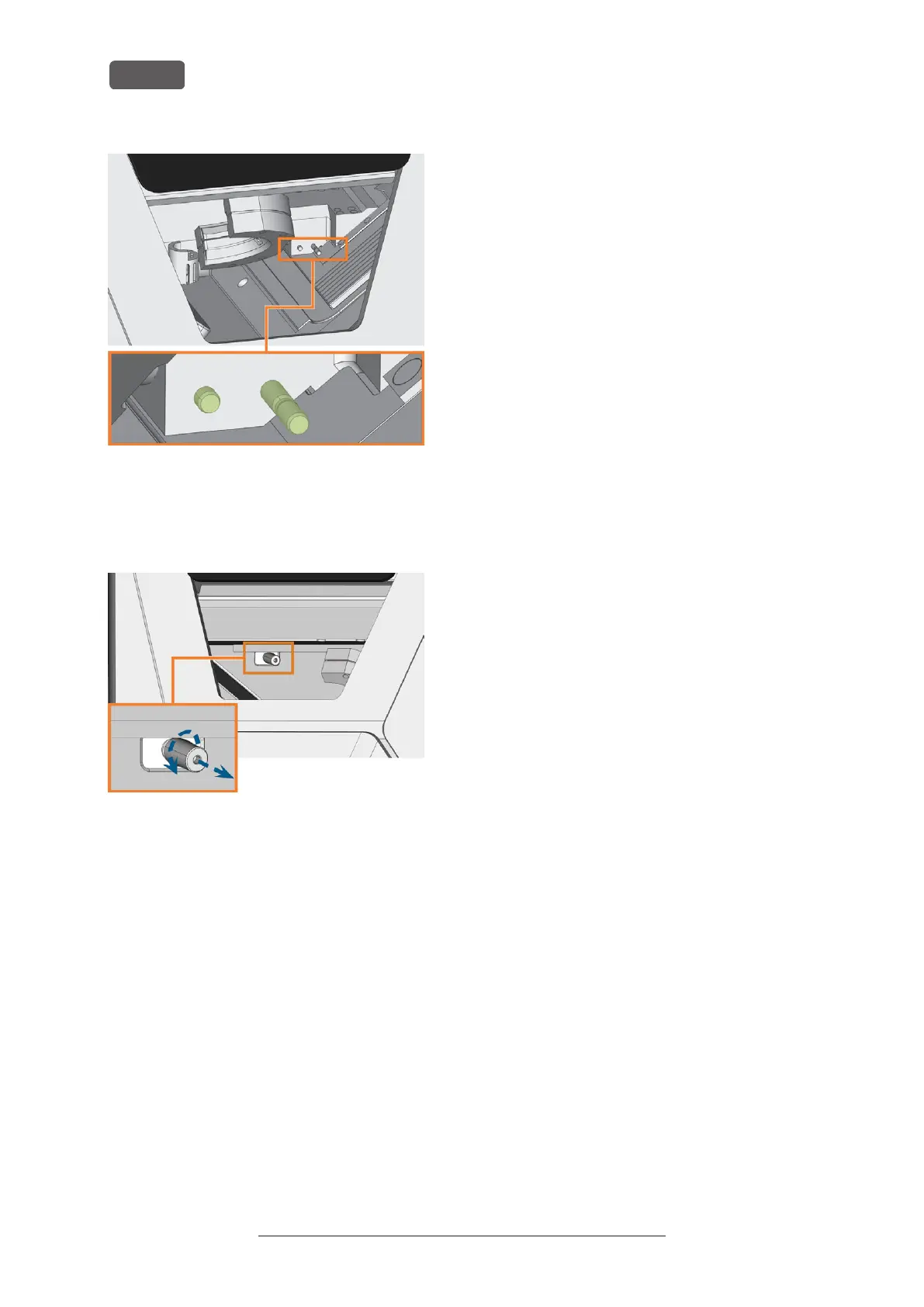
FIG. 75 THE BOLTS OF THE MAGAZINE HOLDER (COLORED GREEN)
8. Plug the tool magazine onto the holder.
9. Screw the protective cap off the webcam and clean
the inside of the cap with a dry cloth.
FIG. 76 SCREWING THE PROTECTIVE CAP OFF THE WEBCAM
10. Clean the webcam with a wet cloth. Screw on the
protective cap.
11. Continue with cleaning the following components:
n
The view window
n
The multi-purpose compartment
Original Operating Instructions:R5
Version: 12/16/2021
R5 – Maintenance and do-it-yourself
EN 56



 To Next Page