User
20
STAND-BY mode
By mean of
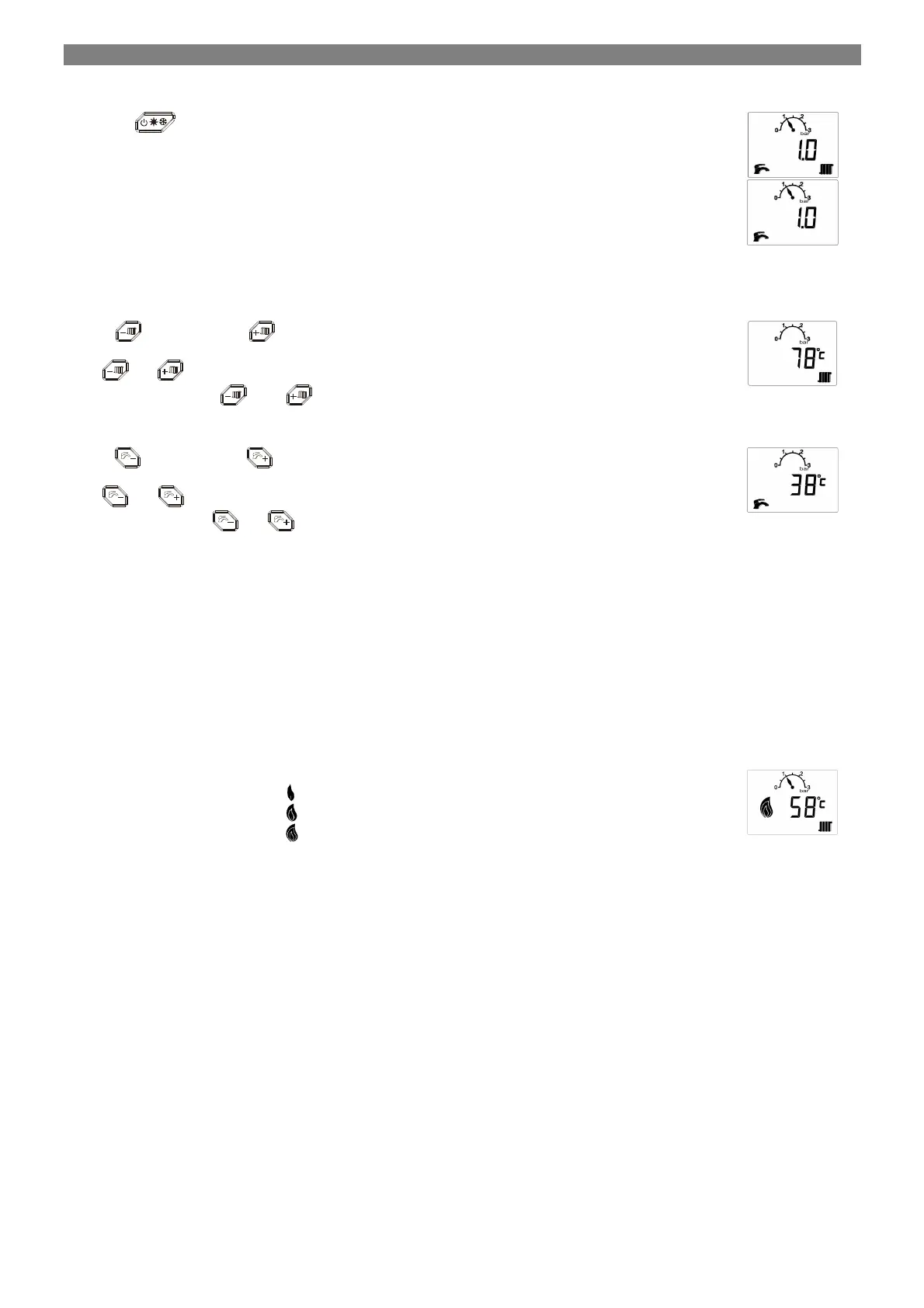
push button it possible to select boiler STAND-BY modes selecting Winter (both DHW and CH
modes are enable) or Summer (only DHW mode is enable) working conditions.
When Winter is selected, an no head demand is present, LCD is indicating:
When Summer is selected, an no head demand is present, LCD is indicating:
In case of water pressure switch usage, Supply temperature value is shown rather than water pressure value/indication (scale).
In STAND-BY mode the fan is off, the gas valve is closed, Supply pump is switched off and the 3WV is in DHW position.
Presetting CH supply temperature
Operate
(decrease) and
(increase) pushbuttons to select CH supply temperature within 20°C and CH
user set point maximum value. This value is called CH user set point.
When
or
is operated, the LCD displays the temperature setting in 1°C steps in flashing mode:
5 sec. since last acting on K
2 or
has been made, LCD come back to the previous display condition.
Presetting DHW temperature
Operate
(decrease) and
(increase) pushbuttons to select DHW temperature within 30°C and DHW
user set point maximum value. This value is called DHW user set point.
When
or
is operated, the LCD displays the temperature setting in 1°C steps in flashing mode:
5 sec. since last acting on
or
has been made, LCD come back to the previous display condition.
Burner ignition
In case of valid heat demand request, ignition sequence will be started. In case of failed ignition, controller will try to reignite for a defined
number of times. At the first ignition trial, the burner will ignite with fan speed set by Ignition fan speed value. As soon as the flame presence is
validated, fan speed moves according to the heat demand type. If no successful ignition after programmed number of retrials, flame lockout
error will be indicated.
CH mode
Operation in the CH mode is possible only when Winter is enabled.
CH heat demand can be generated by Room Thermostat SELV input or by OpenTherm control unit. If remote control is connected and
communication is validated, room thermostat input is ignored.
ON/OFF control (no OTC – no OpenTherm room unit)
Closure of Room Thermostat contact generates an heat demand in CH mode.
Supply pump is switched on.
Flame indication is showing:
HD + Flame ON + power < 30%
HD + Flame ON + power > 30% <75%
HD + Flame ON + power > 75%
If a higher priority operating demand is received, the function in progress is stopped to meet this demand.
ON/OFF control (OTC – no OpenTherm room unit)
Outdoor temperature sensor must be connected to the controller.


 To Next Page