User
24
5.7 Installer mode
By pressing
K4
push button for 10 seconds, is possible to enter the Installer mode.
By pressing
push buttton for 1 second is possible to leave Installer mode.
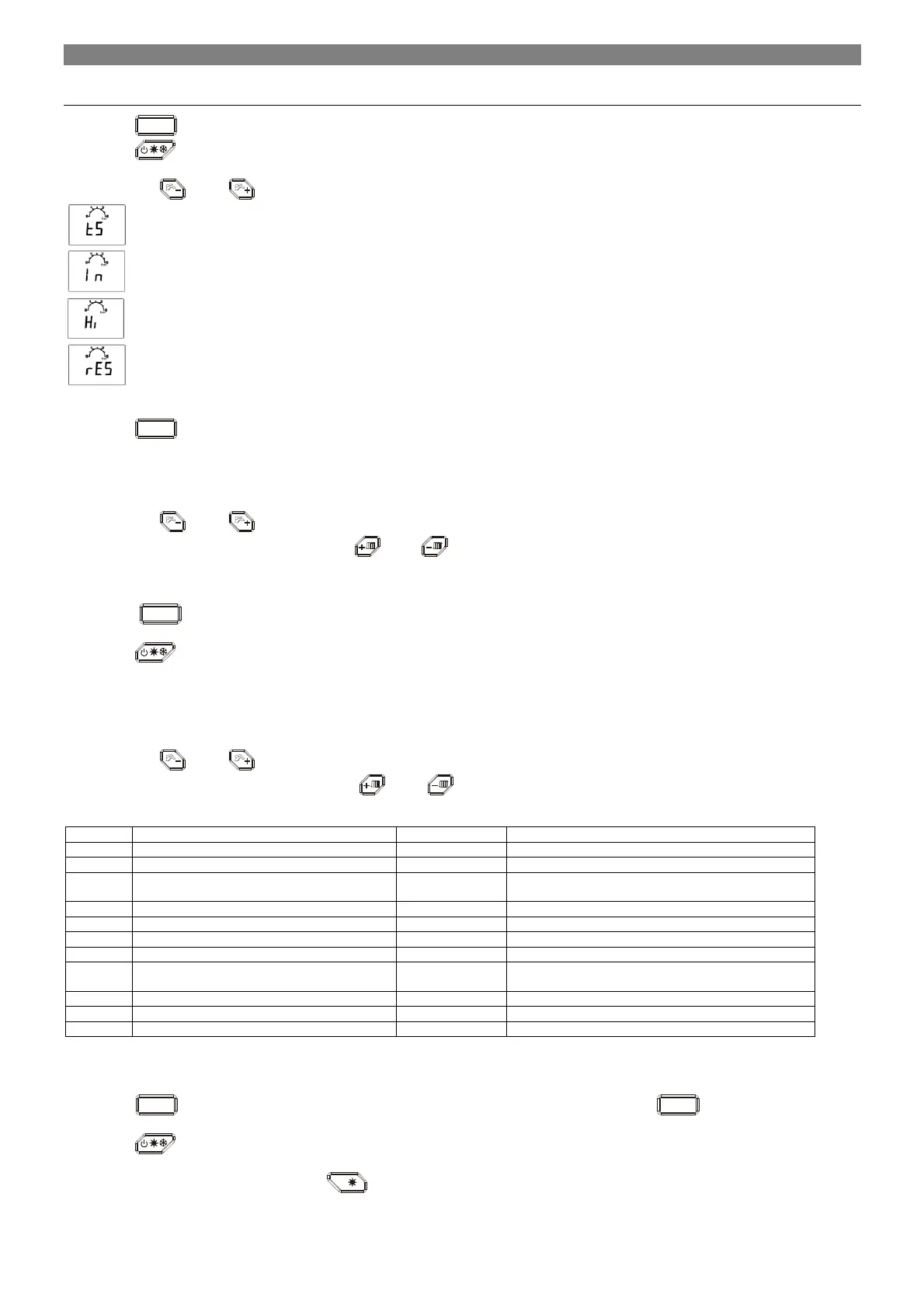
LCD starts showing: “tS” flashing.
By means of the
and
push buttons is possible to select following menu:
means “Transparent parameter”
means “Inquiry”
means “History”
means “Reset”
Active mode is indicated by flashing.
By pressing
K4
push button is possible to enter required mode.
5.7.1 “tS” as Transparent Parameters mode (TSP)
Selecting “tS” the display starts with showing P00.
By means of the
and
push buttons is possible to select the parameters; between P00 and P36.
Selecting one of these parameters, by means of the
and
push buttons is possible to adjust his value (not flashing).
The value is automatically saved.
List of supported TSP, is defined in to the System Parameters List and default settings table (see chapt. 12.4).
In case of any modification the value is automatically saved.
By pressing
K4
push button for 1 second is possible to come back to the “tS”, then by pressing K4 once again, escape from the
Transparent Parameter mode.
By pressing
push buttton for 1 second is possible to leave the Installer mode.
If no action has been taken, the display automatically leaves this mode after 2 minutes.
5.7.2 “In” as Inquiry mode
Selecting “In” the display starts with showing i00.
By means of the
and
push buttons is possible to select the parameters.
Selecting one of these parameters, by means of the
and
push buttons is possible to see his value (not flashing; only in case of
negative outdoor temperature the value is flashing).
Supply sensor Temperature (°C) 00 - 125
Return sensor Temperature (°C) 00 - 125
DHW sensor Temperature (°C) 00 - 125
DHW sensor Temperature - Tank BOTTOM
(solar)
(°C) 00 - 125
Solar panel sensor Temperature (°C) 00 - 125
Exhaust sensor Temperature (°C) 00 - 125
Outdoor sensor Temperatur (°C) between (2 digits)
Actual Fan Speed (rpm x 10)
DHW Flow If DHW Flow switch is selected, display shows the
switch status ON or OFF
Actual water pressure (bar)
Actual Flame Current (µA/100) 000 - 999
Firmware version
In case of sensors in short circuit or open circuit, the display visualizes: “—“.
Actual Fan Speed is showed always in terms rpm x 10.
Actual Flame Current is showed always in terms of uA/10.
By pressing
K4
push button for 1 second is possible to come back to the “In” list, then by pressing
K4
once again, escape from
the Inquiry mode.
By pressing
push buttton for 1 second is possible to leave the Installer mode.
If no action has been taken, the display automatically leaves this mode after 2 minutes.
Inquiry mode can be activated also by mean of
i
push button for 10 sec.


 To Next Page