iMS3D – Indoor Mobile Scanning System
Operating Guide. © Viametris SAS.
iMS3D – Operating Guide Document v2.12 13
Click on the “Acquisitions” button and select one or several scans at once. Then, click on “Export”.
It is possible to export with a higher compression rate but this will increase the export time.
Finally, the exported file is an archive with the AAR extension, meaning Acquisition ARchive.
This file can be copied and moved anywhere to be processed into PPiMMS
.
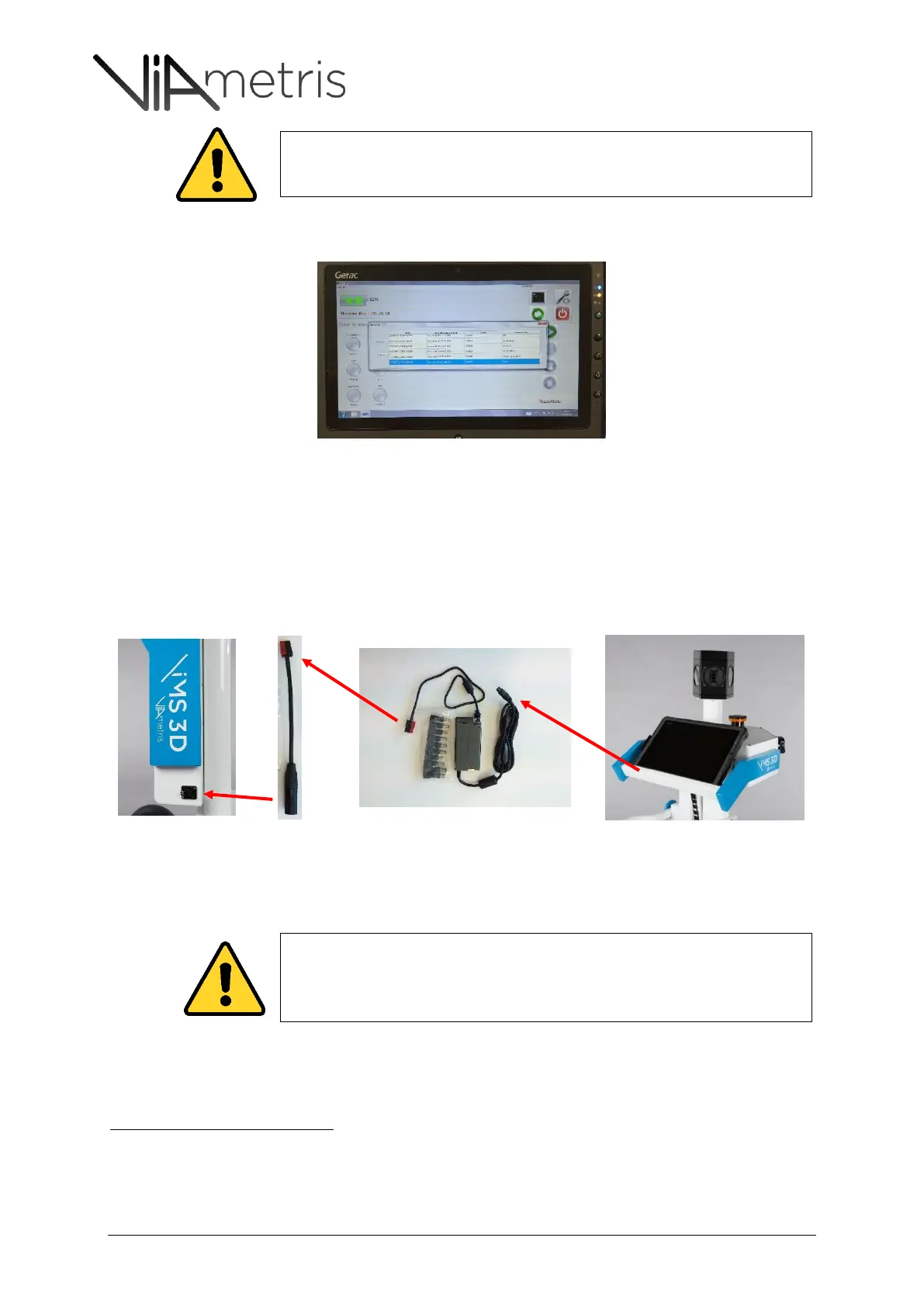
5 RECHARGING THE TABLET ON BOARD
The system is able to charge the tablet’s battery thanks to an on-board charger:
6 SWITCH-OFF AND BOX STORING
Post processing software is dedicated to calculate trajectories and compute 3D point cloud. Please refer to the
PPiMMS manual to import the AAR file.
The scan data is recorded on the Processing unit’ embedded computer. It means
that the tablet needs to be connected to the system to be able to export the
dataset.
It is very important that the embedded computer power off properly. Then, as we
previously attracted the user’s attention, the system may not be equipped with a
power manager, depending on which version.
Then, it is expressly required to switch off the system through the tablet program.



 To Next Page