iMS3D – Indoor Mobile Scanning System
Operating Guide. © Viametris SAS.
iMS3D – Operating Guide Document v2.12 18
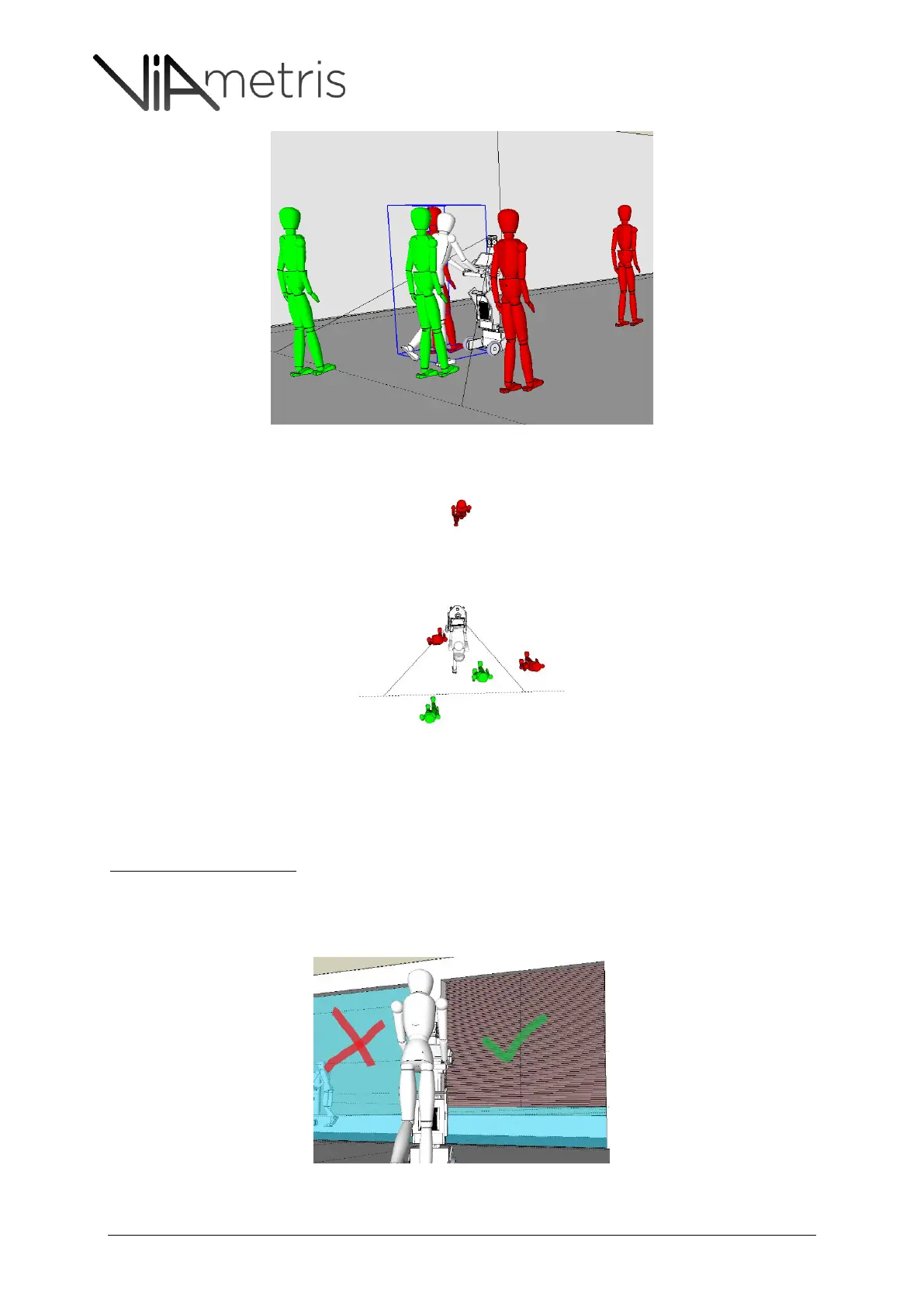
Figure 12:the scout has to remain out of the front scan range (270°), same advise goes with “support” staff or demo
attendees, who should not walk aside the operator but behind (within the remaining 90° spot). Red is wrong, green is OK
Figure 13: the scout has to remain out of the front scan range (270°). Red is wrong, green is OK
8.2.2 LIGHT CONDITIONS:
Profilers and Cameras imbedded are very sensitive to light.
Intense sun light exposure
When a room is very exposed to direct sun light:
o If external blinds are available: have them shut down. (see Figure 14)
o If only internal blinds or curtains are available, leave them opened as they could hide
important windows details.(see Figure 15)
Figure 14: external blinds have to be closed down as they don’t hide important details.



 To Next Page