iMS3D – Indoor Mobile Scanning System
Operating Guide. © Viametris SAS.
iMS3D – Operating Guide Document v2.12 25
8.2.7 HOW TO MOVE THE CART AND TRAJECTORY.
On top of other recommendations set above, it is important to have a clean and productive trajectory
to get an optimum measure.
Optimize radius of curvature (larger is better)
Regular speed: walking pace (slowing down for door steps)
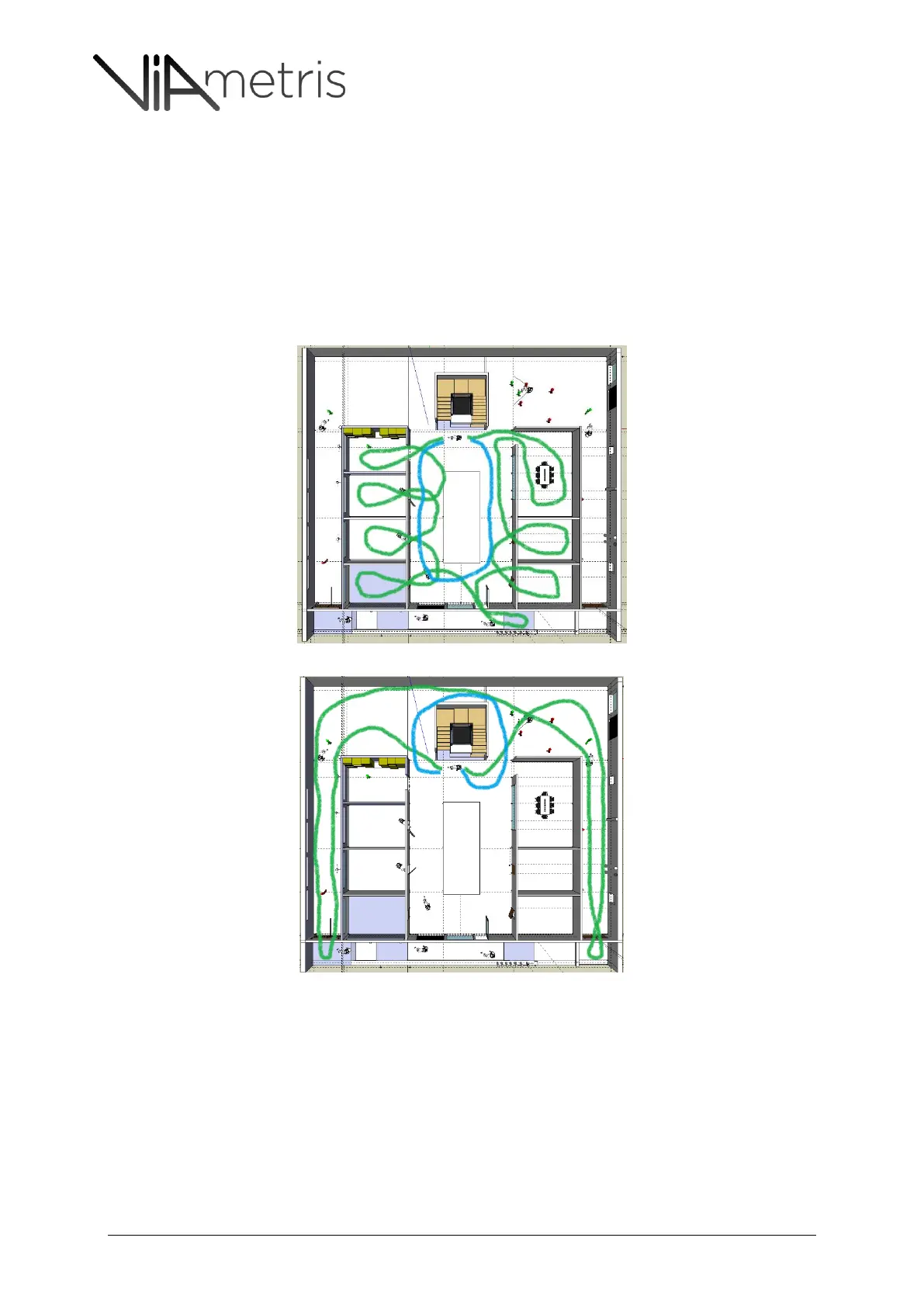
Ensure all rooms are scanned (see Figures 31 & 32 on how to have a large radius when moving
into offices.)
Close the loop by having an additional tour on the floor once the detailed tour is performed
Figure 31: Detailed rounds in Green & the “Close Loop” round in Blue
Figure 32: Detailed rounds in Green & the “Close Loop” round in Blue
8.2.8 TRAFFIC ON THE FLOOR.
Site staff & visitors can still navigate as normally without interfering with the measurement.
In case there is a scout, same recommendation applies in case of navigating across a crowd
(Shopping mall, lobby reception desk…) the scout should not remain in front of the cart (with
270° degree range) as his position could interfere with measurement.



 To Next Page