iMS3D – Indoor Mobile Scanning System
Operating Guide. © Viametris SAS.
iMS3D – Operating Guide Document v2.12 24
It is possible to operate scanning under those conditions but some precautions have to be taken.
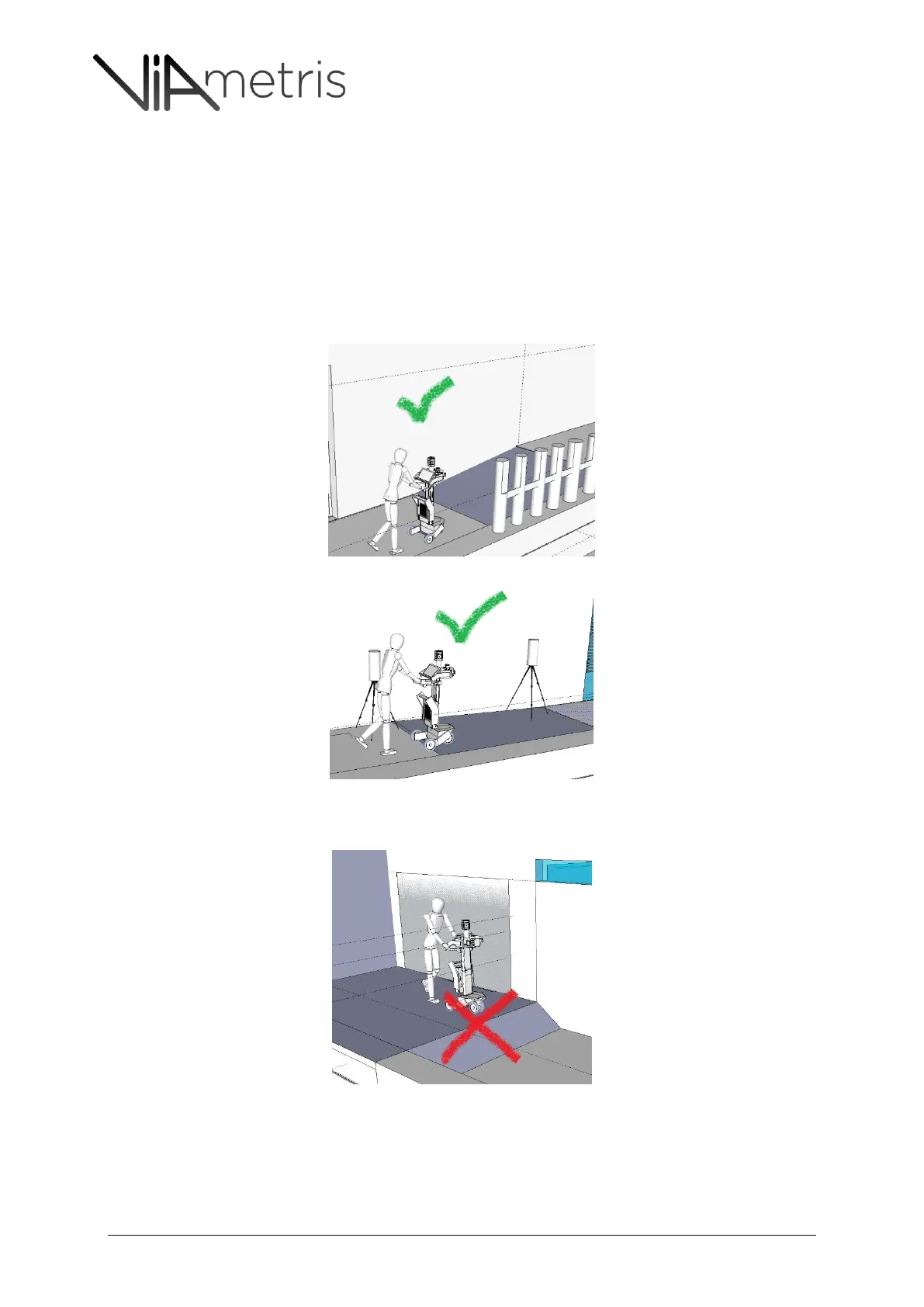
Ensure proper usage of vertical objects at scanning range (95-145 cm above floor). See Figure
28.
Follow carefully the direction arrow on the scanning tablet (has to remain stable and straight).
If slopes are above the standards, it is not safe to drive the cart on such slopes (see section 10
about Safety).See Figure 30.
If there are no vertical references within vertical scan range (95-145cm) while driving the cart
in the ramp, it is recommended to use Viametris targets positioned in the ramp. See Figure 28.
Figure 28: Ramp is within standards and there are vertical objects within vertical scan range (95-145 cm)
Figure 29: Ramp is within standards but the trajectory lacks of vertical references within scan range (95-145cm) hence the
VM target usage is recommended.
Figure 30: Ramp slope is out of standard: safety cannot be guaranteed.



 To Next Page