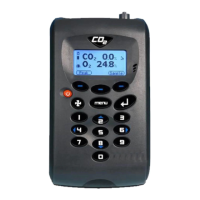
G100 Range OMG100N1.17
Copyright 2009 LANDTEC North America, Inc., DBA VIASENSOR Page 21
Settings
4) The following instrument settings may be maintained:
1-Prompt ID: - Press ‘Key 1’ to prompt for ID code for each sample reading,
answer Yes or No accordingly.
2-Temperature: - Press ‘Key 2’ to enter the default unit temperature, choosing
from
O
F
or
O
C.
3-Date: - Press ‘Key 3’ to switch the date format between dd/mm/yy
and mm/dd/yy formats.
4-Auto Off: - Press ‘Key 4’ to auto switch off the instrument when not in
use. Toggle between Auto Off: Yes or No. If set to Yes, the
instrument will switch off after 10 minutes if not in use.
5.9.2.5 Flow Fail
The ‘Flow Fail’ option enables the operator to adjust the instrument flow fail detection
point should it fail in normal operation with a clean filter.
The instrument’s internal pump can be stalled when pulling against a vacuum or
through a blocked filter. This is indicated by a flashing pump icon and a red screen;
to prevent damage to the pump, the pump will switch off after a few seconds.
Press the ‘Pump’ key again to remove the flashing pump icon.
Note: Dirty or discoloured filters should be changed before use. Filters that have
drawn in water should be changed immediately to prevent damage to the
instrument.
1) From the ‘Main Read Screen’ press the ‘Menu’ key on the instrument panel.
2) Press ‘Key 2’ to display the ‘Utilities’ menu.
3) Press ‘Key’ 5 to select flow fail and the following screen is displayed:


 To Next Page
 Loading...