13
NM PLUS HYDROGEN GENERATOR
USER MANUAL
www.vicidbs.com
Version 1.06.0000
6.4. GAS CONNECTIONS
6.5. ELECTRICAL CONNECTIONS
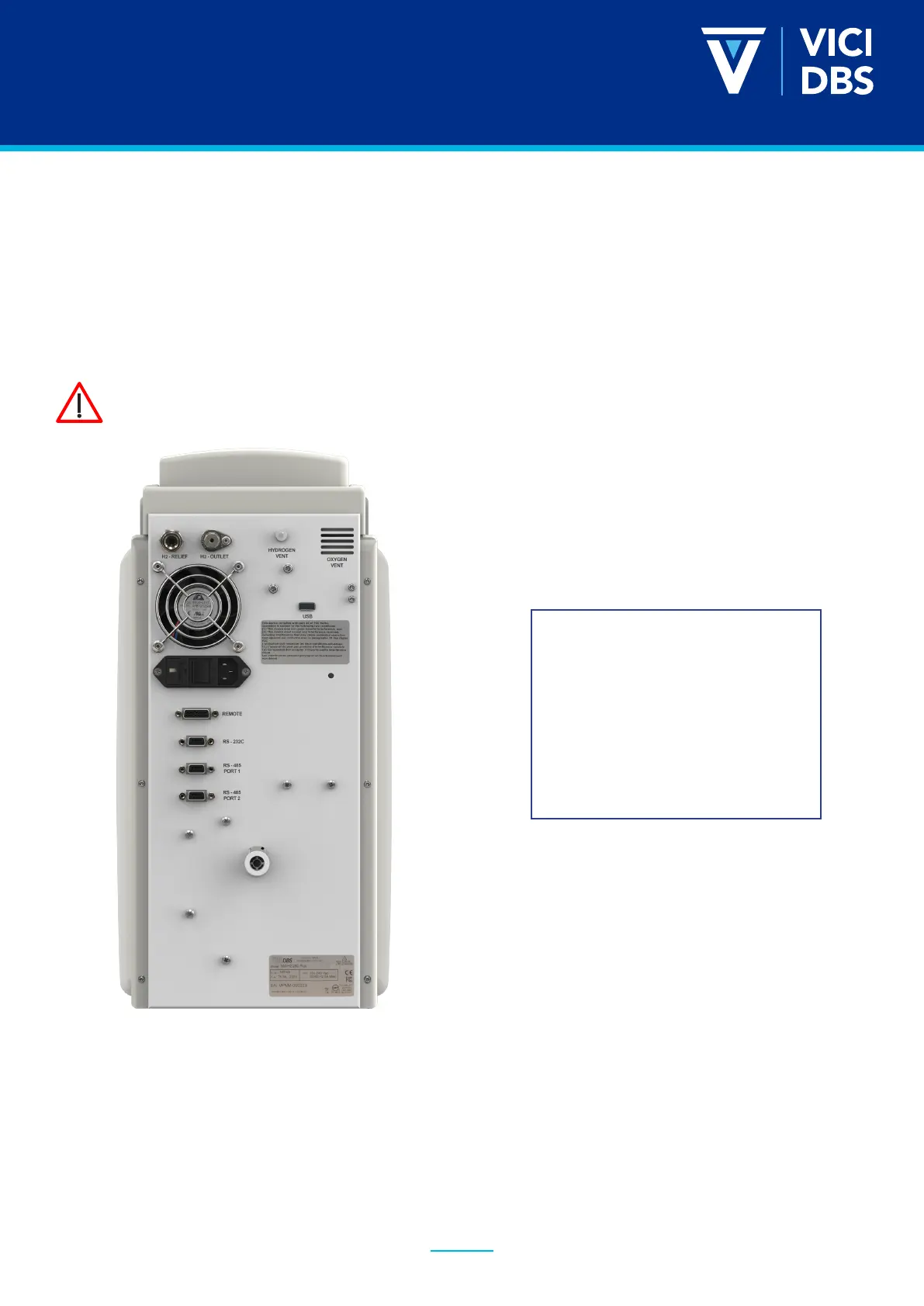
Pure dry hydrogen at regulated pressure is available at the hydrogen outlet port at the rear of the
generator. This port must be connected to 1/8” tubing using a stainless-steel or copper Swagelok
connector. Teon connectors are not suitable. The pressure at this port is adjusted and shown on the
display. The hydrogen relief port and the hydrogen vent at the rear of the unit can be connected to an
exhaust hood or another venting system. Remove the cap from the H2 vent.
IMPORTANT
Remove the plugs from the
hydrogen vents before operating
the unit.
Keep these plugs for transporting
the unit.
Check the setting of the voltage selector at the rear of the unit. The set voltage is indicated in the white
square on the inlet power lter. To change the voltage, proceed as follows:
• Using a small screwdriver, remove the voltage selector insert.
• Move the voltage selector insert so that the white arrow points to the correct volt age.
The line from the relief port should never be connected in such a way that back
pressure can develop.



 To Next Page