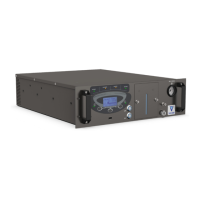
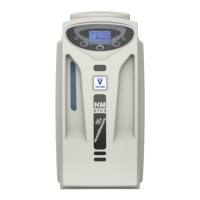
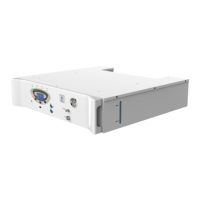
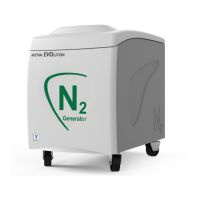
The VICI DBS PCB 1500 Peltier Cryobath is a Peltier-controlled external water re-circulator designed for use with thermostatic cell holders. It functions as a stand-alone accessory, requiring no electronic or physical modifications to the cell holders it supports. The primary feature of this device is its ability to heat and cool water using Peltier elements, which allows for a wide temperature range and excellent temperature accuracy.
Function Description
The PCB 1500 circulates liquid to control the temperature of external accessories, such as cuvette holders. It utilizes a Peltier element for both heating and cooling the circulating liquid, ensuring precise temperature control. An internal flow pump facilitates the circulation of this liquid. The device can be operated either manually through its front panel interface or remotely via a USB port. It includes thermally insulated connection tubes for connecting to various accessories. For safety and proper operation, the PCB 1500 is equipped with a water level sensor and a high-temperature sensor to prevent system damage and malfunctions. The heating and cooling ramps can be programmed locally or remotely (with optional remote software).
Important Technical Specifications
The PCB 1500 series offers different models with varying specifications:
PCB 1500W:
- Operating Temperature: 20 to 60 °C (68 to 140 °F)
- Temperature Accuracy: +/- 0.2 °C (0.36 °F)
- Temperature Precision: +/- 0.1 °C (0.18 °F)
- Managing Peltier Cell Directly: No
- Interface: RS-232 or USB
- Display: Digital
- LED Indicators: Power on/off, errors
- Electrical Supply: 220-240V 50-60Hz / 110-120V 50-60Hz
- Power Consumption: 160 watts
- Dimensions (W x H x D): 240 x 255 x 520 mm (9.5 x 10 x 20.5 in)
- Weight: 10 kg (22 lb)
- Shipping Dimensions (W x H x D): 330 x 390 x 595 mm (13 x 15.4 x 23.4 in)
- Shipping Weight: 14 kg (31 lb)
- Inlet/Outlet Connection: Rapid water fitting PMCD female 1/8"
- Certification: CE, cMETus (UL and CSA compliant)
PCB 1500 PLUS:
- Operating Temperature: 0 to 110 °C (32 to 230 °F)
- Managing Peltier Cell Directly: Yes
- All other specifications are generally similar to the PCB 1500W, with a higher weight of 15 kg (33 lb) and a shipping weight of 19 kg (42 lb).
PCB 1500 HP (High Performance):
- Operating Temperature: 4 to 90 °C (39 to 194 °F)
- Managing Peltier Cell Directly: No
- All other specifications are generally similar to the PCB 1500W, with a higher weight of 15 kg (33 lb) and a shipping weight of 19 kg (42 lb). This model offers more heating and cooling power.
The PCB 1500 provides ±1 °C stability and ±0.1 °C repeatability.
Usage Features
The PCB 1500 features a menu-driven interface with an LCD display and a keypad with three buttons for accessing functions and changing parameters.
Installation and Setup:
- Serial Number Check: Verify the serial number on the unit's rear panel matches the delivery note.
- Main Supply and Fuses: The unit is factory-set for 220 VAC. For 120 VAC operation, the voltage selector at the rear must be reset. This involves switching off the unit, removing the mains cable, extracting the fuse holder with a small screwdriver, replacing fuses with the correct rating (T1A for 240V, T2A for 120V, time-lagged), and moving the voltage selector slider to the desired value.
- Start-Up:
- Position the PCB 1500 with at least 20 cm clearance at the front and back for air circulation.
- Unscrew and mount the "Vent" connector.
- Connect the supplied tubes to the "Water in" and "Water out" fast connections and to the accessory to be thermostatted.
- Switch on the PCB-1500. The instrument initializes and is ready after one minute.
- Check the water level using the alarm sensor. The PCB 1500 is pre-filled with distilled water; after connecting tubing, the water level will drop and must be refilled using the supplied 200 ml container of distilled water.
Manual Operation:
- Main Page: Displays current temperature, set temperature, and heating/cooling power.
- The "L Button" accesses the Menu.
- The "Middle Button" turns the unit On/Off.
- The "R Button" modifies the temperature setpoint.
- Temperature Setpoint Page: Allows adjustment of the selected parameter.
- "L Button" moves Down.
- "Middle Button" moves Up.
- "R Button" confirms Change.
- Alarm Status Page: Displays alarm descriptions.
- "L Button" accesses the Menu.
- "Middle Button" toggles Beep on/off.
- "R Button" resets the alarm or changes settings.
- Menu Page: Allows selection of different menus.
- "L Button" scrolls through options.
- "Middle Button" selects an option.
- "R Button" exits the menu.
- Parameter Setting: User parameters like temperature unit (°C), auto start (on/off), contrast, beep on/off, and manual alarm reset can be configured.
- Configure Parameters: This menu requires a password and contains factory-set parameters that should not be changed by the user.
- Diagnostic Parameters: Displays real-time values for cell temperature, radiator temperature, water resistance, power, and cell voltage.
Maintenance Features
The PCB 1500 requires minimal routine maintenance.
Cleaning the Unit:
- Use a humid cloth, optionally with a small amount of neutral detergent, to clean the instrument.
- Avoid using organic or abrasive solvents.
Water Level Alarm:
- It is recommended to check for water level signs before starting analysis.
- If a "Water level" alarm is signaled, immediately check for spillage in the accessory compartment and remove it.
- Refill the system with liquid using the supplied bottle via the inlet or outlet connectors until the water level light turns off.
Troubleshooting and Alarms:
The PCB 1500 indicates malfunctions and incorrect use through displayed messages and an acoustic alarm, which can also be transmitted via USB for remote communication.
- Acoustic Alarm: Sounds if a leakage is detected or another failure occurs.
- Water Level Alarm: Triggered by a "water level" sensor that detects even small leakages. To resolve, press the "RESET ALARM" button, remove any leakage, check connections, and refill with distilled water.
- Other System Alarms:
- Cell temperature too high
- Radiator temperature too high
- Cell temperature sensor failure
- EEPROM memory failure
If any of these alarms activate, the PCB-1500 signals the failure with an acoustic signal and displays a message. The recommended action is to switch off the instrument immediately. If the failure persists after restarting, contact a VICI DBS service technician.
Important Safety Note: Any operation requiring the units to be opened must only be performed by VICI DBS technicians or authorized personnel. Always unplug the power supply when opening the units.

 Need help?
 General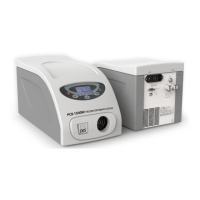

 To Next Page