8
PCB 1500 PELTIER CRYOBATH
USER MANUAL
www.vicidbs.com
Version 1.03.0000
5.3. Instrument Setup
5.3.1. Start-Up
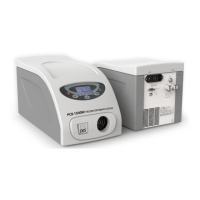
The PCB 1500 is supplied completely assembled. It is only necessary to make the appropriate power and
tube connections Before starting the PCB 1500 you should familiarize yourself with the key functions as
described in section 4.
• Position the PCB 1500 at a suitable position in your system
• Leave at least 20 cm in front and the back of the PCB 1500 for free air circulation
• Unscrew the tap on the “Vent” connector
• Mount the “Vent” connector supplied with the instrument
• Connect the supplied tubes to “Water in” and “Water out” fast connections
• Connect the tubes to the accessory to be thermostatted
• Switch on the PCB-1500
• The instrument initializes and after one minute it is ready to go
• Check the system for water level (water level alarm sensor)
5.3.2. External Connections
The PCB 1500 has no special electrical external connections which would allow relay control etc. Operations
are performed either manually or via remote control using the USB connections. Contact DBS for further
information about the remote control functions.
6. OPERATION
6.1. Manual Operation
6.1.1. Main Page and Functions of the Buttons
PAGE DISPLAY L BUTTON MIDDLE
BUTTON
R BUTTON
Stand by Stand by On
Main Normal status Current temperature
Set temperature
Heating/cooling power
(R)
Menu Off Modify the
temperature setpoint
Temperature
setpoint
Flashing selected pa-
rameter
Down Up Change
Alarm status Alarm description Menu Beep on/
off
Reset alarm/change (1)
Menu Menu selection Scroll Select Exit


 To Next Page