8
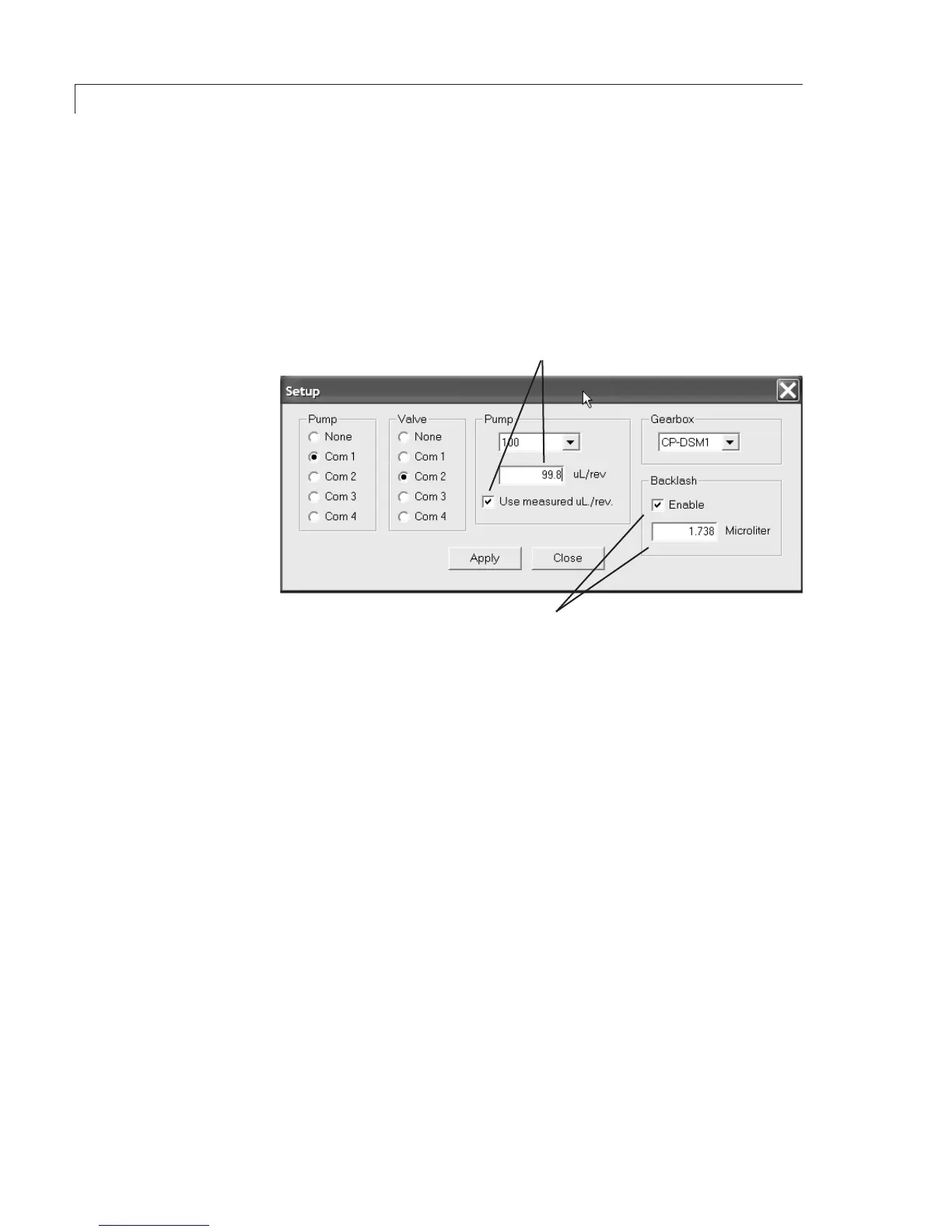
Figure 8: Setting the backlash and volume per revolution values
CLICKTHEBOXANDENTERTHE
µL/REVFROMTHEQCCERTIFICATE
CLICKTHEBOXANDENTERTHE
BACKLASHVALUEFROMTHE
QCCERTIFICATE
To override the factory default values for backlash and µL/rev:
1. LocatethebacklashandµL/revvaluesontheQCcerticate.
2. Click the Enable box under Backlash on the Setup screen, and type in
the backlash value.
3. ClicktheUsemeasureduL/revboxunderPump,andtypeinthevolume
per revolution.
4. Click Apply, then Close.
Initial Setup


 To Next Page