5
Connections
CAUTION: Supply power to the power supply only after
all connections have been made. Failure to do so may
destroy the controller. Take precautions to avoid static
discharges to the controller.
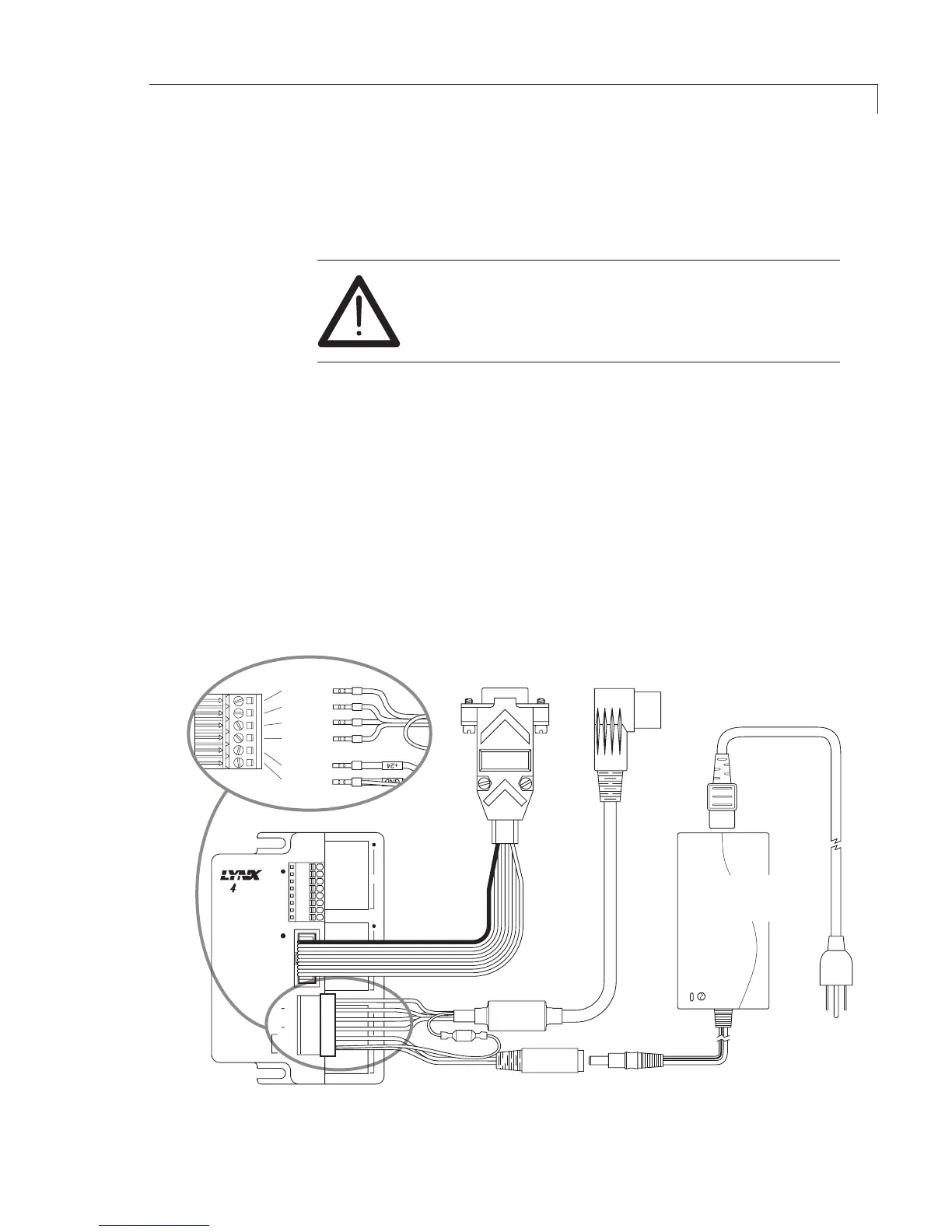
1. Connectthepowersupplyandmotorpowercabletothecontrolleras
shown below.
2. Connect the motor power cable to the pump.
3. PlugoneendoftheRS-232cableintothepumpcontrollerandtheother
into a serial port on the computer.
4. If the system includes a valve, plug one end of its RS-232 cable into the
valve actuator controller and the other end into a second serial port on
the computer. If a second serial port is not available, an RS-232 to USB
adapter is required.
5. Plugthevalvecontrollerpowersupplyintoa110or220VACsource.
Figure 3: M Series controller cabling diagram with RS-232 connection


 To Next Page