12
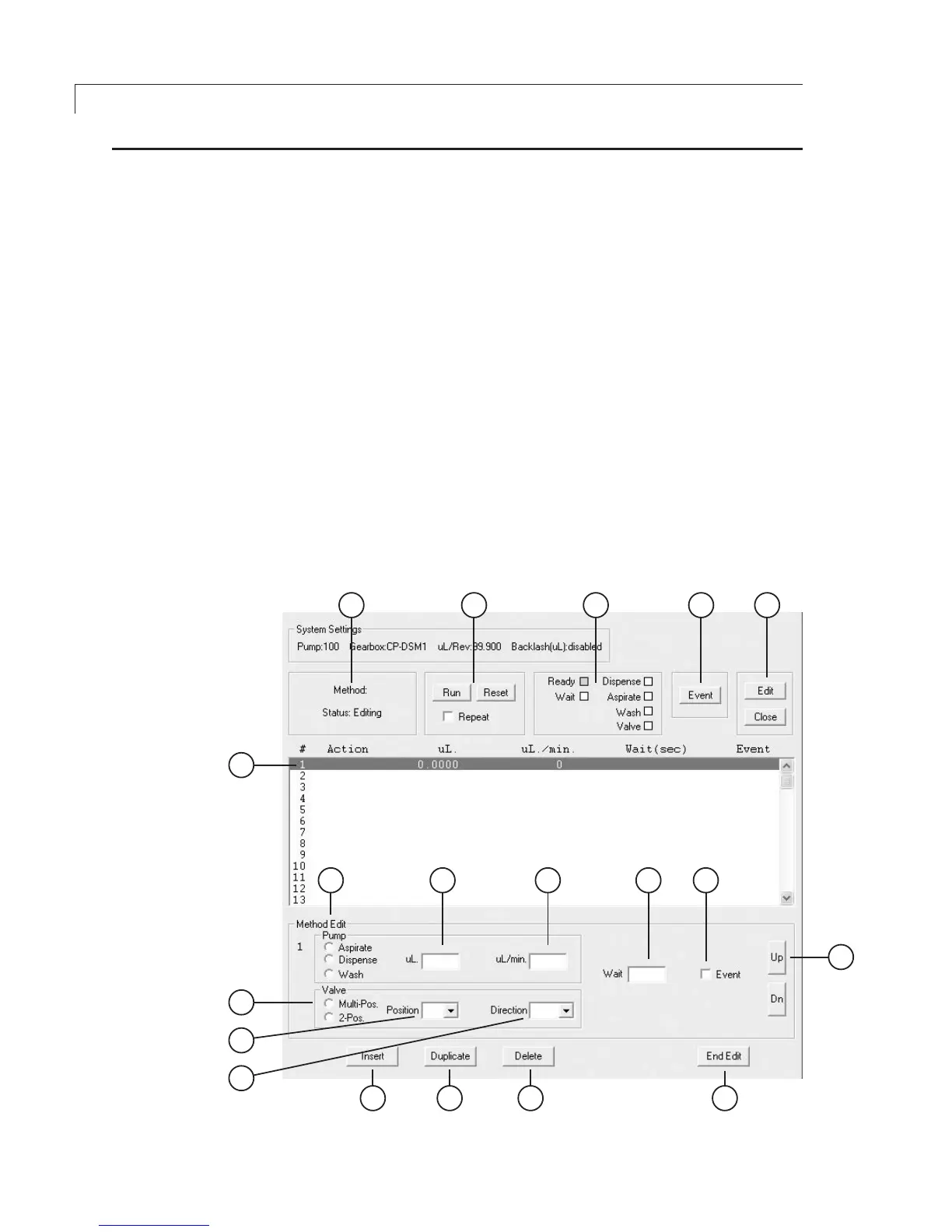
Figure 10: The Method screen
Programming Application Methods
Method Screen Functions
From the main menu, choose Method > New to open the screen below.
1: Method status
Idle, Active (running), or Editing
2: Mode activation buttons
Run: Starts running the method.
Reset: Pausesamethodwhichisunderway,allowingachangetothe
editing mode.
Repeat: If this box is clicked, when the method completes the last
action, it goes back to first action in a continuous loop.
3: Function status
Indicates the current activity during a run.
4: Event button
Refer to No. 11: Event box.
5: Edit and Close buttons
Edit: When the method is idled, clicking this button changes it into
the editing mode.
Close: Closes the method screen.


 To Next Page