15
8. UsetheDn(down)buttontohighlightthelastline,thenclicktheInsert
button.
9. Forthenewlyinsertedline,selectDispenseinthepumpfunctioneld,
thenenter110forthevolumeand1000fortheowrate.
10. ClicktheEndEditbutton.
11. Onthemainmenu,chooseMethod>Save,andcallthismethod
“aspirate and dispense”.
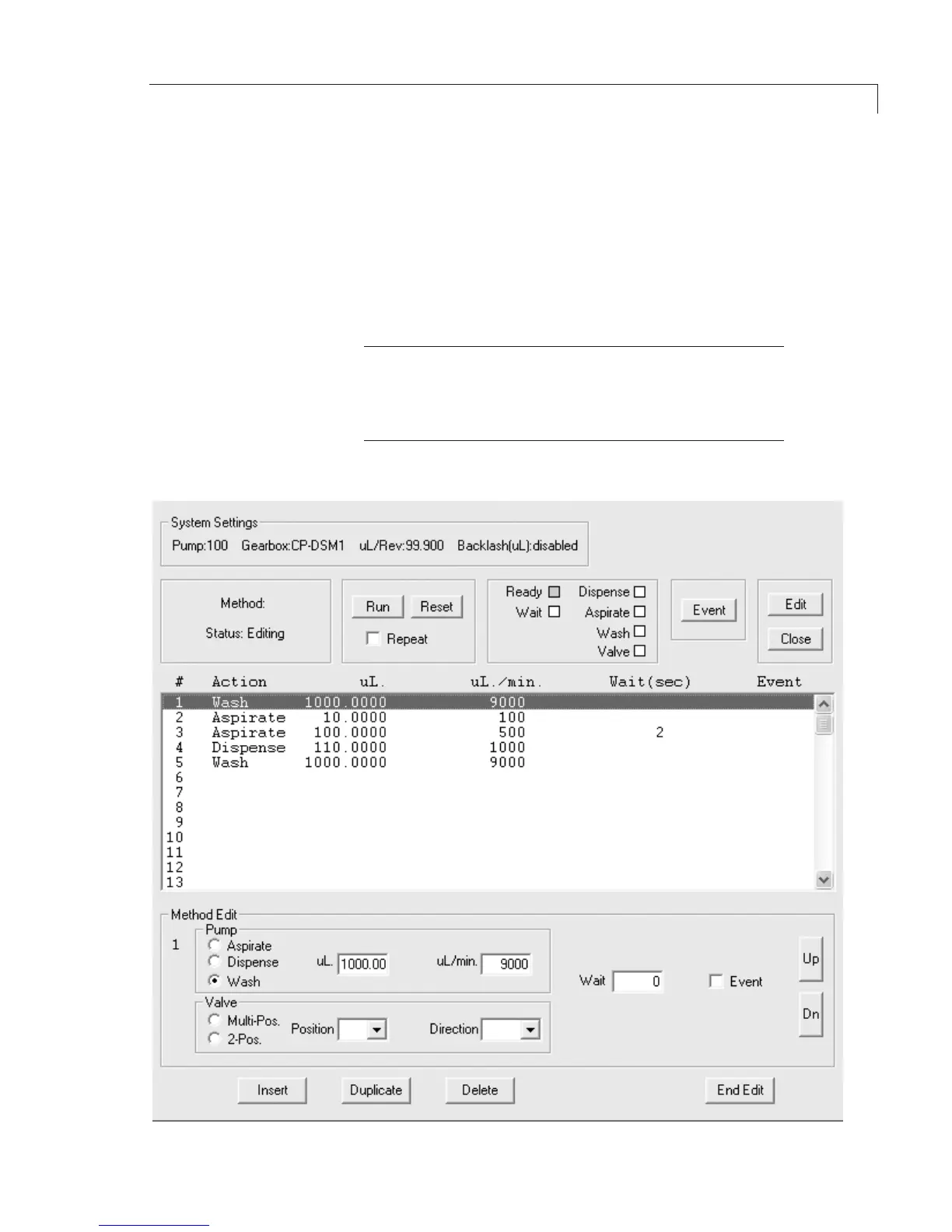
The result should look like Figure 11.
TIP
The method in Figure 11 is written so all functions will be
automatically performed when the Run button is clicked.
For manual operation, check the Event box for each action line.
Then each line is performed by clicking the Event button.
Figure 11:Example“AspirateandDispense” method for Model M6
Programming Application Methods


 To Next Page