In
In
In
In
MEM
MEM
MEM
MEM
function,
function,
function,
function,
each
each
each
each
operation
operation
operation
operation
could
could
could
could
only
only
only
only
read
read
read
read
or
or
or
or
clear
clear
clear
clear
the
the
the
the
data
data
data
data
of
of
of
of
one
one
one
one
storing
storing
storing
storing
part.
part.
part.
part.
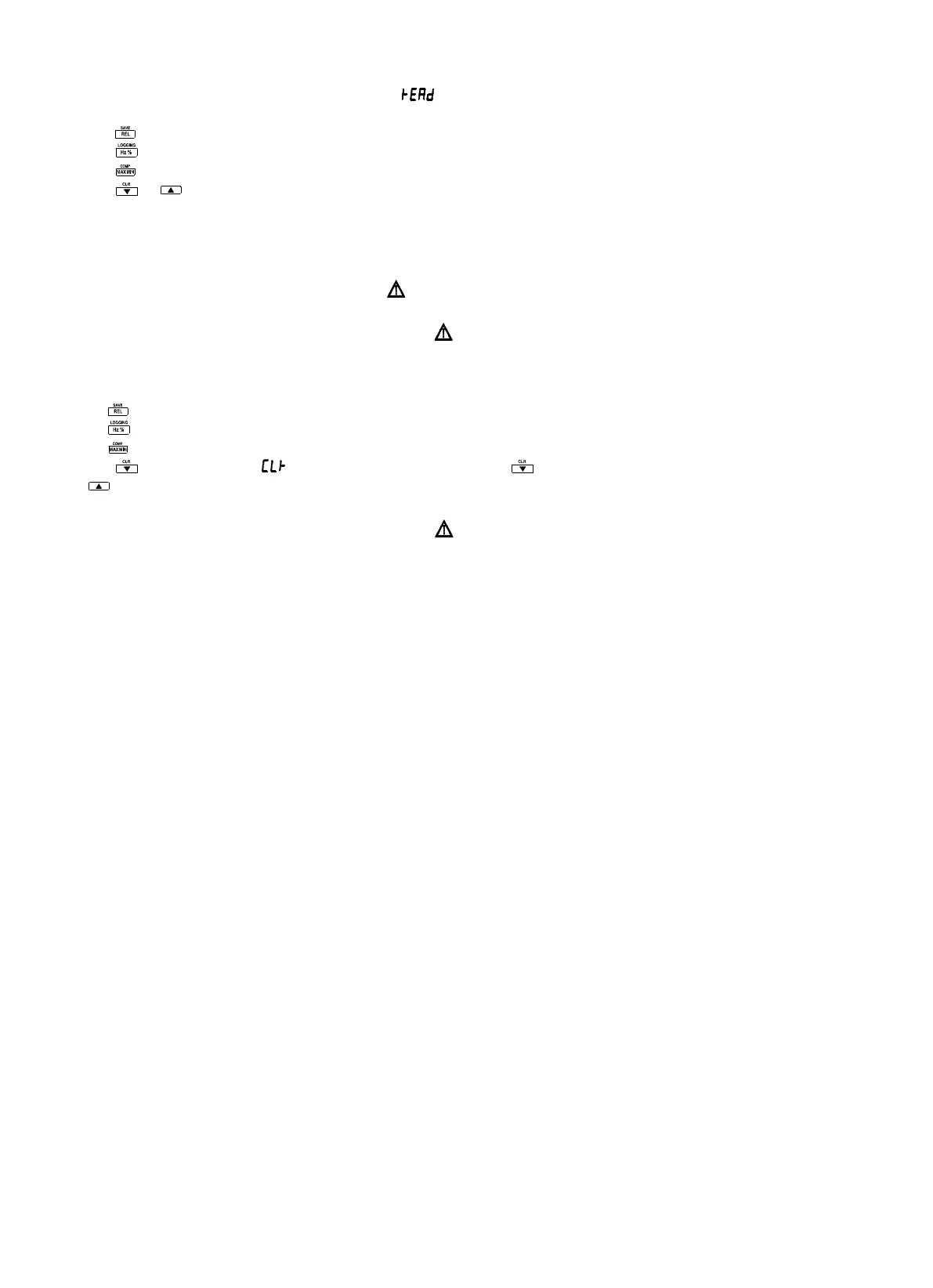
2. Turn the rotary switch to the MEM position and “ ” displays on the screen.
3. Press p ushbutton
to
select a storing data.
Press for saved reading, “ MEM
MEM
MEM
MEM
” appears in the display.
Press for logged reading, “ LOG
LOG
LOG
LOG
” appears in the display.
Press for comparative reading, “ COMP
COMP
COMP
COMP
” appears in the display.
4. Press
or to
view the sequent
or
the previous recording.
5. Turn the rotary switch
to
any other position
to
enter measuring mode.
Clearing
Clearing
Clearing
Clearing
Memory
Memory
Memory
Memory
Use the following procedure to clear memory data:
1. Disconnect the input leads at the measurement source.
Warning
Warning
Warning
Warning
To
To
To
To
avoid
avoid
avoid
avoid
electric
electric
electric
electric
shock,
shock,
shock,
shock,
disconnect
disconnect
disconnect
disconnect
the
the
the
the
test
test
test
test
leads
leads
leads
leads
when
when
when
when
the
the
the
the
rotary
rotary
rotary
rotary
switch
switch
switch
switch
is
is
is
is
in
in
in
in
the
the
the
the
MEM
MEM
MEM
MEM
position.
position.
position.
position.
Notice
Notice
Notice
Notice
In
In
In
In
MEM
MEM
MEM
MEM
function,
function,
function,
function,
each
each
each
each
operation
operation
operation
operation
could
could
could
could
only
only
only
only
read
read
read
read
or
or
or
or
clear
clear
clear
clear
the
the
the
the
data
data
data
data
of
of
of
of
one
one
one
one
storing
storing
storing
storing
part.
part.
part.
part.
2. Turn the rotary switch to the MEM position.
3. Press p ushbutton
to
select a storing data
to
clear.
Press
to
clear saved reading, “ MEM
MEM
MEM
MEM
” appears in the display.
Press
to
clear logged reading, “ LOG
LOG
LOG
LOG
” appears in the display.
Press
to
clear comparative reading, “ COMP
COMP
COMP
COMP
” appears in the display.
4. Press for more than 2S, “ ” appears in the display and press again
to
clear the type of memory presently ; or else
press
to
cancel.
Using
Using
Using
Using
Communications
Communications
Communications
Communications
Notice
Notice
Notice
Notice
Make
Make
Make
Make
sure
sure
sure
sure
your
your
your
your
PC
PC
PC
PC
has
has
has
has
been
been
been
been
connected
connected
connected
connected
with
with
with
with
the
the
the
the
earth
earth
earth
earth
ground
ground
ground
ground
when
when
when
when
employing
employing
employing
employing
this
this
this
this
function.
function.
function.
function.
When using a PC-to-meter IR (infrared) communication link, refer to the DMM VIEW_A Software Guide or the on line help.
You can use the USB to UART Bridge Controller and DMM VIEW_A software to transfer the contents of a meter to a PC.


 To Next Page