Need help?
Do you have a question about the Victor 6000counts and is the answer not in the manual?
Details general features like display, measurement method, and operating environment.
Lists included accessories such as manuals, cases, test leads, and batteries.
Covers accuracy parameters, calibration period, and general technical specifications.
Details accuracy, resolution, input impedance, and operation for DC voltage measurement.
Details accuracy, resolution, input impedance, and operation for AC voltage measurement.
Details accuracy, resolution, overload protection, and operation for AC current measurement.
Details accuracy, resolution, open circuit voltage, overload protection, and operation for resistance.
Explains forward voltage drop for diodes and resistance threshold for continuity testing.
Lists accuracy, resolution, overload protection, and operation for capacitance measurement.
Details accuracy, resolution, input sensitivity, overload protection, and operation for frequency.
Outlines accuracy, resolution, and operation for temperature measurement using a probe.
Describes how to use the square wave output function and its frequency range.
Explains Non-Contact Voltage (NCV) detection and how to interpret readings.
Describes the auto power-off feature and how to restart the device.
Provides common failure phenomena, inspection methods, and solutions.
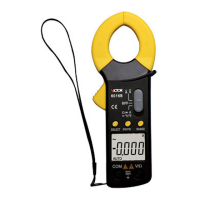
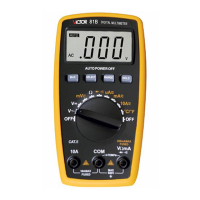
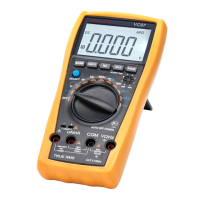
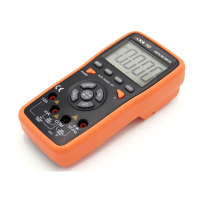
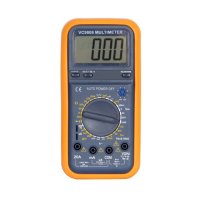
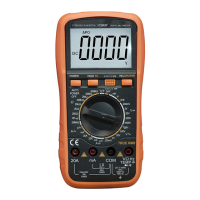
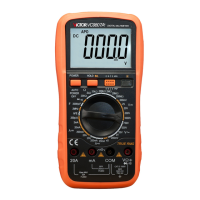
This document serves as an instruction manual for a 6000-count pocket clamp digital multimeter. It outlines the device's functions, operational procedures, and safety precautions, making it a comprehensive guide for users.
The multimeter is a versatile, pocket-sized 3 5/6-digit automatic digital meter designed for a wide range of electrical measurements. Its core functions include measuring DC voltage, AC voltage, and AC current up to 600A. Beyond basic voltage and current, it can also measure resistance, capacitance, and frequency. The device features a diode test, continuity test with an audible buzzer, and temperature measurement in both Celsius and Fahrenheit using a type K thermocouple. Additionally, it offers a square wave output function and a non-contact voltage (NCV) measurement capability, which allows for the detection of AC voltage without direct contact. The multimeter also supports true RMS measurement, ensuring accurate readings for non-sinusoidal waveforms. A flashlight lighting function is integrated for convenience in dimly lit environments.
The multimeter is designed for ease of use and reliability. It features a large LCD display for clear readings and automatic polarity display. The measurement method employs double integral A/D conversion, contributing to its high precision. With a sampling rate of approximately 3 times per second, it provides timely updates of measurement values. An "OL" display indicates an over-range condition. The device is powered by AAA 1.5V batteries and incorporates a boost power supply, ensuring high brightness for the backlight and flashlight even when the battery voltage is low (down to 2.3V). The backlight automatically turns off after 15 seconds to conserve battery life.
Operation involves inserting test leads into designated jacks for specific measurements. For voltage, resistance, capacitance, frequency, and diode tests, the black test lead goes into the "COM" jack and the red test lead into the "V/Ω/Hz" jack. Current measurement with the clamp requires turning the range switch to the appropriate "600A" gear and using the SELECT button to choose AC current measurement. The clamp jaw opens to allow the measured current line to pass vertically through its center. The device is capable of internal auto-ranging for current measurements (6A/60A/600A). For NCV measurement, the user simply dials to the "NCV" position and brings the front end of the meter close to an AC voltage source; the buzzer will emit different continuations and the LCD will display segments corresponding to the signal strength.
Safety is a paramount consideration in the design and operation of this multimeter. Users are cautioned not to exceed specified input voltages (DC 1000V or AC 750V for voltage measurements, 550V DC or AC peak for resistance and capacitance, 250V DC or AC peak for temperature and square wave output) to prevent damage to the instrument or electric shock. When measuring high voltage circuits, special care is advised. It is crucial to disconnect test leads from the circuit under test after completing measurements. For resistance measurements, all power to the circuit under test must be turned off, and capacitors fully discharged. The manual explicitly states that inputting voltage in the resistance range is forbidden, despite the instrument having voltage protection.
The device includes a "RANGE" button for manual range conversion and a "SELECT" key for function selection. A long press of the "SELECT" key activates or deactivates the backlight. The "HOLD" button serves to retain data on the display and, with a long press, controls the flashlight.
The multimeter is designed for reliability and includes features that contribute to its longevity and ease of maintenance. It has full-range protection, although users are still advised to exercise caution and select the proper function and range to prevent damage. The instrument's accuracy is guaranteed for one year from the date of manufacture, provided it is used within specified ambient temperature and humidity conditions.
The device incorporates an automatic power-off feature, entering a sleep state after approximately 15 minutes of inactivity to conserve battery life. To restart, the user simply turns the rotary dial to the OFF position and then to any other position. The auto power-off function can be canceled by pressing and holding the "SELECT" button while turning on the power switch, which will cause the "APO" symbol on the screen to disappear.
Troubleshooting guidance is provided for common issues such as the device not showing any display (suggesting a disconnected battery), a low battery symbol (indicating the need for battery replacement), current not being input (requiring fuse replacement), and resistance display errors (pointing to test pen contact issues). The manual emphasizes that if faults persist, users should contact the service center or dealer.
The device comes with standard attachments including an instruction manual, a certificate, a leather case, an outer packaging box, a pair of test leads, a type K thermocouple (TP01 temperature probe), and two AAA1.5V batteries, ensuring users have all necessary components for immediate use and basic maintenance.
 General
| Max Current | 10A DC/AC |
|---|---|
| Data Hold | Yes |
| Auto Power Off | Yes |
| Display | 6000 Counts |
| Measurement Types | DC/AC Voltage, DC/AC Current, Resistance, Capacitance, Frequency, Temperature |
| Accuracy | ±(0.5% + 3 digits) for DC Voltage |
| Max Voltage | 600V DC/AC |
| DC Voltage Range | 600mV, 6V, 60V, 600V |
| AC Voltage Range | 6V, 60V, 600V |
| DC Current Range | 600μA, 6000μA, 60mA, 600mA, 10A |
| AC Current Range | 600μA, 6000μA, 60mA, 600mA, 10A |
| Resistance Range | 600Ω, 6kΩ, 60kΩ, 600kΩ, 6MΩ, 60MΩ |
| Frequency Range | 10Hz/100Hz/1kHz/10kHz/100kHz/1MHz/10MHz |


 To Next Page