EasyManua.ls Logo

Victrola VTA-270B - User Manual

Victrola VTA-270B
18 pages
Print Icon
To Next Page IconTo Next Page
Loading...
1
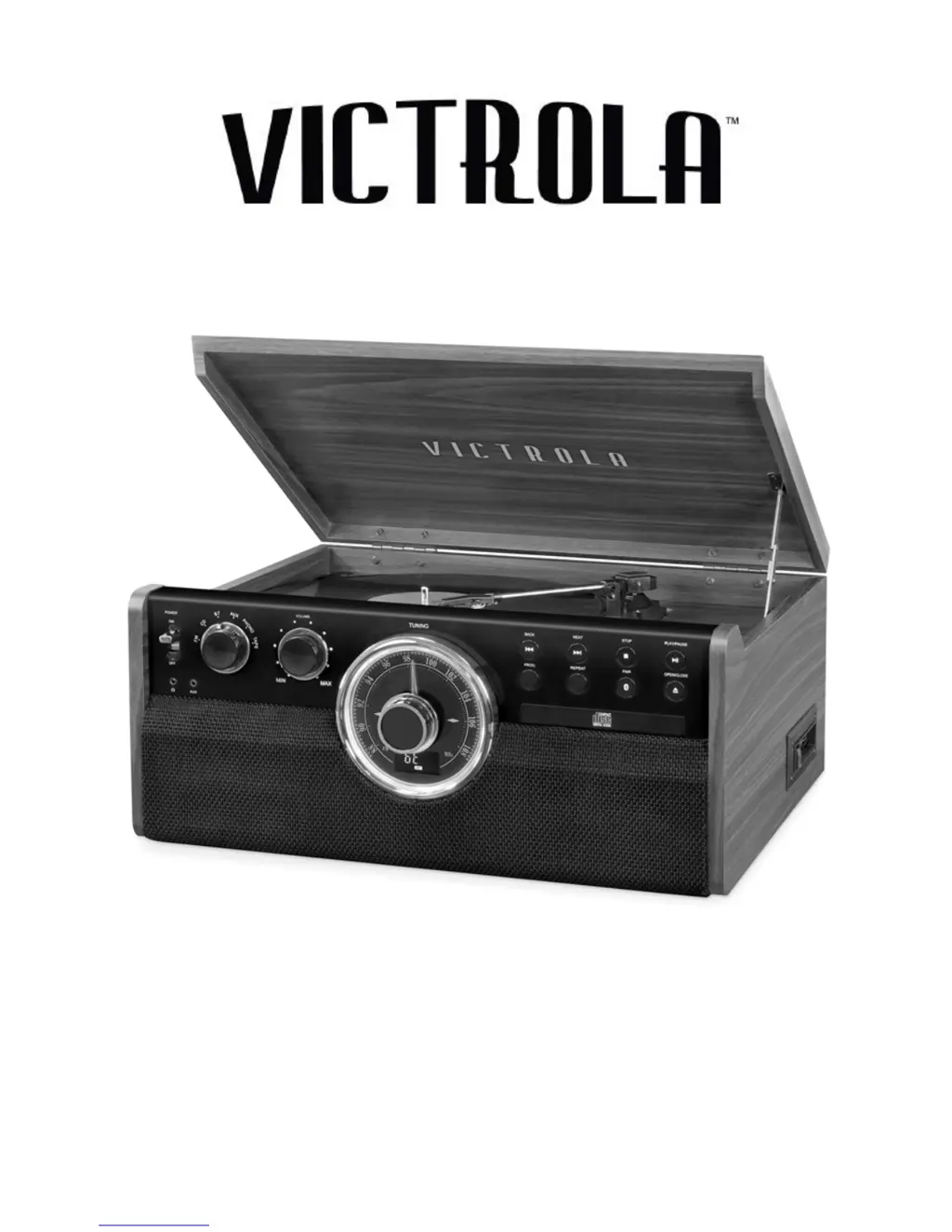
MODEL: VTA-270B
6-IN-1 TURNTABLE

Questions and Answers

  • S
    Savannah CarsonAug 20, 2025
    Why is there no sound from my Victrola VTA-270B?
    • R
      Robert RiosAug 20, 2025
      There might be several reasons for the absence of sound: * The unit might not be switched to Bluetooth mode, so ensure it is set to BT mode. * The volume on your device or the unit might be too low; increase the volume on both. * Your device might be too far from the unit, or there could be an obstacle between them; move your Bluetooth device closer. * As a general troubleshooting step, turn off your Bluetooth device and the unit, then power them back on.
  • C
    Corey RogersAug 22, 2025
    How to fix no sound output from Victrola VTA-270B speakers?
    • H
      hernandezaaronAug 22, 2025
      If you're not getting any sound from the speakers, check these two things: * Make sure the volume isn't set too low; adjust it to a suitable level. * Verify that the input selector matches the source you're trying to play.
  • E
    ewilsonAug 25, 2025
    Why is there no sound from my Victrola VTA-270B CD player?
    • M
      Matthew KellerAug 25, 2025
      If there's no sound when playing a CD, check if the CD player is paused. If so, press the PLAY/PAUSE button.
  • J
    John MathewsAug 26, 2025
    What to do if my Victrola VTA-270B won't turn on?
    • J
      James MitchellAug 26, 2025
      If your unit isn't powering on, the most common cause is that it's simply unplugged. Ensure the unit is securely connected to the AC power supply.
  • T
    tanya10Aug 27, 2025
    What to do if my Victrola Stereo System is making noise?
    • J
      Joseph MillerAug 28, 2025
      If you're experiencing noise or distortion in the sound output, it could be due to interference. Try turning off any nearby TVs or other appliances and relocate the unit to a different spot.
  • J
    jdeanAug 30, 2025
    What to do if my Victrola VTA-270B Stereo System CD tray will not open?
    • B
      Bradley OdonnellAug 30, 2025
      If the CD tray won't open, it might be because you're in the wrong mode. Make sure you've selected CD mode, not FM, BLUETOOTH, AUX, PHONO, or TAPE.
  • S
    Scott GrayAug 31, 2025
    Why is my Victrola Stereo System CD skipping?
    • W
      walkerkatrinaAug 31, 2025
      If your CD playback is noisy, stops, or skips, it could be due to a few reasons: * The CD might be scratched, damaged, or warped. Try replacing it with an undamaged one. * The disc could be very dirty. Carefully clean the CD.
  • H
    howardwalterSep 2, 2025
    Why is my Victrola VTA-270B Stereo System sound garbled?
    • K
      kevinhatfieldSep 2, 2025
      If the sound is garbled, the volume on your device or the unit might not be adjusted properly. Try turning down the volume on both your device and the unit.
  • C
    Casey CastilloSep 4, 2025
    What to do if my Victrola VTA-270B Stereo System is not responding?
    • D
      Darrell PorterSep 4, 2025
      If the unit fails to respond, it might be due to external factors like electrostatic discharge. Disconnect the power cord and any external audio devices, then plug the power cord back in after one minute.
  • D
    Desiree NorrisSep 6, 2025
    How to fix a Victrola Stereo System that won't pair with Bluetooth?
    • S
      stacy24Sep 6, 2025
      If you're unable to pair with a Bluetooth device, there are a couple of things to check: * Confirm that your device is Bluetooth compatible. * If it is, try repairing the unit and device again to establish a successful Bluetooth connection.

Summary

Important Safety Instructions

General Safety Precautions

Covers electrical safety, usage near water, ventilation, and heat sources.

Product Overview: Front Panel

Turntable Component Identification

Setup and Basic Operation Guide

Initial Setup and Power On

Steps for initial setup, connecting power, and basic operation.

CD Playback Features and Controls

CD Playback Navigation

Details playback, pause, skip, rewind, and track navigation.

External Audio Device Operation

Vinyl, Cassette, and CD Handling

Vinyl Record Operation

Steps for placing, playing, and handling vinyl records.

Record Care and Stylus Maintenance

Turntable Stylus Replacement Guide

Detailed steps for removing and installing the turntable stylus.

Troubleshooting Common Issues

General, Tape, and FM Radio Problems

Solutions for power, sound, tape playback, and FM reception issues.

CD Player, Phono, and AUX Problems

Troubleshooting CD errors, turntable performance, and AUX connection problems.

Bluetooth Troubleshooting Guide

Bluetooth Connectivity Issues

Solutions for no sound, garbled audio, or pairing failures with Bluetooth.

Victrola VTA-270B Specifications

General IconGeneral
AC adapter frequency60 Hz
AC adapter input voltage120 V
Power consumption (typical)40 W
Speaker type2-way
RMS rated power10 W
TypeBelt-drive audio turntable
CD playerYes
Operation-
Product colorBrown
Signal-to-Noise Ratio (SNR)50 dB
Bluetooth range10 m
Bluetooth version4.2
Bluetooth profilesA2DP, AVRCP
Weight and Dimensions IconWeight and Dimensions
Depth380 mm
Width480 mm
Height200 mm
Weight8250 g

Videos

How to Fix No Sound Issues on Victrola VTA-270B Turntable

Related product manuals