PAGE 14 VIDEONICS TITLEMAKER 2000
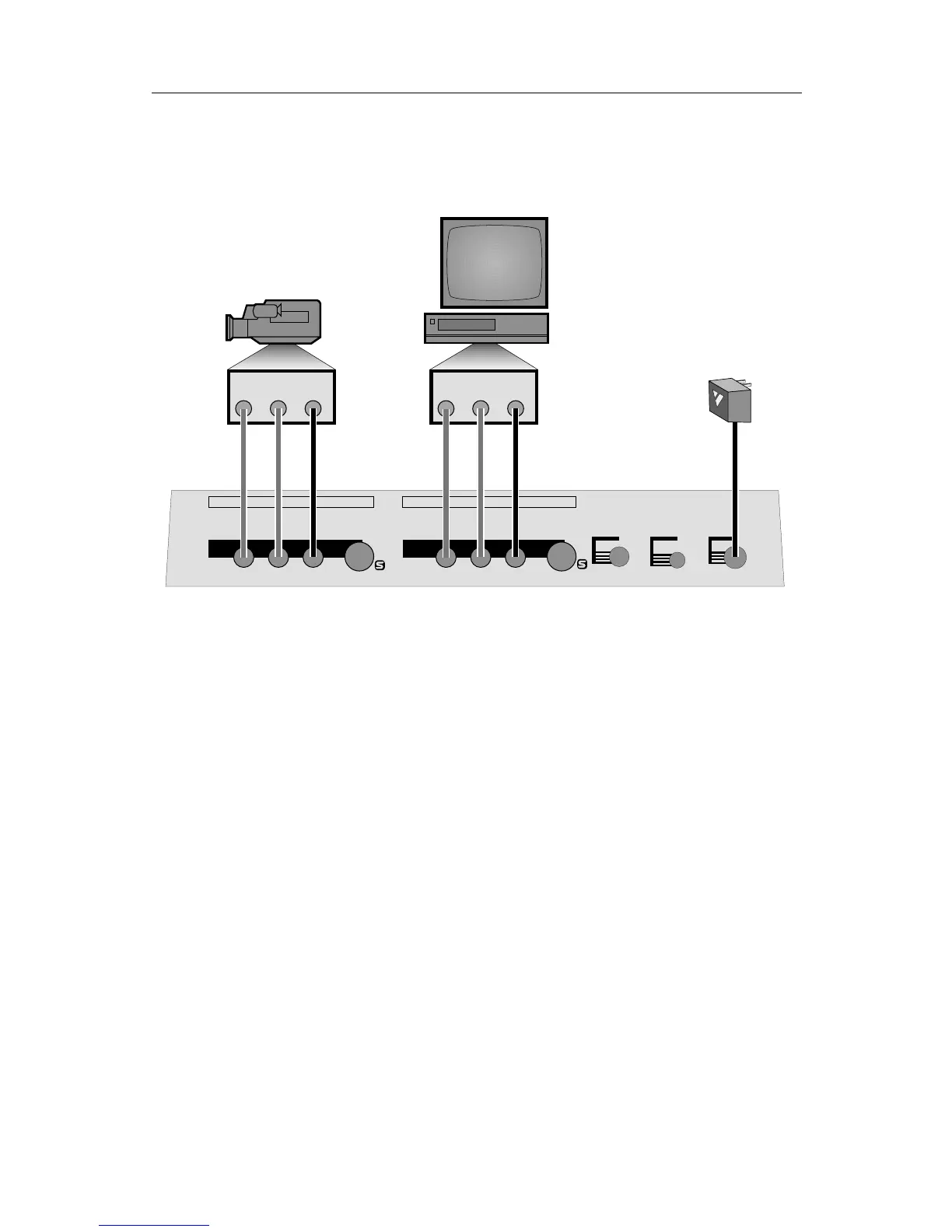
Connection Diagram
This diagram shows the connections for a typical titling setup. The sec-
tions that follow provide detailed instructions.
IN
LRV
OUT
LRV
PREVIEW
OUT
POWER
CONTROL
(
GPI
)
POWER CONTROL PREVIEW RLVS RLVS
INOUT
AB C
VIDEO
IN
AUDIO
IN
VIDEO
OUT
AUDIO
OUT
Connecting Power
■ Connect the power supply (C) to the POWER input and plug it into a
working power outlet. Be sure to use the power supply that came with the
unit. Others, including the ones supplied with other Videonics products,
may damage the unit and void the warranty.
As soon as the power supply is connected, the power light on the front
panel comes on for a moment, then goes out.
Turning Power On and Off: Video Pass-Through
and Data Protection
■ To turn the unit on or off, press the POWER button. The front panel light
indicates whether the power is on.
Notes:
• When the unit has been connected to the power supply for a while, it will
be warm to the touch. The power supply will also be warm. This is normal.
• When power is off, video is routed from the video input to the video
output and no titles are added. This eliminates the need to disconnect the
unit when titles are not needed — you can simply turn the unit off and
video is passed straight through.



 To Next Page