PAGE 52 VIDEONICS TITLEMAKER 2000
Chapter 14 • Colors
The Video TitleMaker provides over a million colors! In a gaudy
mood? You can use rainbow letters with blue outlines on a red tinted
video background with green and white patterned borders!
Letters, backgrounds, outlines, and borders can be independently colored.
The colors can be combined with patterns, including your moving video.
Each line of text can use different colors and each page can use different
background and border colors.
Color Menus
COLOR PATTERN
BACKGROUND
COLOR PATTERN COLOR PATTERN
LETTER OUTLINE BORDERS
COLOR STYLE
There are four Color menus; one each for backgrounds, letters, outlines,
and borders. All work the same way.
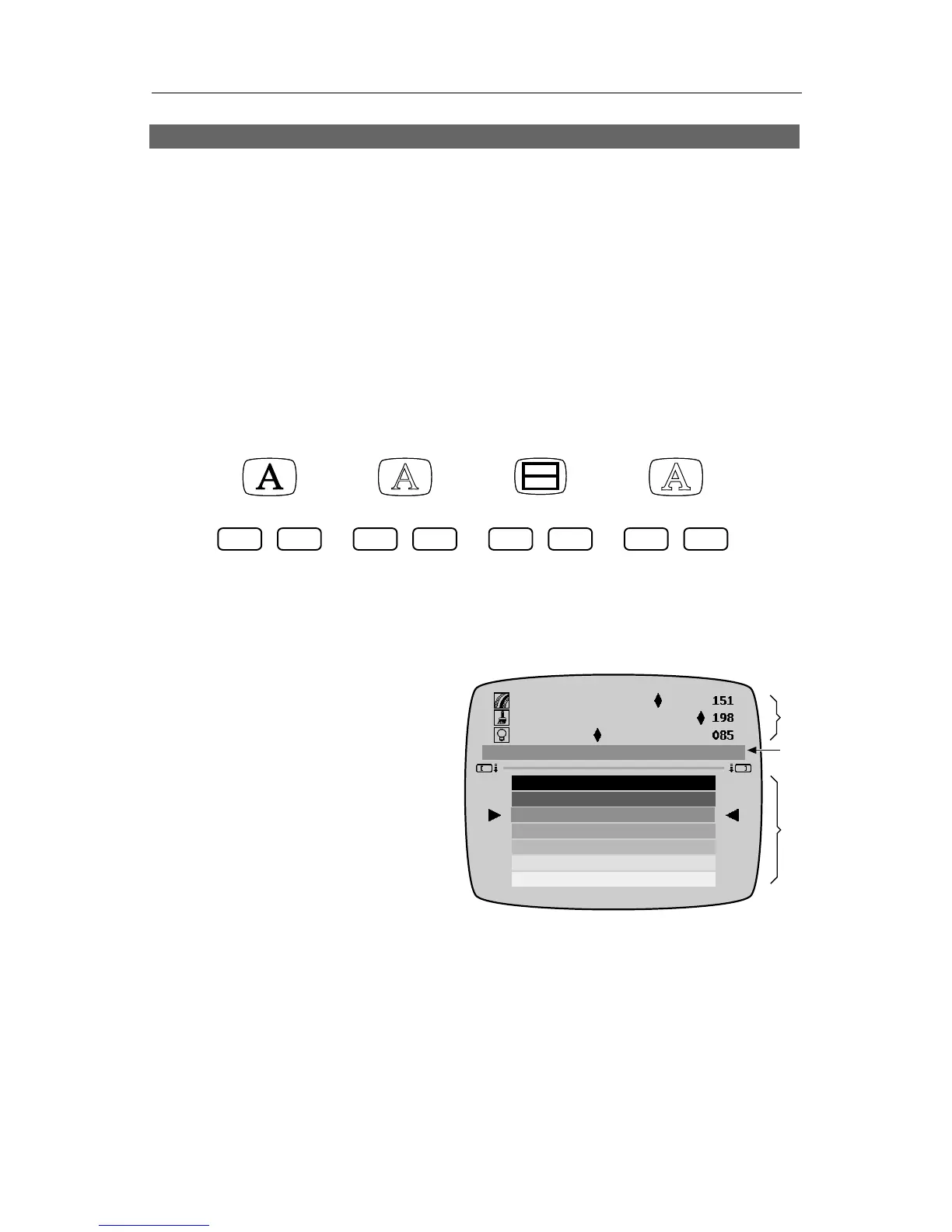
About the Color Palette
The simplest way to choose a
color is to use the palette of sample
colors (∂ ) at the bottom of the
Color menu.
Each Color menu shows the
same colors. The palette list repeats
— after the last color, the top of
the list reappears. You can reach
any color by moving up or down.
Triangular pointers highlight the
current choice and it is also shown
in the sample patch (∏) in the middle of the screen.
The swatches in the palette change as you use the TitleMaker 2000. When
you first use the unit, the palette contains a set of pre-defined colors. As you
create new colors, the new user colors are added to the palette, as described in
the section, “User Colors,” below.
Choosing a Color
Use MARK START, if necessary, to make the bottom sub-menu active.
Then simply use the arrow keys to choose the desired color swatch. Press
SHIFT while you press the UP or DOWN arrow key to scroll through the
❸
❷
❶



 To Next Page