PAGE 48 VIDEONICS TITLEMAKER 2000
Chapter 13 •
Fonts, Sizes, and Styles
TitleMaker 2000 offers a wide variety of ways to add flair to your
titles. You can independently change font, size, and style, for hun-
dreds of combinations.
Font and Size
The first menu
key brings up the
FONT & SIZE
menu. It is used
to choose the font
and size that will
be applied to each line of titles. (A
“font” is the style, or shape, of the
letters.)
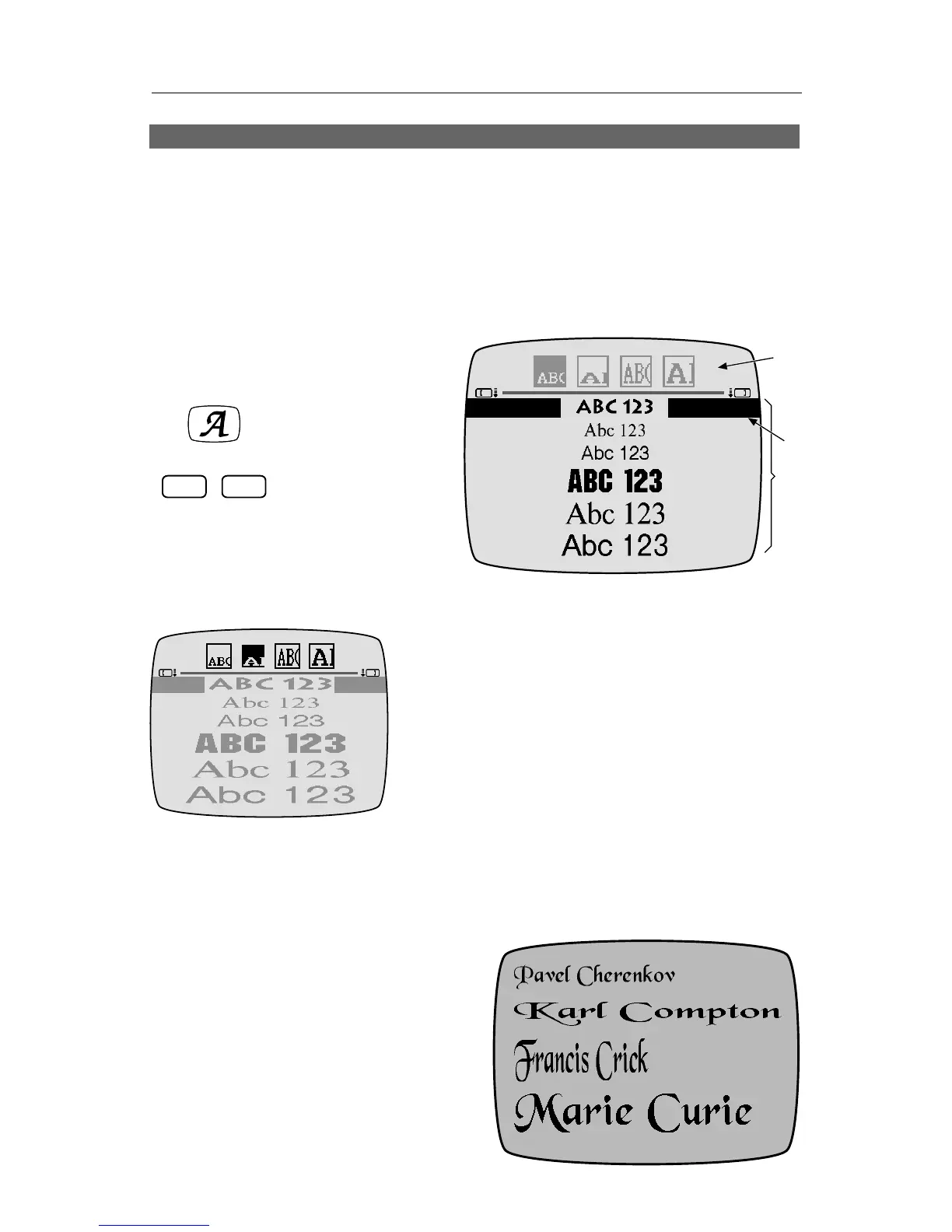
Each font/size choice can be used as is or it can be doubled in size,
horizontally, vertically, or both. The four sym-
bols in the top sub-menu (∂ ) determine
whether the size will be doubled. When you
select any of the size-doubling options, the
fonts at the bottom of the screen are displayed
doubled, as they will appear on the screen.
The size-doubling options reduce the reso-
lution of the letters, making them appear more
jagged. For the smoothest letters, use fonts
without size doubling. All the undoubled fonts
provide maximum resolution.
The bottom portion of the menu (∑) is used
to choose the font. Use MARK START to make
the bottom sub-menu active and use the arrow
keys to
move the highlight bar (∏) to the de-
sired font.
For example, the screen shown here
is composed of four lines. All share
the same font but have different dou-
bling options set using the top-menu.
The top line is undoubled, the second
line is doubled horizontally, the third
FONT
STYLEFONT & SIZE
❸
❷
❶
The fonts are displayed as
they will appear. In this case,
horizontal doubling is
highlighted and the fonts are
doubled horizontally.



 To Next Page