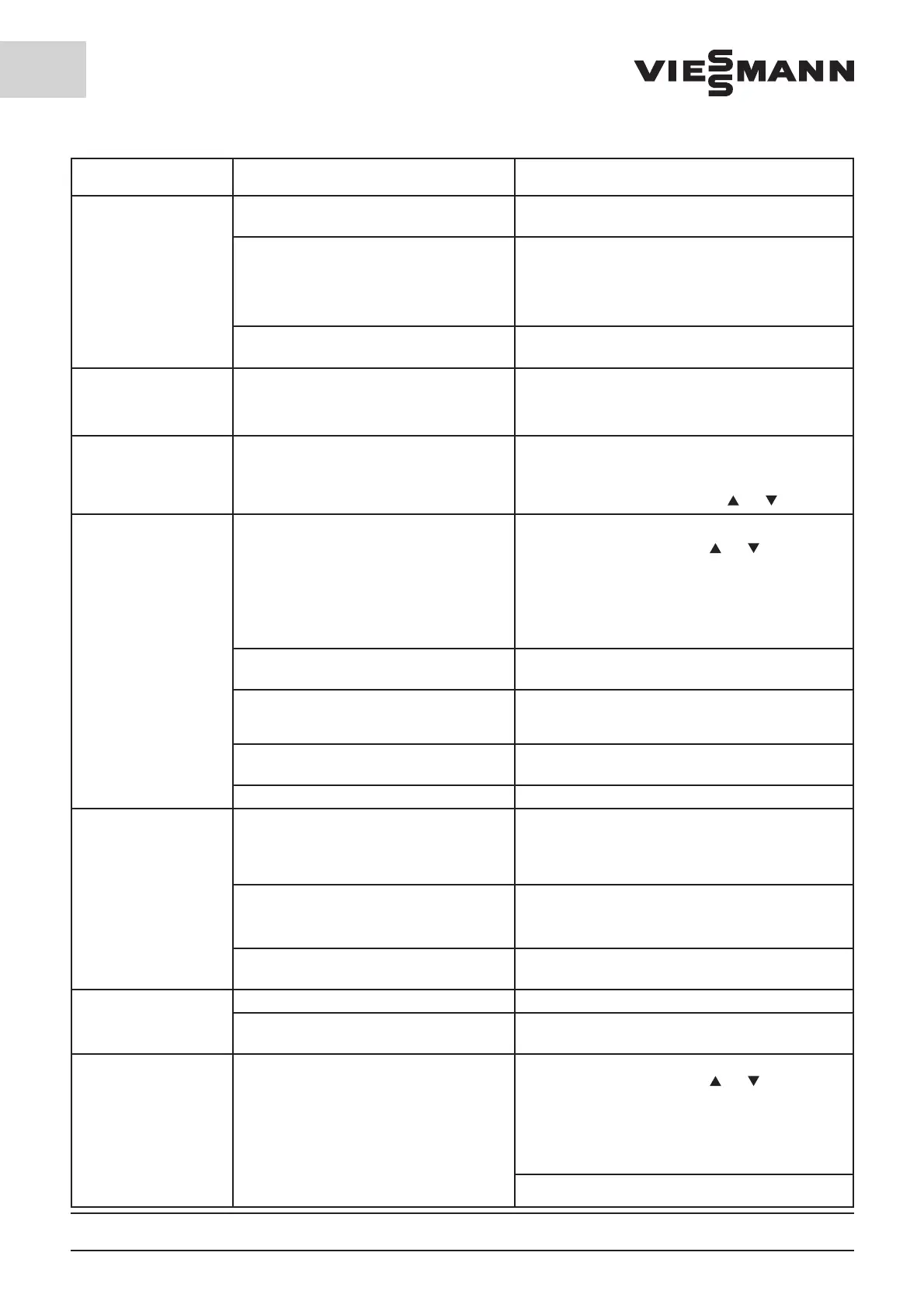
10.3 Fault rectification for units
with SD Control
Page No. 34-GB 10.3 We reserve the right to make technical changes!
Fault Cause Remedy
Unit not running
Mains plug not plugged in;
Electrical power supply interrupted
Check the mains plug and circuit protectors; if a defect
cannot be detected, contact a specialist company
Regulator defective
Emergency operation switch actuated, see 10.2
Emergency operation. If the unit does not run despite
actuation of the Emergency operation switch, then a
safety fuse on the regulator circuit board is defective
Replace safety fuse (80mA slow blow 5x20mm)
Supply voltage too low Supply voltage must be
230 V ± 10%, 50 Hz
Fault report
F01 or F02
Coldroom temperature sensor defective Replace room sensor
With a nominal temp. >= 4°C, the unit is switched off
With a nominal temp. < 4°C, the compressor runs with
the last run and standing time
Fault report F03 High-pressure Pressostat has activated Check cooling water circulation
The report in the display is maintained; it can be deleted
by depressing one of the two keys [
] or [ ].
Unit running continuously
Fault report F04
The coldroom temperature will be indicated again by
depressing one of the two keys [
] or [ ].
The Temperature alarm is on when the nominal tempe-
rature, time delayed by the value set into P43, is excee-
ded. If the temperature is still too high after the time
period set into P42, the Fault report will be displayed
once again
Evaporator fan not running
Check to ensure that all plug connections on the
evaporator fan unit are connected
Heavy loading of the coldroom with stored
goods. Store fewer goods or store them at a
higher temperature
Consider the storage data and storage duration of the
cooled goods.
The goods placed in storage were too many
or were too warm
Place fewer goods in storage at any one time or cool
down warm goods before placing them in storage
Cooling water circulation is faulty Check cooling water circulation
Unit running continuously
and evaporator iced up
Fault report F04
Long periods with door opened
Uncovered liquids in the coldroom
Keep periods with door opened short, cover liquids,
initiate manual defrosting (see Control unit operating
instructions) Reduce the defrosting pause time as
necessary (see Control unit operating instructions)
The defrosting function switches off prior to
expiration of the set defrosting time; the eva-
porator is not free of ice
Increase the defrosting limiting temperature (P39).
The evaporator is not free of ice following
expiration of the set defrosting time
Increase defrosting duration (P04).
Fault report F05
Door contact switch is not connected. Set parameter P29 to 0.
Coldroom door is open longer then the value
set into P45.
Close the door.
Fault report F06 Coldroom temperature too low
The coldroom temperature will be indicated again by
depressing one of the two keys [
] or [ ].
The Temperature alarm is on when the nominal tempe-
rature, time delayed by the value set into P44, is under-
run If the temperature is still too low after the time
period set into P42, the Fault report will be displayed
once again
Compressor relay defective



 To Next Page