23
Setting the time program effectively
Example: you want to set the same time program
for every day except Monday:
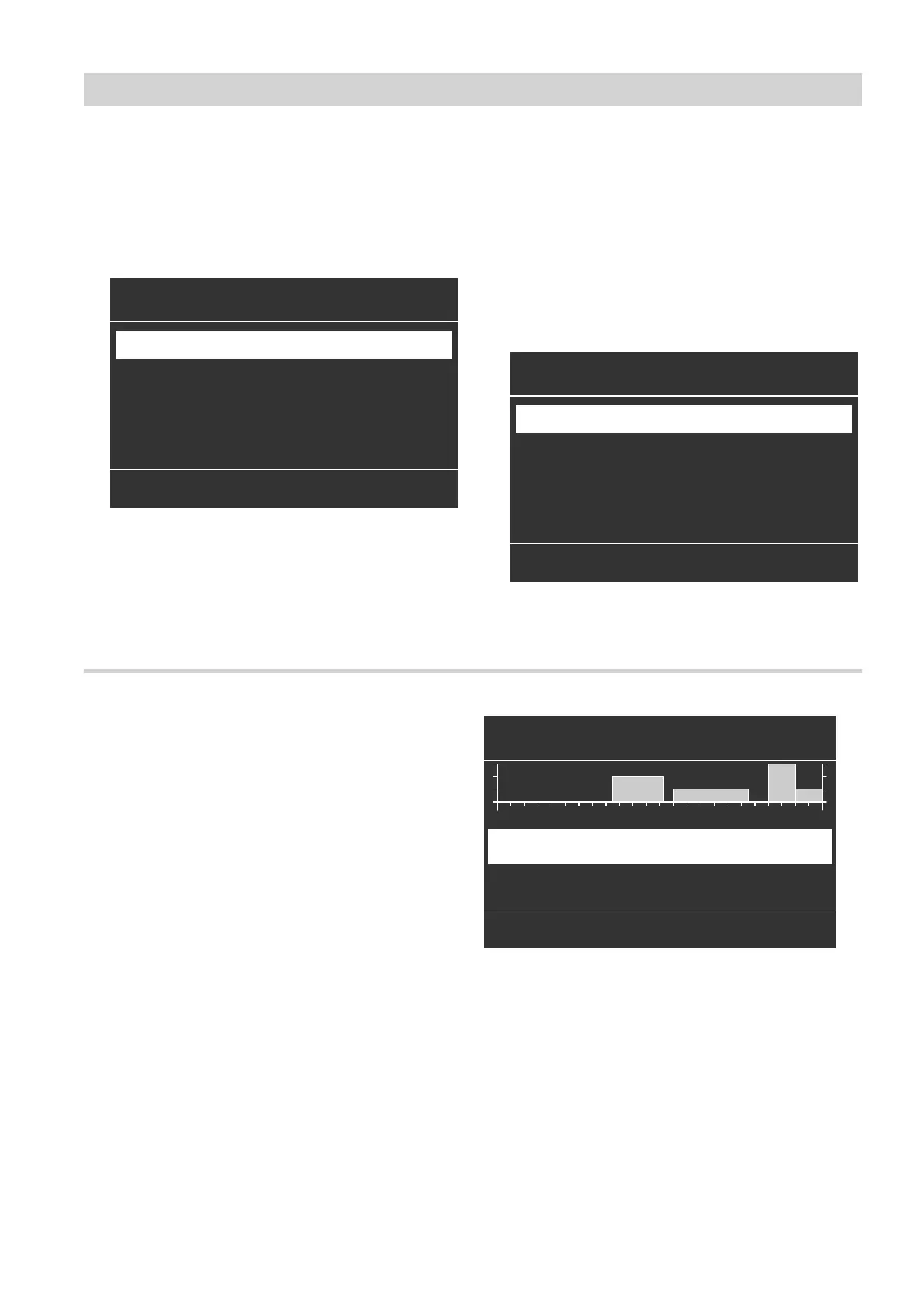
1. Select the period "Monday–Sunday" and set the
time program.
Heating time program
Monday
Saturday-Sunday
Monday-Friday
Monday-Sunday
ê
ê
ê
ç
HC1
Select with
(
Fig. 11
Note
The tick is always set at the sections of the week
with identical time phases.
Factory setting: same for all days of the week,
therefore "Monday
–
Sunday" is ticked.
2. Then select "Monday" and adjust the time pro-
gram for that day.
Note
The selected time phases for "Monday–Sunday"
remain active for "Tuesday" to "Friday".
"Saturday
–
Sunday" is ticked because this is now
the only part of the week where the set time pha-
ses match the days shown.
Heating time program
Monday
Saturday-Sunday
Monday-Friday
Monday-Sunday
ê
ê
ê
ç
HC1
Select with
(
Fig. 12
Deleting time phases
■
Set the time for the end point to the same time that
was set for the start point.
or
■
For the start point, select a time prior to 00:00 h.
The display shows the selected time phase as
"- - : - -".
HC1
Change with (
- -:- - - -:- -
u
0 2 4 6 8 10 12 14 16 18 20 22 24
---
Mo-Su
Heating/cooling
?
08:30 - 12:10
u
Standard
!
Fig. 13
Operation
Time program (cont.)
5790940










 To Next Page