Troubleshooting
28
Diagnosis (continued)
Retrieval of fault codes from the fault memory
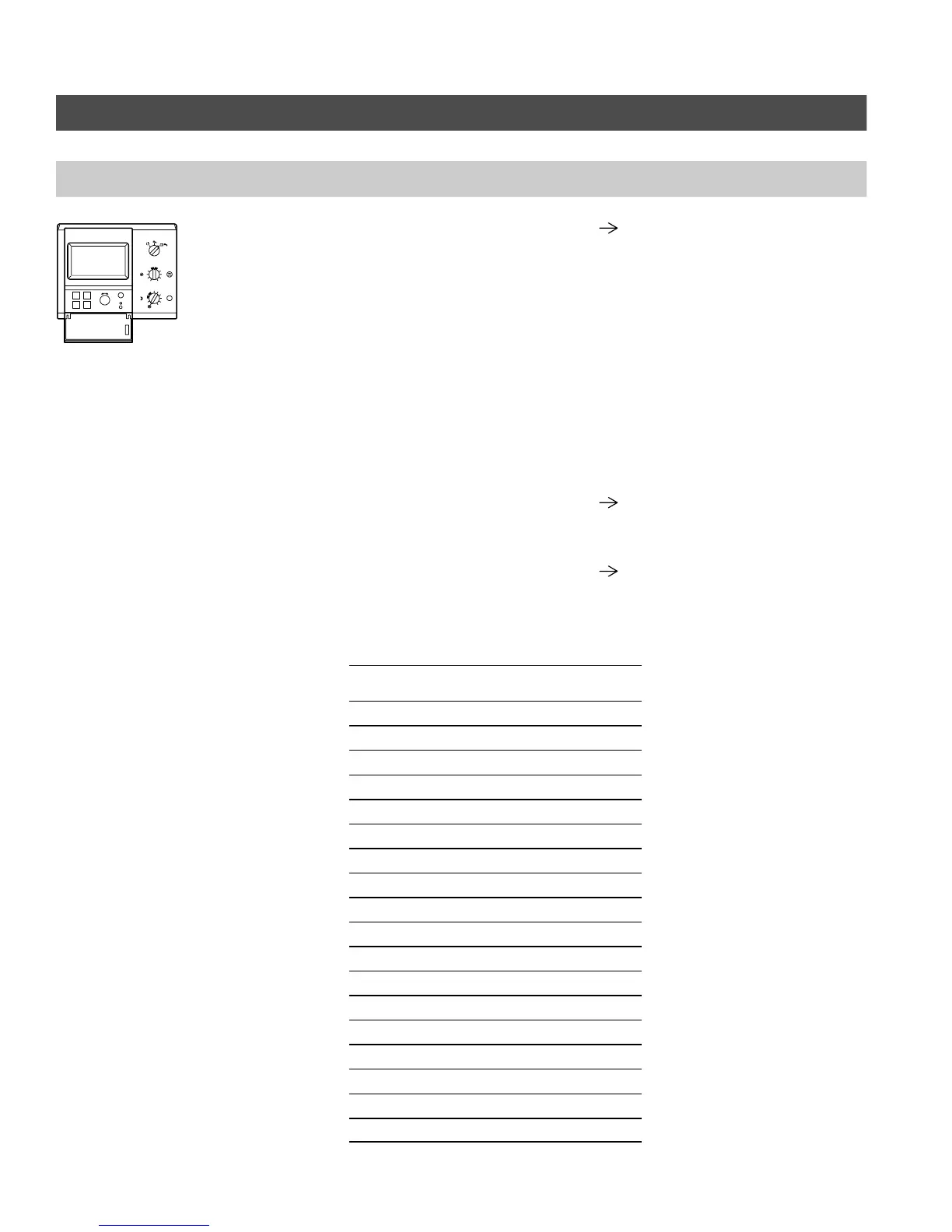
1. Open the cover:
Menu option Button
→ SYSTEM ”D”
→ INSTALLER SETUP ”C”
→ CODE PLEASE: ”B-C-C-B”
→ CODING 2 ”C”
2. H Select coding address ”0B2” by
pressing button ”A” (CONTINUE)
or ”B”(BACK).
H With the ”G” selector knob
(CHANGE), set the value of the
coding address to ”001”.
H Confirm the change with
button ”D”.
Please note:
All settings are made in the ”Installer
Setup” menu, containing ”Coding 1”
(the main coding addresses in plain
language) and ”Coding 2” (all coding
addresses).
Changes which are made and
confirmed in Coding 1 are
automatically transferred to Coding 2
and vice versa.
3. Select coding address ”0B3”. The value which appears is the most
recent fault code (value in brackets ()
in the diagnostics table).
4. Repeat step 2, but set value of
“0B2” coding address to ”002”. The
new value which appears under
coding address ”0B3” is the next
fault code.
Please note:
10 fault codes can be scanned.
Fault code displayed on
programming unit
Fault history
code displayed
Fault: F9 249
Fault: FD 253
Fault: FE 254
Fault: 02 002
Fault: 04 004
Fault: 05 005
Fault: 06 006
Fault: 07 007
Fault: 08 008
Fault: 14 020
Fault: 15 021
Fault: 0A 010
Fault: 0B 011
Fault: 0C 012
Fault: 0D 013
Fault: 0E 014
Fault: 0F 015
Fault: CC 204
5285 961 v1.3
B
A
DC
--
+
i
3
4
5
6
7
8
9
10
2
1
3
4
5
6
7
8
9
10
2
1
0
S





 To Next Page