EasyManua.ls Logo

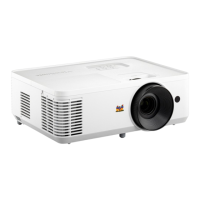
ViewSonic PA503HD - User Manual

ViewSonic PA503HD
73 pages
Print Icon
To Next Page IconTo Next Page
Loading...
PA503HD
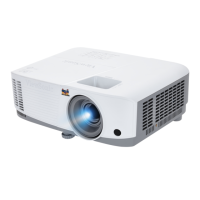
DLP Projector
User Guide
IMPORTANT: Please read this User Guide to obtain important information on installing and using your product in
a safe manner, as well as registering your product for future service. Warranty information contained in this User
Guide will describe your limited coverage from ViewSonic® Corporation, which is also found on our web site at
http://www.viewsonic.com in English, or in specific languages using the Regional selection box of our website.
Model No. VS19746
P/N: PA503HD

Questions and Answers

  • E
    Edwin WilcoxJul 28, 2025
    What to do if my ViewSonic PA503HD Projector does not turn on?
    • E
      efrazierJul 28, 2025
      First, make sure the power cord is properly attached to both the projector and the power outlet. If the projector is still cooling down, wait until the cooling process is complete before attempting to turn it on again. If it still doesn't work, try using a different power outlet or testing the current outlet with another electrical device.
  • F
    fschultzAug 1, 2025
    What to do if my ViewSonic Projector remote control does not work?
    • C
      collinstoddAug 2, 2025
      First, ensure that there are no obstructions between the remote control and the projector, and that you are within the remote's operating range. Also, check the batteries in the remote control and replace them if necessary.
  • R
    Robert FarmerAug 6, 2025
    Why is there no picture on my ViewSonic PA503HD?
    • M
      marcwuAug 6, 2025
      Check that the video source cable is correctly connected and that the video source is powered on. If the input source isn't automatically detected, manually select the correct source using the 'Source Input' button on either the projector or the remote control.
  • D
    David DavisAug 10, 2025
    How to fix a blurred image on my ViewSonic PA503HD Projector?
    • T
      Theresa DavisAug 10, 2025
      Adjust the focus using the Focus Ring to correctly focus the projection lens. Also, ensure that the projector and screen are properly aligned. Adjust the projector's height, projection angle, and direction if needed.
  • E
    Erin LeeAug 14, 2025
    What to do if my ViewSonic Projector stops responding?
    • T
      Timothy PowellAug 14, 2025
      Turn off the projector and unplug the power cord. Wait for at least 20 seconds, then reconnect the power cord and try turning the projector on again.
  • H
    hugheskaylaAug 18, 2025
    Why is the image stretched on my ViewSonic PA503HD when projecting a 16:9 DVD?
    • T
      Todd MitchellAug 18, 2025
      When playing an anamorphic or 16:9 DVD, the projector will display the optimal image in 16:9 format. If you are playing a 4:3 format DVD, change the format to 4:3 in the projector's OSD Menu. Also, ensure that the display format is set to a 16:9 (wide) aspect ratio on the DVD player.
  • J
    Jonathan SilvaAug 23, 2025
    How to correct a reversed image on a ViewSonic PA503HD Projector?
    • S
      smithlaurenAug 23, 2025
      Open the OSD Menu, navigate to Setup > Projection, and adjust the projection option to correct the image orientation.

Summary

Safety Precautions

Introduction

I;O Ports

Identifies and explains the projector's input and output connection ports.

Remote Control

Details the buttons and functions of the projector's remote control.

Initial Setup

Projection Dimensions

Provides detailed charts for image size and projection distance.

Making Connections

Connecting to External Devices

Guides on connecting various external audio and video devices.

Operating the Projector

On-Screen Display (OSD) Menu

Overview of the projector's on-screen display menus for settings.

Menu Navigation

Instructions on how to navigate and use the OSD menus.

Menu Operation

Explains how to operate the Image, Display, Setup, and Options menus.

Adjusting the Projected Image

Adjusting the Focus, Keystone, and Zoom

Guide to fine-tuning image clarity and size using focus, keystone, and zoom.

Appendix

Troubleshooting

Common problems and their possible solutions for projector issues.

Maintenance

Customer Service

Limited Warranty

Details the terms and conditions of the product warranty.

Contact Information for Sales & Authorized Service

Lists contact details for technical support and authorized service centers.

ViewSonic PA503HD Specifications

General IconGeneral
Matrix size0.65 \
Matrix typeDMD
Number of colors1.07 billion colors
Native aspect ratio16:9
Projection distance0.76 - 7.62 m
Vertical scan range23000 - 120000 Hz
Projection technologyDLP
Contrast ratio (dynamic)22000:1
Screen size compatibility30 - 300 \
Projector native resolution1080p (1920x1080)
Keystone correction, horizontal-40 - 40 °
Throw ratio1.48-1.62
Lamp power240 W
Service life of light source4000 h
Service life of light source (economic mode)15000 h
DVI portNo
HDMI version1.4
Microphone inYes
Headphone outputs1
Serial interface typeRS-232
USB 2.0 ports quantityUSB 2.0 ports have a data transmission speed of 480 Mbps, and are backwards compatible with USB 1.1 ports. You can connect all kinds of peripheral devices to them.
VGA (D-Sub) ports quantity0
RMS rated power3 W
Power sourceAC
AC input voltage100 - 240 V
AC input frequency50/60 Hz
Power consumption (standby)0.5 W
Power consumption (typical)295 W
Operating temperature (T-T)0 - 40 °C
Product colorWhite
Market positioningBusiness
Cable lock slot typeKensington
Supported video modes480i, 480p, 576i, 576p, 720p, 1080i, 1080p
Analog signal format systemNot supported
Noise level- dB
Weight and Dimensions IconWeight and Dimensions
Depth234 mm
Width309 mm
Height115 mm
Weight2700 g

Related product manuals