EasyManua.ls Logo

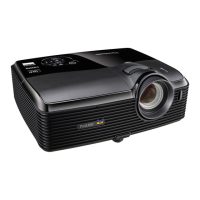
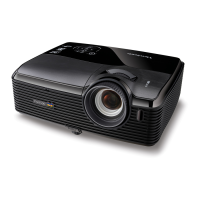
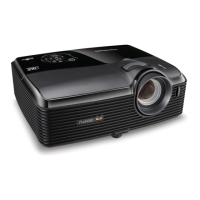
ViewSonic Pro10100 - User Manual

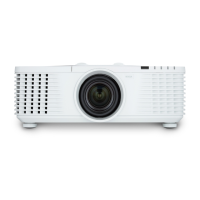
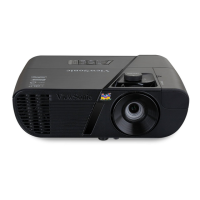
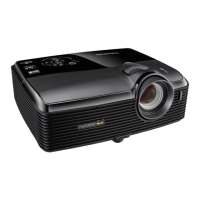
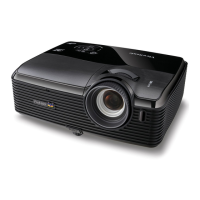
ViewSonic Pro10100
88 pages
Print Icon
To Next Page IconTo Next Page
Loading...
Pro10 Series
Professional DLP
®
Projector
User Guide
IMPORTANT: Please read this User Guide to obtain important information on installing
and using your product in a safe manner, as well as registering your product for
future service. Warranty information contained in this User Guide will describe your
limited coverage from ViewSonic Corporation, which is also found on our web site at
http://www.viewsonic.com in English, or in specific languages using the Regional
selection box in the upper right corner of our website. “Antes de operar su equipo lea cu
idadosamente las instrucciones en este manual”
Model No. VS15149/VS15541

Other manuals for ViewSonic Pro10100

Questions and Answers

  • S
    Stacy HowardAug 19, 2025
    What to do if no image appears on ViewSonic Projector?
    • K
      Kelly BenderAug 19, 2025
      If no image appears on the screen, check the following: * Ensure all cables and power connections are correctly and securely connected. * Ensure the connector pins are not crooked or broken. * Check that the projection lamp has been securely installed. * Make sure you have removed the lens cover and the projector is switched on.
  • C
    Christopher SantosAug 21, 2025
    Why is my ViewSonic Pro10100 remote control not working?
    • D
      Daniel WigginsAug 21, 2025
      If the remote control is not working, consider these possible solutions: * Ensure the remote control is within ±30° horizontally and vertically of one of the IR receivers on the projector. * Ensure there are no obstructions between the remote and the projector, and you are within 12 m (±0°) of the projector. * Make sure the batteries are correctly inserted. * Replace the batteries if they are exhausted. * Ensure that you have set your remote to the correct IR code setting.
  • S
    Samantha JonesAug 23, 2025
    How to fix out of focus image on ViewSonic Projector?
    • J
      Jay OlsenAug 25, 2025
      To correct an out-of-focus image, try the following: * Ensure the lens cover is removed. * Adjust the Focus function for the projector lens. * Ensure the projection screen is within the required distance.
  • A
    Anthony BrayAug 26, 2025
    How to adjust image size on ViewSonic Pro10100?
    • J
      jonescynthiaAug 26, 2025
      To adjust the image size: * Move the projector closer to or further from the screen. * Press “Menu” on the control panel. Go to “SCREEN” --> “Aspect” and try the different settings.
  • J
    Joseph KelleyAug 28, 2025
    What to do if ViewSonic Projector stops responding?
    • A
      Anne JacksonAug 28, 2025
      If the projector stops responding to all controls: * If possible, turn off the projector, then unplug the power cord and wait at least 60 seconds before reconnecting power. * Check that “Keypad Lock” is not activated by trying to control the projector with the remote control.
  • G
    garciacassandraAug 30, 2025
    How to flip image on ViewSonic Projector?
    • D
      David MiddletonAug 30, 2025
      To correct a reversed image, adjust the “SETTING" --> "Projection”.
  • V
    Victoria McbrideSep 1, 2025
    What to do if ViewSonic Pro10100 Projector image is partial or scrolling?
    • C
      carlsoncolleenSep 1, 2025
      If the image is partial, scrolling, or incorrectly displayed, try these steps: * Press "SYNC" on the control panel or the remote control. * Verify that your display resolution setting is lower than or equal to UXGA (1600 x 1200). * Select the “Change” button under the “Monitor” tab. * Click on “Show all devices”. Next, select “Standard monitor types” under the SP box; choose the resolution mode you need under the “Models” box. * Verify that the resolution setting of the monitor display is lower than or equal to UXGA (1600 x 1200).
  • R
    Riley MorganSep 4, 2025
    How to correct slanted sides on ViewSonic Pro10100 Projector image?
    • M
      Malik WilsonSep 4, 2025
      To correct an image with slanted sides: * If possible, reposition the projector so that it is centered on the screen and below the bottom of the screen. * Press the "Keystone" button on the remote control until the sides are vertical.
  • K
    krystalmooreSep 6, 2025
    How to stabilize a flickering image on ViewSonic Pro10100?
    • L
      lhamptonSep 6, 2025
      To resolve an unstable or flickering image: * Adjust the “Phase” to correct it. * Change the monitor color setting from your computer.
  • P
    Paul WattsSep 9, 2025
    How do I fix a vertical flickering bar on my ViewSonic Pro10100?
    • K
      Kelly GarciaSep 9, 2025
      To address a vertical flickering bar on the image: * Use “Frequency” to make an adjustment. * Check and reconfigure the display mode of your graphic card to make it compatible with the projector.

ViewSonic Pro10100 Specifications

General IconGeneral
Input ConnectorsComposite Video, S-Video
Output ConnectorsVGA
ControlRS-232
Projection Size30-300 inches
Speakers10W

Related product manuals