EasyManua.ls Logo

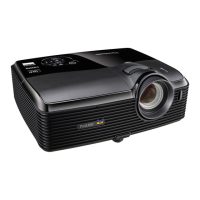
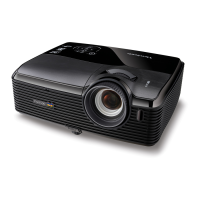
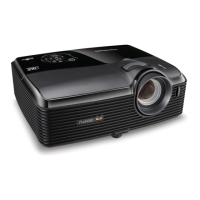
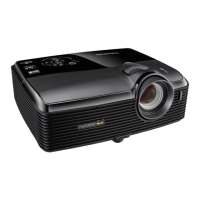
ViewSonic Pro10100 - User Manual

ViewSonic Pro10100
88 pages
Print Icon
To Next Page IconTo Next Page
Loading...
Pro10 Series
Professional DLP
®
Projector
User Guide
IMPORTANT: Please read this User Guide to obtain important information on installing
and using your product in a safe manner, as well as registering your product for
future service. Warranty information contained in this User Guide will describe your
limited coverage from ViewSonic Corporation, which is also found on our web site at
http://www.viewsonic.com in English, or in specific languages using the Regional
selection box in the upper right corner of our website. “Antes de operar su equipo lea cu
idadosamente las instrucciones en este manual”
Model No. VS15149/VS15541

Other manuals for ViewSonic Pro10100

Questions and Answers

  • Y
    ystewartSep 12, 2025
    Why is the image stretched on my ViewSonic Projector when playing 16:9 DVD?
    • C
      Cassandra DavidsonSep 12, 2025
      If the image is stretched when displaying a 16:9 DVD title: * When you play anamorphic DVD or 16:9 DVD, the projector will show the best image when the projector display mode is set to 16:9 in the OSD. * If you play 4:3 format DVD titles, please change the format to 4:3 in the projector OSD. * Please setup the display format as 16:9 (wide) aspect ratio type on your DVD player.
  • W
    wkingSep 13, 2025
    What does it mean if ViewSonic Pro10100 Projector lamp burns out with a popping sound?
    • K
      Krystal CarpenterSep 13, 2025
      When the lamp reaches its end of life, it will burn out and may make a loud popping sound. If this happens, the projector will not turn on until the lamp module has been replaced.
  • T
    Tracey JosephSep 15, 2025
    What are the common on-screen messages on ViewSonic Pro10100?
    • J
      jeffrey67Sep 15, 2025
      The on-screen messages include: * Power off confirm * Lamp error * Lamp Life warning * Filter error

ViewSonic Pro10100 Specifications

General IconGeneral
Input ConnectorsComposite Video, S-Video
Output ConnectorsVGA
ControlRS-232
Projection Size30-300 inches
Speakers10W

Related product manuals