37
Tire Pressures can be set up to 160 PSI (11 BAR).
CALIBRATION
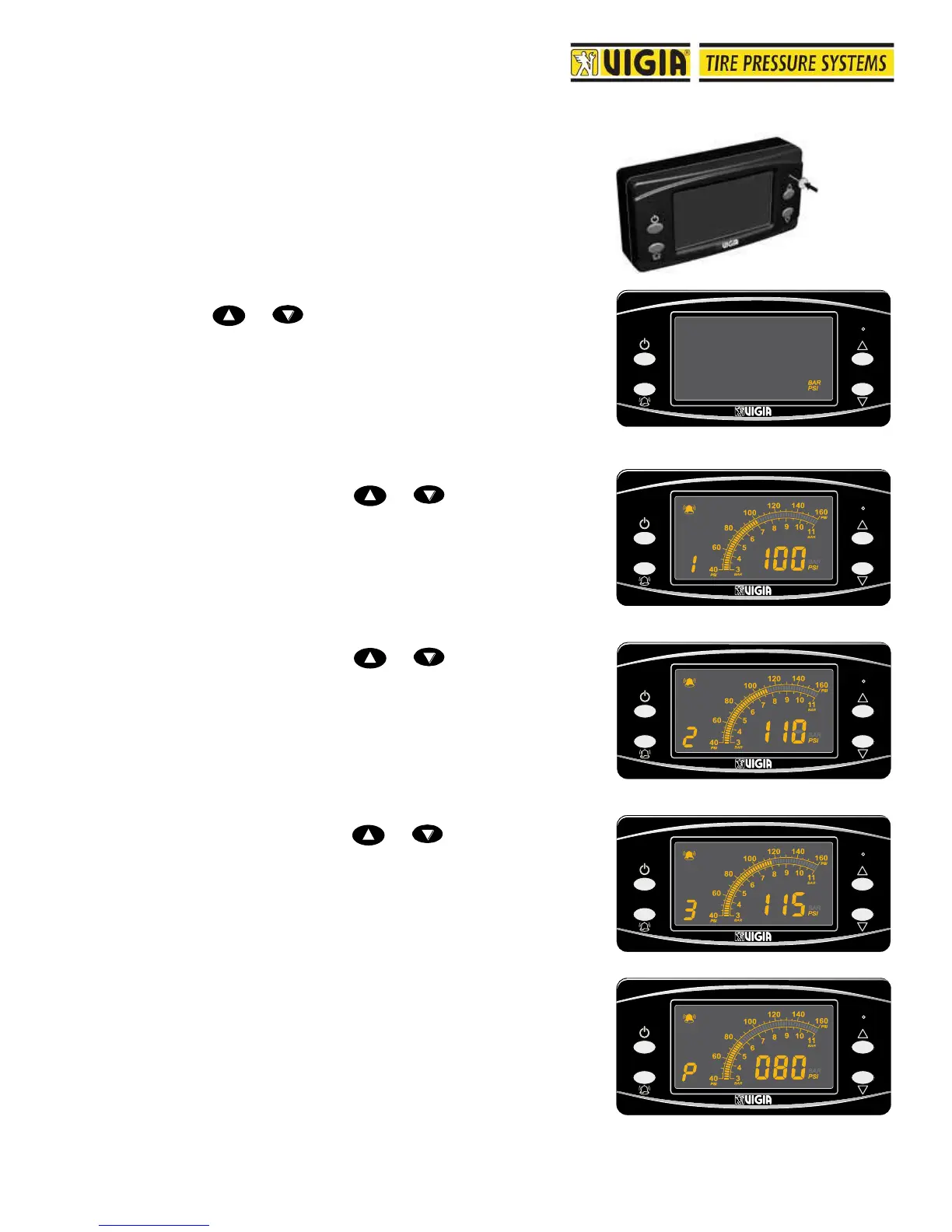
1- Turn the ignition key to contact.
2- Insert the Calibration Tool into the control for calibration
and press for four seconds until a continuous beep.
Display is now in calibration mode.
3- Using or select PSI or BAR. Then press the
calibration button.
4- Circuit 1 is shown. Using or set the desired
pressure. Then press the calibration button.
5- Circuit 2 is shown. Using or set the desired
pressure. Then press the calibration button.
6- Circuit 3 is shown. Using or set the desired
pressure. Then press the calibration button.
7- Air tank pressure is shown. Factory setting is 80 PSI (5.5
BAR) and this value should not be changed. Press the
calibration button for 3 seconds until a beep is heard.
Display is now in Sequential Mode.



 To Next Page