20
www.vigocool.eu
3.4. Temperature settings, change of operating mode
The temperature of the refrigerator can be changed using the + (temperature increase)
and – (temperature decrease) buttons. After selecting the correct temperature, wait 4
seconds to save the current settings. The refrigerator will begin to cool down to the
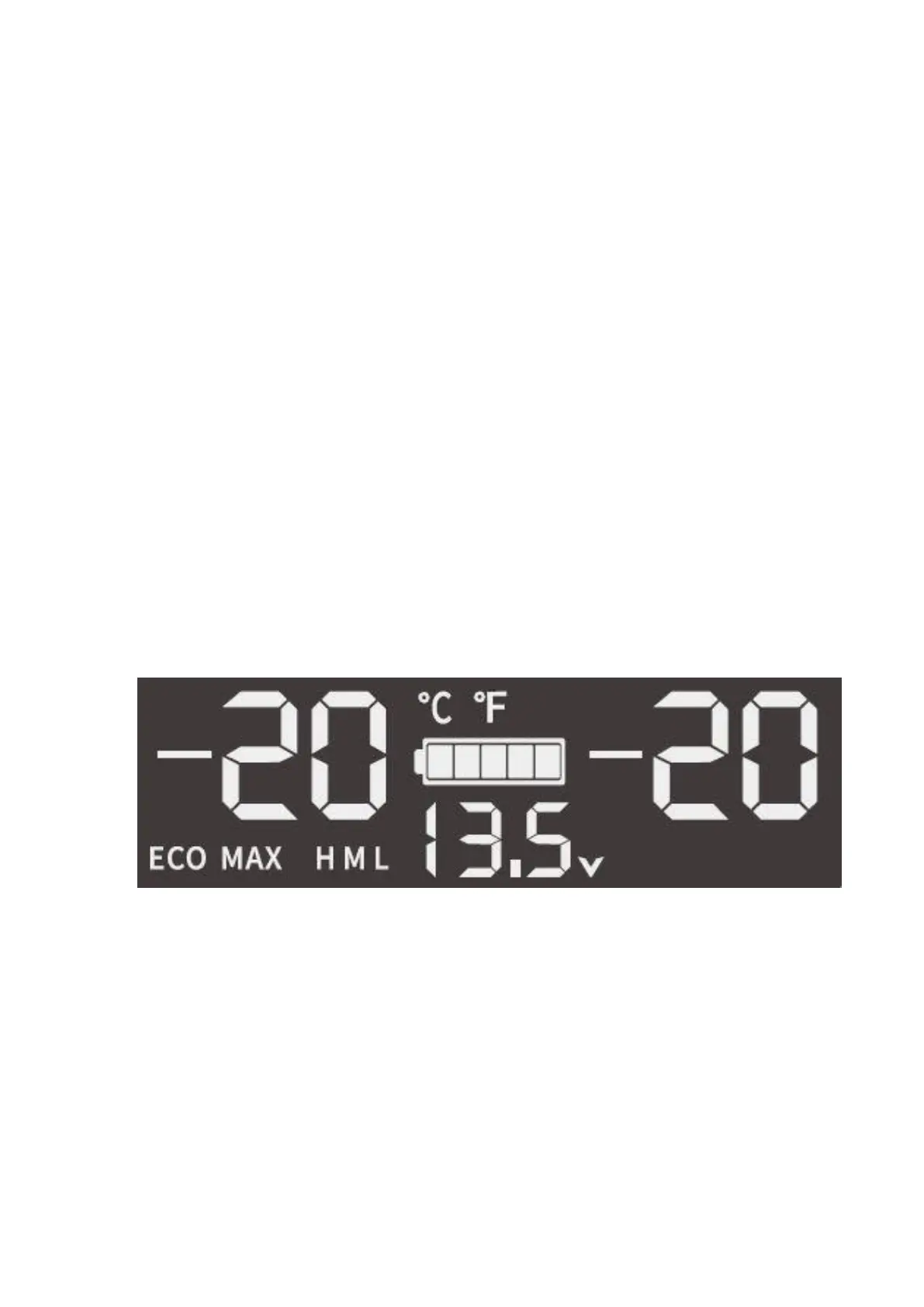
selected value. The display shows the CURRENT temperature, not the temperature
selected by the user. After selecting a new temperature, the refrigerator will begin to cool
down and the value on the display will begin to change.
Refrigerators have two thermostats so you can set an individual temperature for each
compartment separately. The V36WT has separate + and - on the display for both
chambers. On the V35TR, select the set-up chamber. To do this, press and hold the +
and "SET" buttons to select the left chamber, or - and "SET" to select the right chamber.
In order to change the temperature unit, turn off the refrigerator and then hold down the
"SET" button. E1 will appear on the display. Press the "SET" button to change the symbol
to E5. There you can use ˄ (+) or ˅ (–) to change the units between Celsius (°C) and
Farenheit (°F). Celsius is set by default.
Refrigerators have the option of choosing a cooling mode. The two modes are MAX (fast
cooling, more energy consumption) and ECO (slower cooling, less energy consumption).
The default is MAX mode. To change the mode, press the "SET" button when the
refrigerator is turned on.
3.5. Battery protection mode
Refrigerators have three battery protection modes. They are shown as letters on the
display: L (low), M (medium) and H (high).
The battery protection function determines the voltage at which the refrigerator will shut
down (switch-off voltage). The device will restart when the battery is charged to the
required value (turn-on voltage). The default battery protection mode is high (H) mode. In
order to change the battery protection mode, hold down the "SET" button for a few
seconds, and then change the mode by pressing the "SET" button once. The table below
shows the differences between the different modes. It is worth remembering that the
results may differ slightly between individual models. High mode is recommended when
connecting a refrigerator in a vehicle, and medium and low mode when using
portable/built-in batteries.



 To Next Page