26
www.vigocool.eu
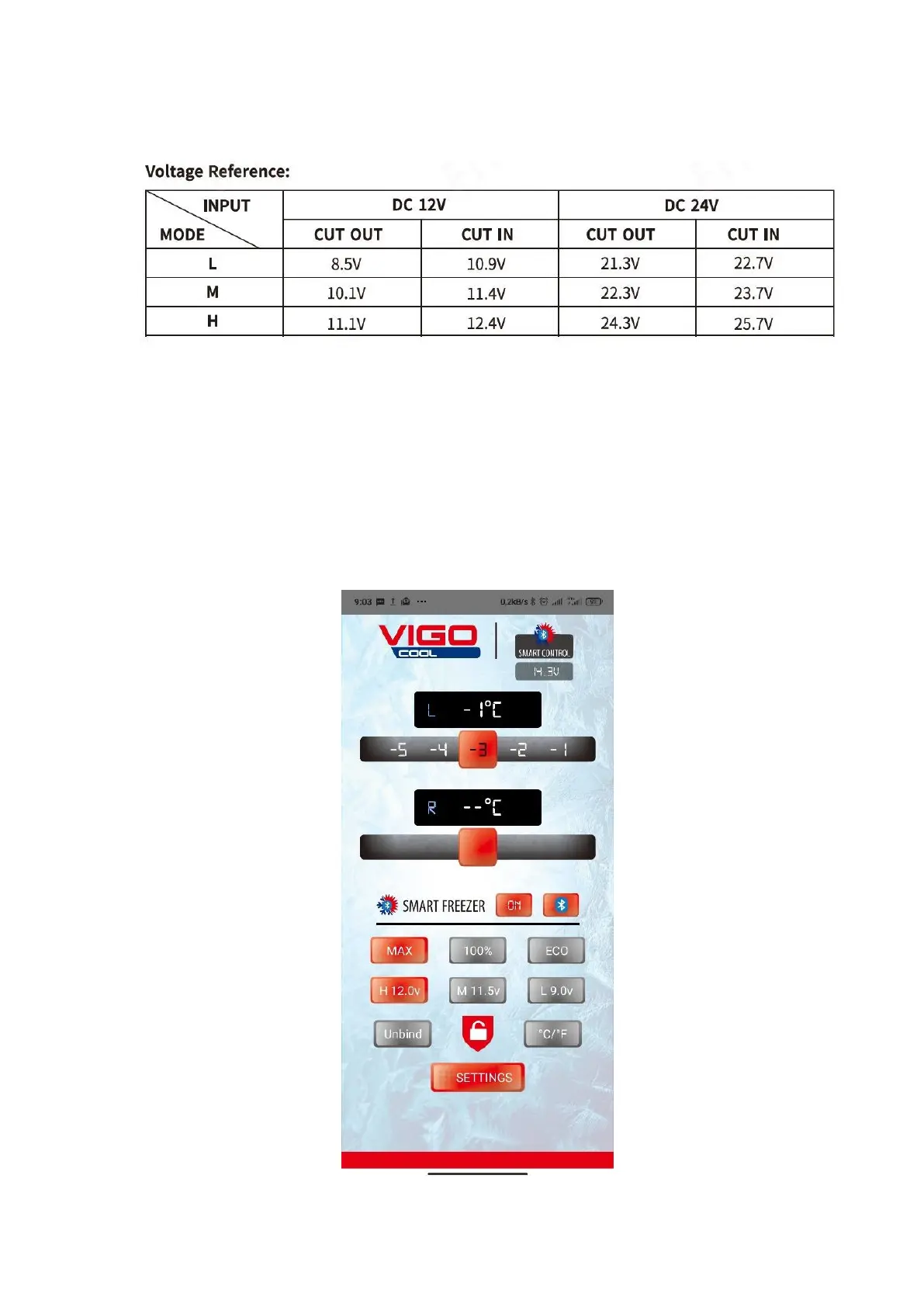
the results may differ slightly between individual models. High mode is recommended
when connecting a refrigerator in a vehicle, and medium and low mode when using
portable/built-in batteries.
3.6. Connection to the application
The refrigerator can be controlled using an application downloaded to the phone. To do
this, download the VIGOCool SMART SOLUTION application from the Google Store or
Apple Store (for convenience, a QR code redirecting to the appropriate application is
placed on the product's carton). Then turn on the bluetooth function and turn on the
location on your phone. After turning on the application, search for the right device and
select the refrigerator. After completing these steps, "APP" should appear on the display
of the refrigerator. When it is displayed, press the "Settings" button on the refrigerator to
pair the two devices. From now on, you can control the refrigerator with the app!



 To Next Page