25
www.vigocool.eu
3.2. Connecting and turning on the refrigerator
Model V30D - Connect the device to a DC 12/24V power socket. Press the power button
to turn on the device. Pressing the switch again will turn the refrigerator off.
Model V65C - Connect the device to a DC 12/24V power supply. Press the power button
to turn on the device. Pressing the switch again will turn the refrigerator off.
Model V35H - Connect the device to a DC 12/24V or AC 100~240V power outlet (using
the power adapter). Press the power button to turn on the device. Pressing the switch
again will turn the refrigerator off.
3.3. Basic fridge maintenance
The "ON/OFF" button turns the refrigerator on and off. The + buttons are used to raise
the temperature. The – buttons are used to lower the temperature.
The "SET" button allows you to select the temperature value, temperature units, cooling
rate and battery protection mode.
3.4. Temperature settings, change of operating mode
The temperature of the refrigerator can be changed using the + (temperature increase)
and – (temperature decrease) buttons. After selecting the correct temperature, wait 4
seconds to save the current settings. The refrigerator will begin to cool down to the
selected value. The display shows the CURRENT temperature, not the temperature
selected by the user. After selecting a new temperature, the refrigerator will begin to cool
down and the value on the display will begin to change.
V35H and V65C refrigerators have two thermostats, thanks to which you can set an
individual temperature for each compartment separately. Pressing the "SET" button once
will change the chamber for which the temperature will be set.
Refrigerators have the option of choosing a cooling mode. The two modes are HH (fast
cooling, more energy consumption) and EE (slower cooling, less energy consumption).
HH mode is set by default. To change the mode, press the "SET" button when the
refrigerator is turned on.
3.5. Battery protection mode
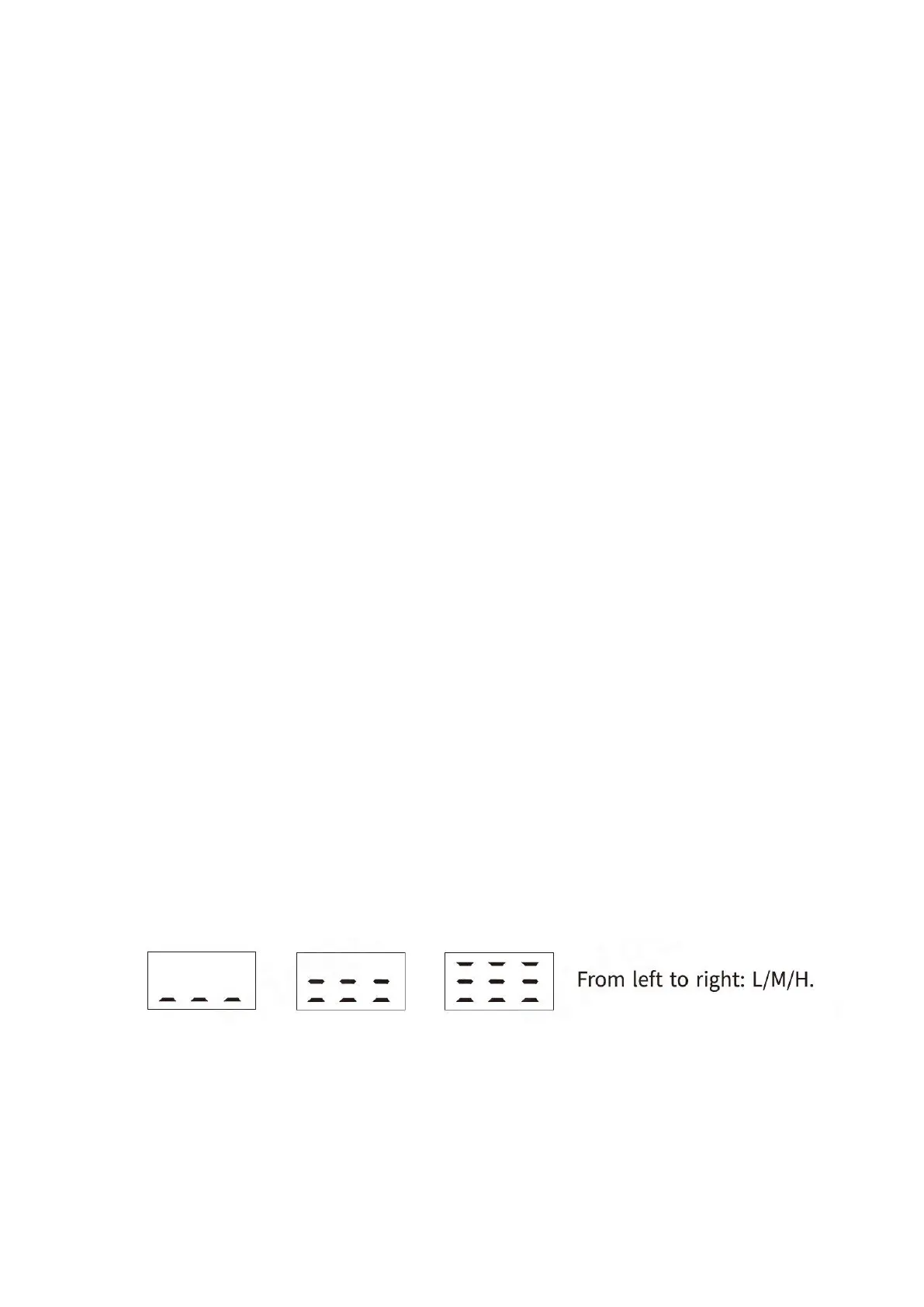
Refrigerators have three battery protection modes. They are visible in the form of
appropriate symbols on the display.
The battery protection function determines the voltage at which the refrigerator will shut
down (switch-off voltage). The device will restart when the battery is charged to the
required value (turn-on voltage). The target battery protection mode is high mode. In
order to change the battery protection mode, hold down the "Settings" button for a few
seconds, and then change the mode by pressing the "Settings" button once. The table
below shows the differences between the different modes. It is worth remembering that



 To Next Page