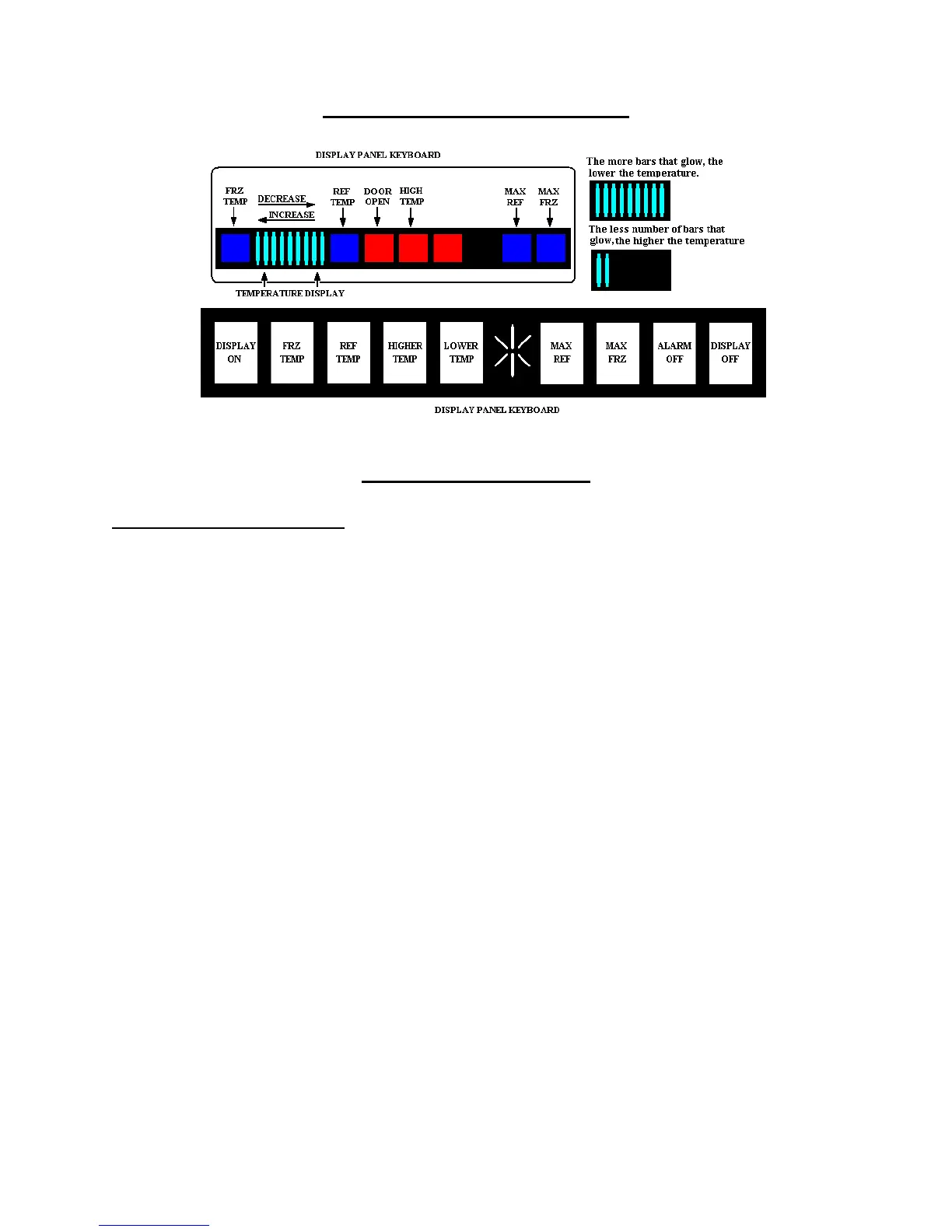
DISPLAY PANEL KEYBOARD
Display Panel Operation
Keyboard Pad Functions
Entry Tone
Indicates a pad was pressed, command read
and accepted. Turn off entry tone by
pressing and holding Display On pad for 3
to 5 seconds.
Command Accepted Tone
Three short tones indicate command
accepted.
Display On Pad
1. Activates control panel. Control panel
remains active at least 10 minutes.
2. Turns off Power Up Alarm (flashing
lights) after power is first plugged in or
after power outage.
Note: All pads, except Alarm Off, are
inactive until Display On is pressed.
Freezer Temp Pad
Activates freezer temperature setting mode.
1. Freezer indicator light will glow.
Freezer temperature setting will be
displayed. Factory setting is 5.
2. Change freezer temperature setting by
pressing Higher Temp or Lower Temp
Pad.
Ref Temp Pad
Activates refrigerator temperature setting
mode.
1. Refrigerator indicator light will glow.
Refrigerator temperature setting will be
displayed. Factory setting is 5.
2. Change refrigerator temperature setting
by pressing Higher Temp or Lower Temp
Pad.
Higher Temp Pad
Raises temperature setting one bar at a time.
If entry tone is on. Tone will sound at each
bar level until top level is reached.
1. Turn on temperature setting function of
control panel by pressing Higher Temp
Pad.
2. Press and hold Higher Temp pad to raise
temperature setting at a faster rate.
19



 To Next Page