Page 20 of 41 December 12, 2018
General Information
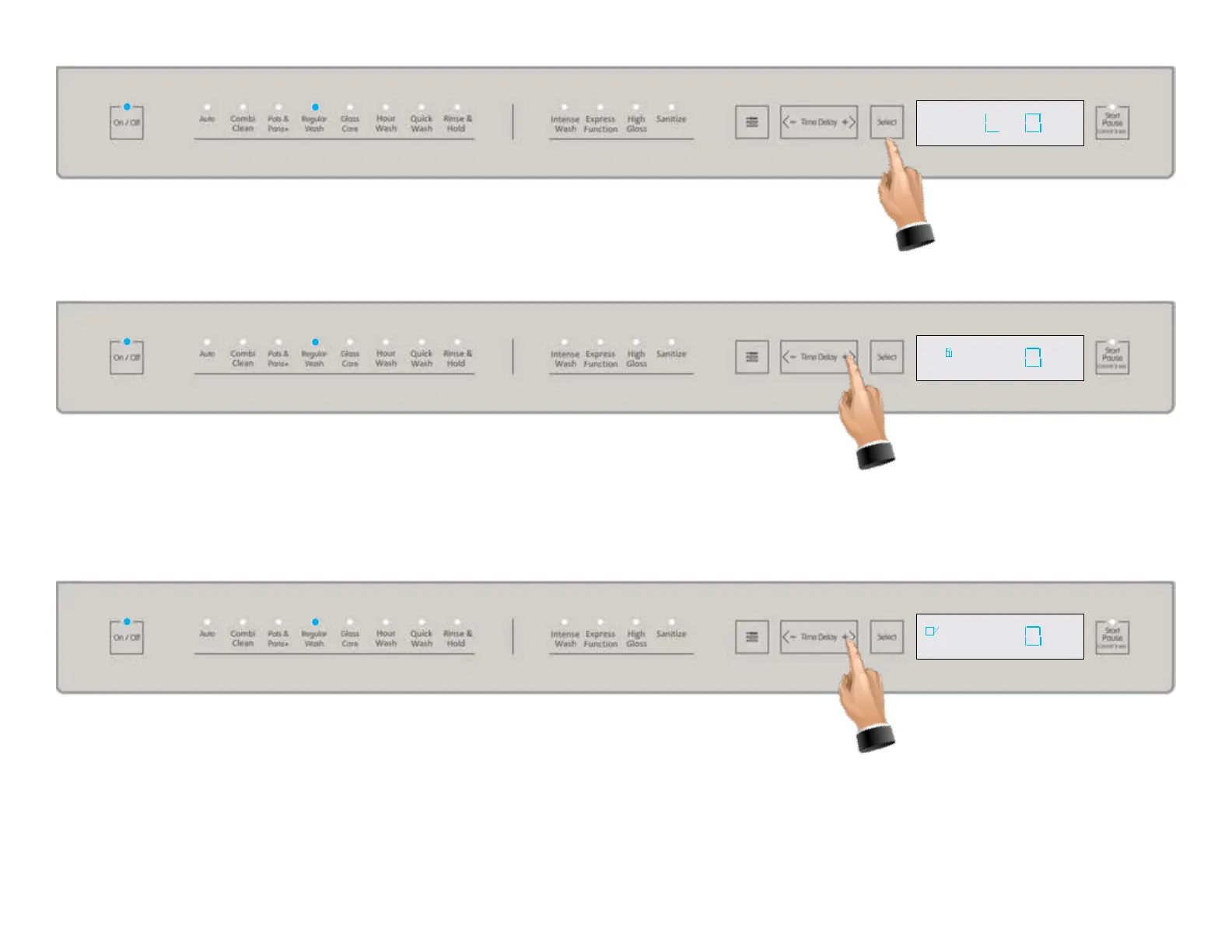
This is the rst item available in the settings menu and allows you to turn the interior light ON or
OFF. Press the Select tab to change the current setting. 0 = OFF 1 = ON
Press the time delay + tab to go to the next item on the settings menu which is micro-lter
enable disable, the micro-lter icon illuminates in the display window, however this function
is not applicable to Viking models, press the time delay + tab again to go to the next item in
the settings menu, see below.
This is the automatic door opener at end of cycle, the icon for the open door illuminates,
however this function, again is not available on the Viking built models. Press the time de-
lay + tab again to go to the next item in the settings menu, see next page.



 To Next Page